In wallet system, a unique virtual account numbers are generated for each parents in the system.
How to Setup Wallet
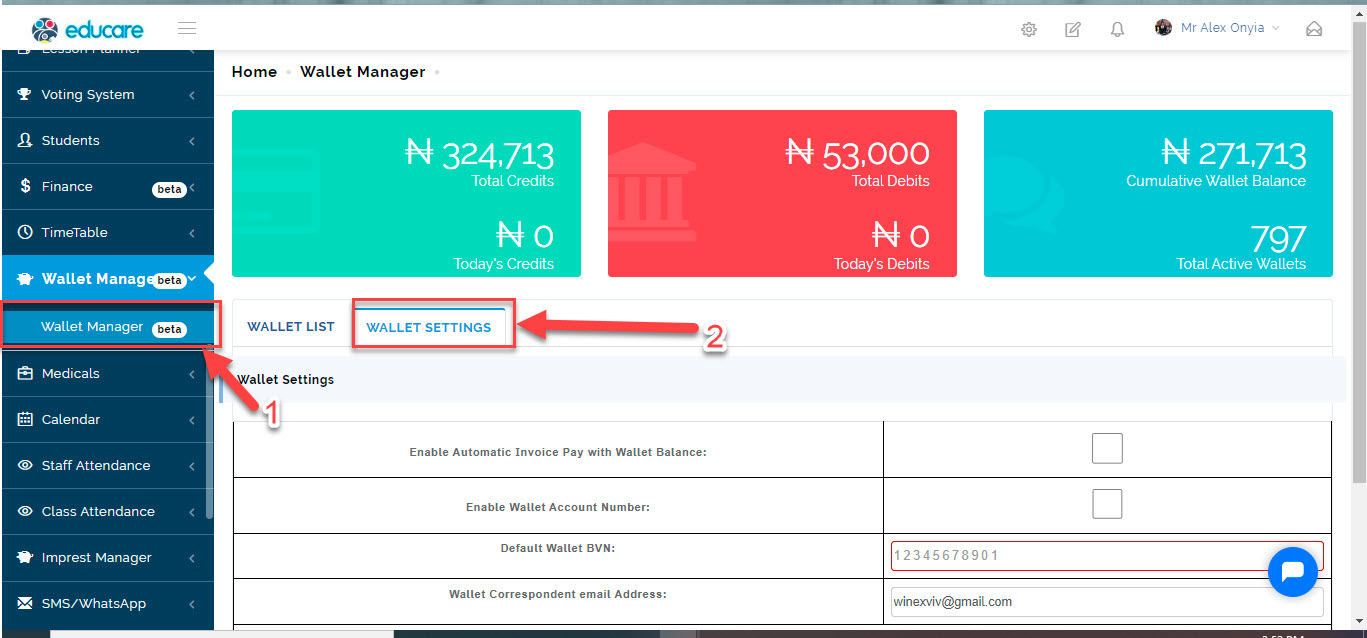
To create wallet setup;
- Go to Wallet manager
- Click on Wallet settings
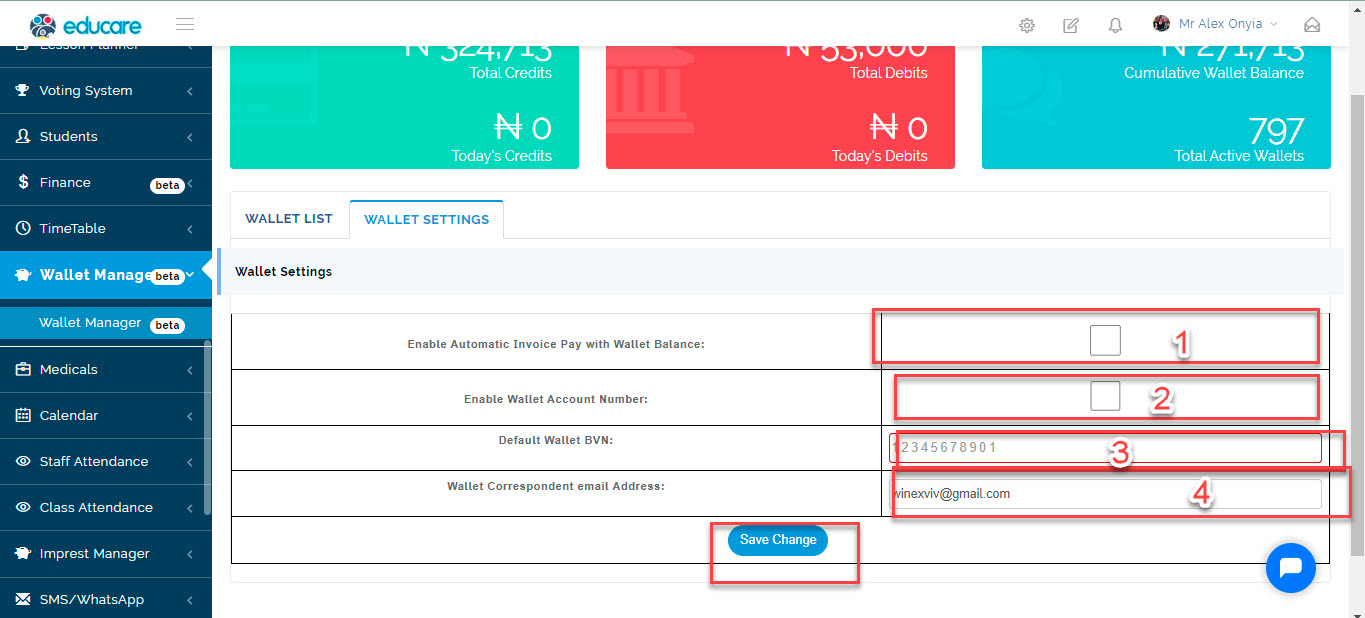
1Enable Automatic Invoice Pay with Wallet Balance: When you check this box, the system allows automatic clearing of invoice, once there is money in the wallet
2 Enable Wallet Account Number: When you check the box, the system automatic generate account number
3 Default Wallet BVN: A default BVN is required for account number generation.
4 Wallet Correspondent email Address: Enter the email address of who will receive a mail, once a parent credits his/her wallet
Click on SAVE CHANGES
NB: without the BVN, the account numbers cannot be generated