
This is where the School Admin can designate a Teacher to different school that he/she Teaches in the school.
To Assign A Teacher to a School, Follow these Steps:
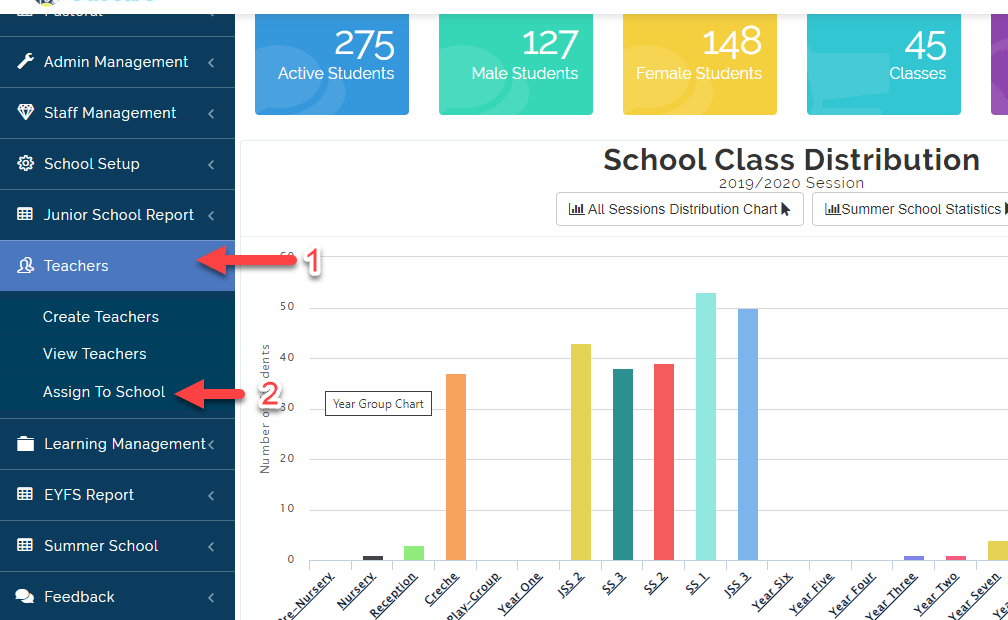
- Click on Teachers Module then Select Assign To School.
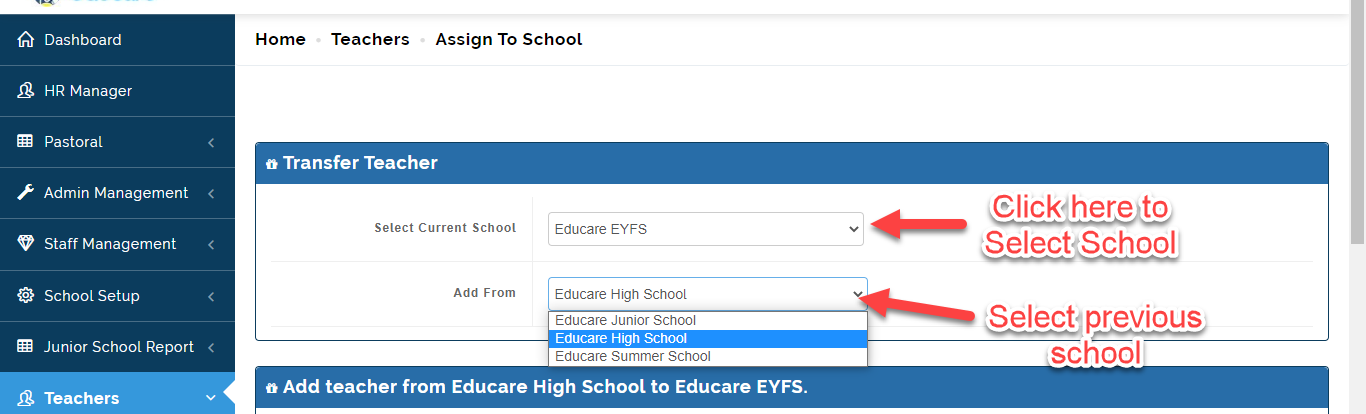
- Under Transfer Teacher Table, Select the School you want to designate the teacher too under Current School and The School the teacher is registered in under Add From.
- This will bring the list of all the teacher in the selected school, Search for the name of the teacher you want to Assign to a School then Click on Add Teacher.
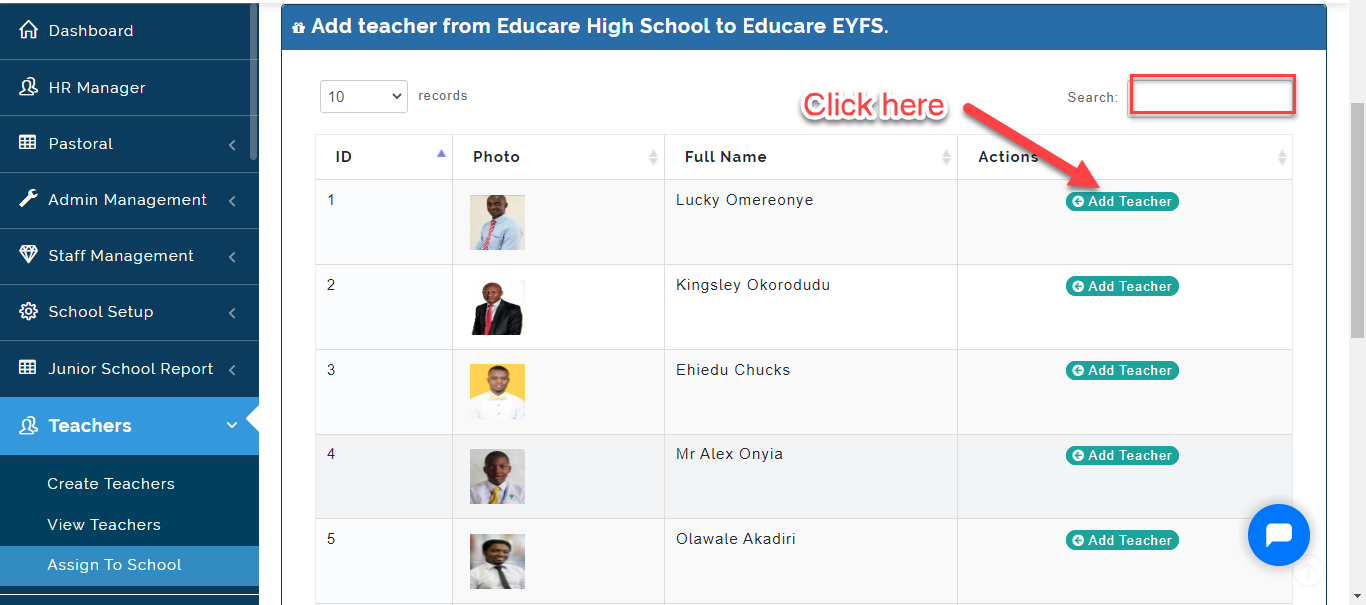
- The Teacher you added will be able to enroll and make report for the classes she teaches in the assigned school.