News feed feature is the central area for information display on the educare platform where every user can view and interact with it. Every user can be given access to post news feed content but it is subject to a review and approval before it's published for every other user to view.
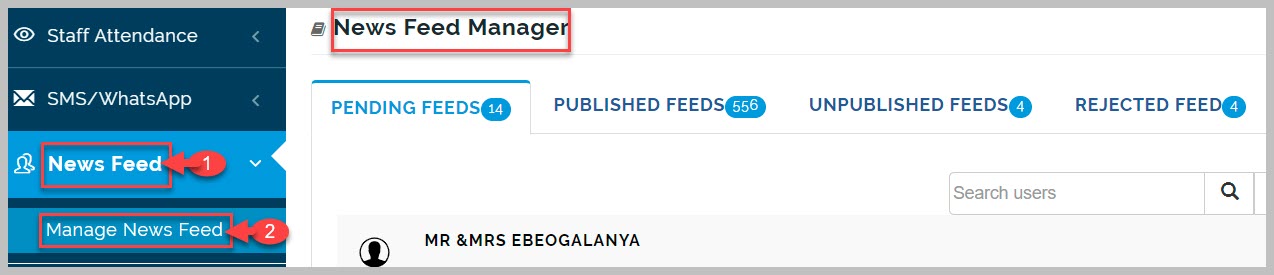
News Feed Manager
News feed manager enables the admin to review submitted feeds, approve and publish feeds, reject feeds, unpublish feeds, and delete feeds.
Pending Feeds
Once a user makes a news feed post it is submitted to pending feeds for review and approval or rejection by the admin. Admins can also edit the audience the news feed will be available to for viewing and interactions
How to Publish News feed post
To approve and publish news feed, follow these steps;
-
Go to Manage News Feed and click on Pending Feeds tab
-
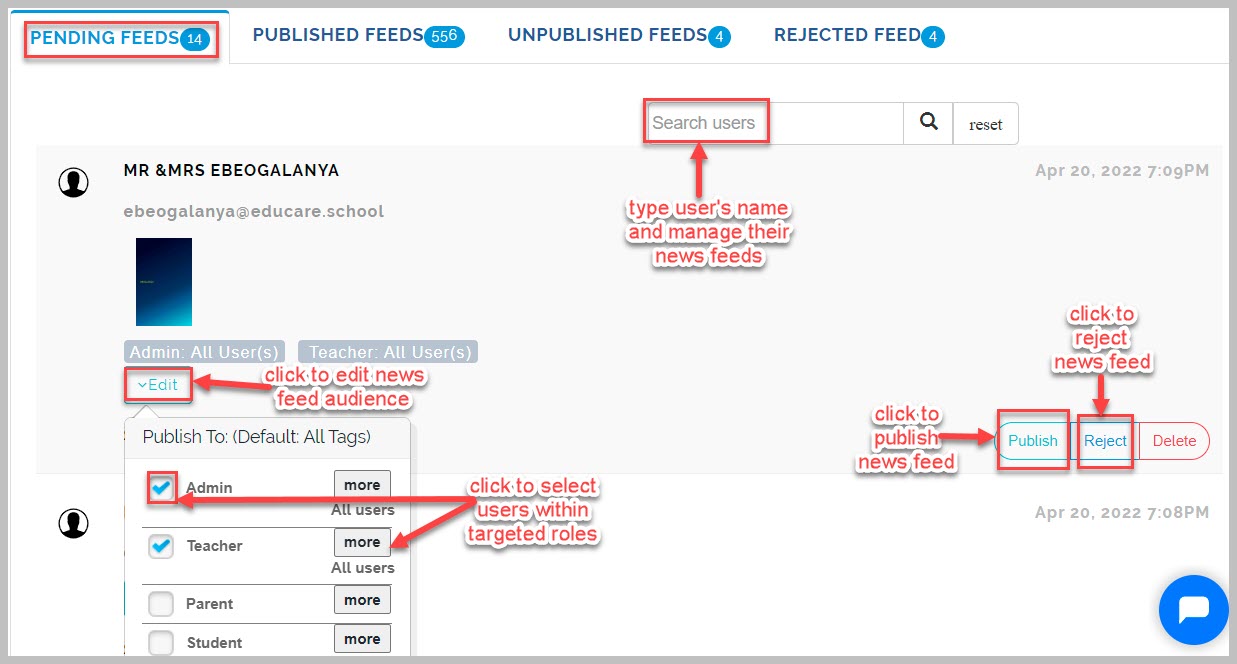
Search for desired news feed using the sender's name
-
Click on Edit button to narrow down the audience that will view the news feed when published
-
Click on Publish button to approve and publish news feed
-
To Reject News Feed simply click on Reject button
-
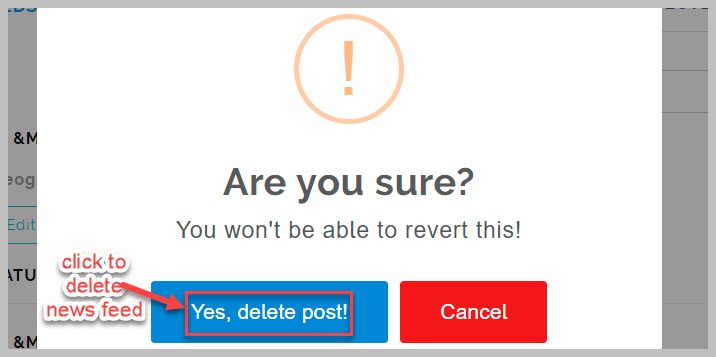
To Delete News Feed, click on Delete button and confirm action on pop-up prompt
Publish News Feed Notes:
Admin can allow all users to make news feed posts directly with going through approval process.
Once a user makes a news feed post it is set by default to go out to all users on the platform.
If a user wants to send news feed to a particular group of users they can edit their audience before sending
to admin for approval.
How to Unpublish News feed post
To unpublish news feed posts, follow these steps;
-
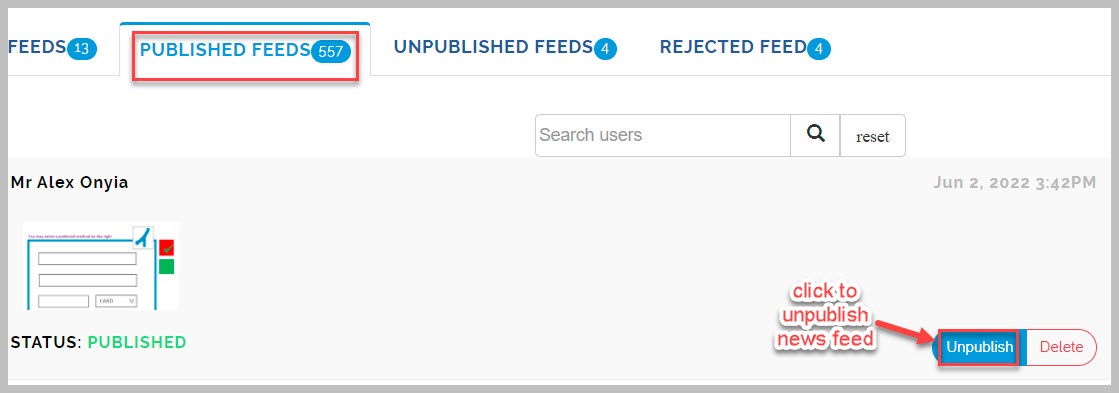
Go to Manage News Feed and click on Published Feeds tab
-
Search for desired news feed post using the sender's name
-
Click Unpublish button to complete action