here helps you remove students that are currently not available or students that have left the school from the active student list, to do that we will take you through the steps.
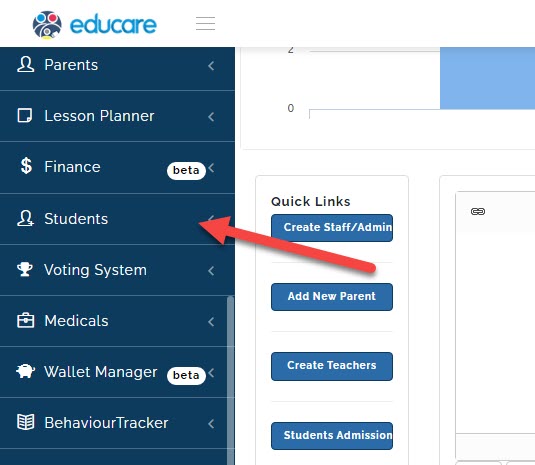
click on Students
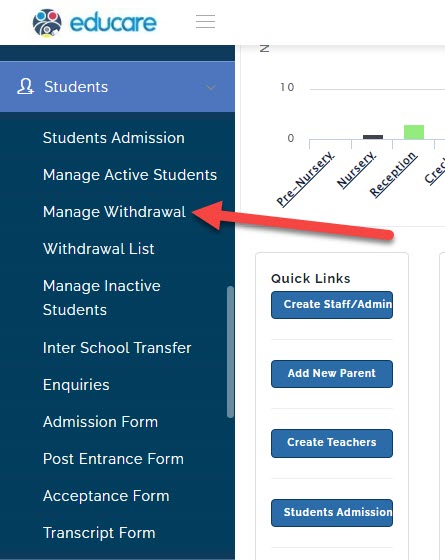
click on Manage Withdrawal
a new page will open
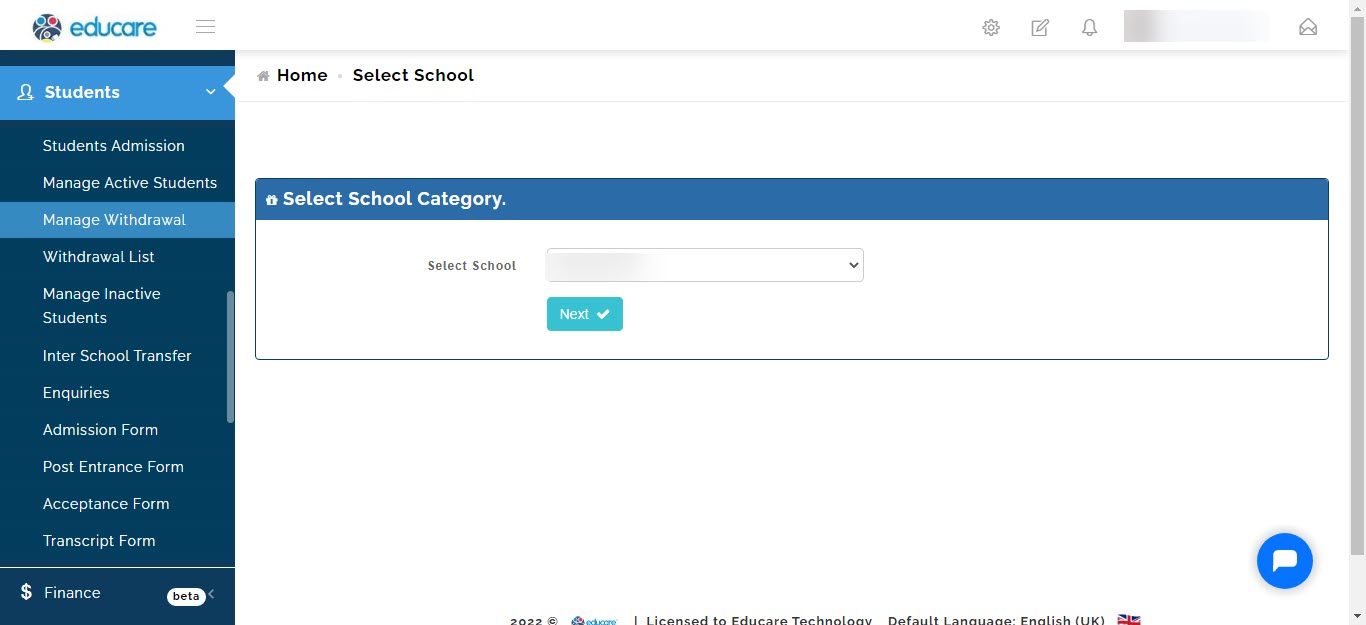
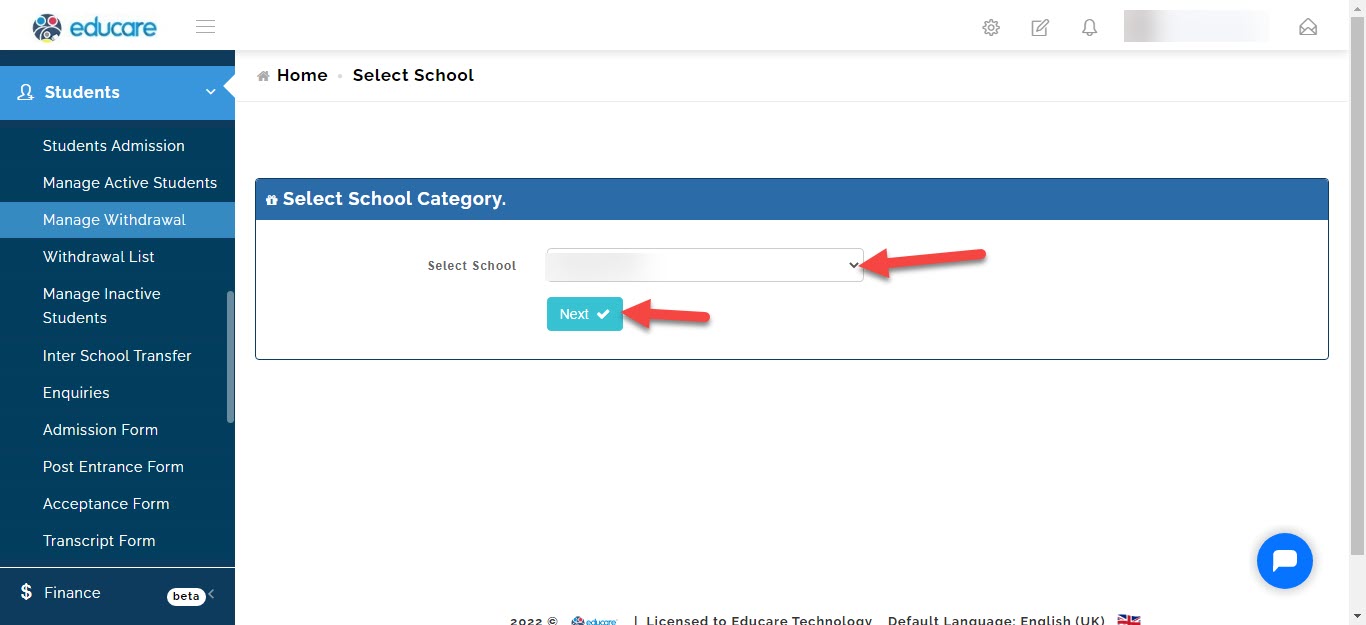
select the school (if your school has different arms like eyfs, junior school or high school) and click next.
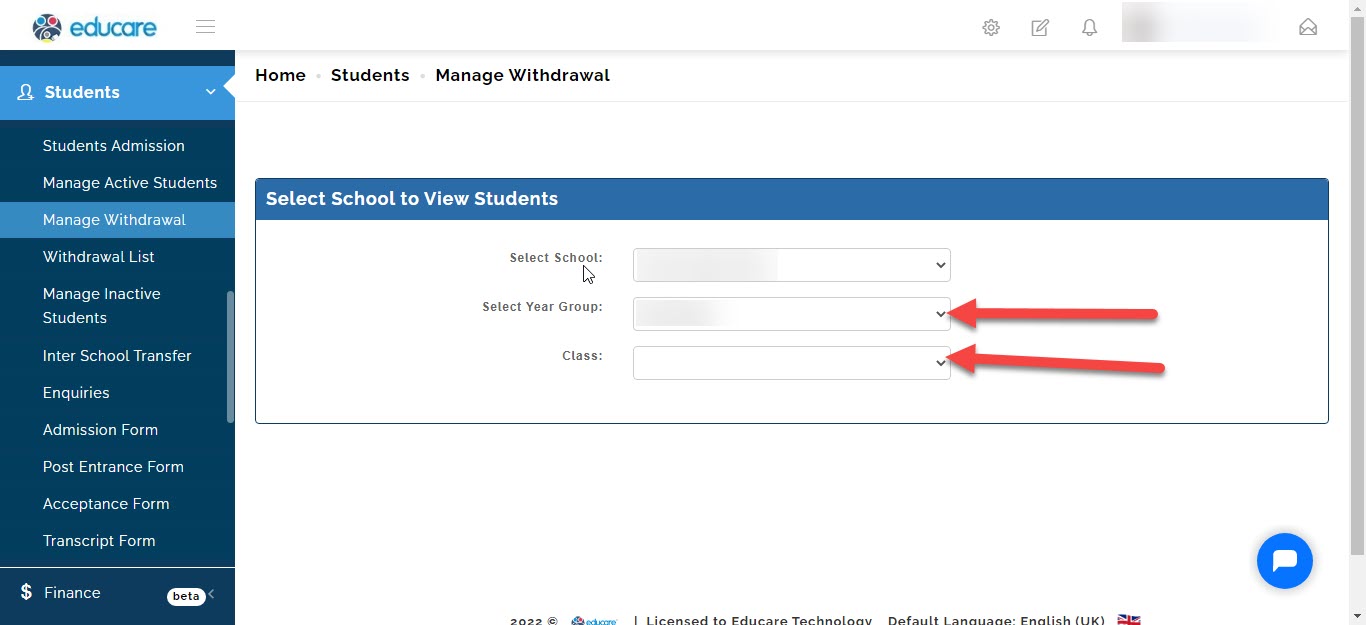
select the year group and the class of the student you want to withdraw
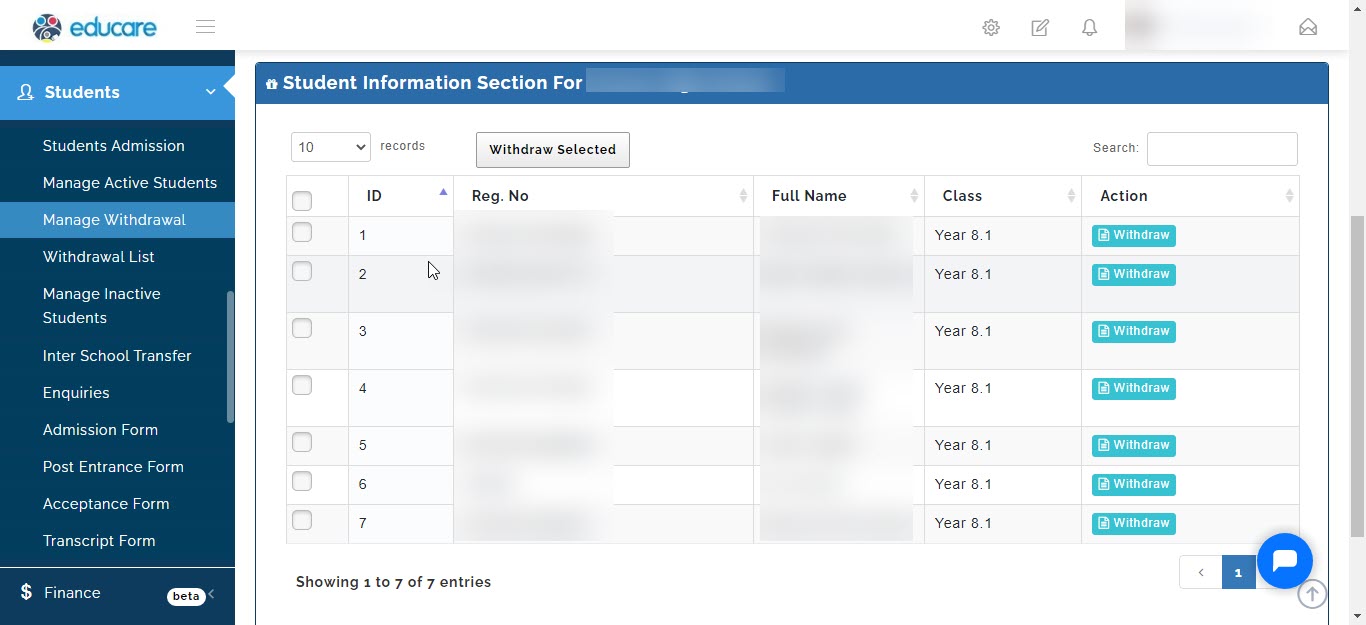
then the list of students in the class will be brought forward
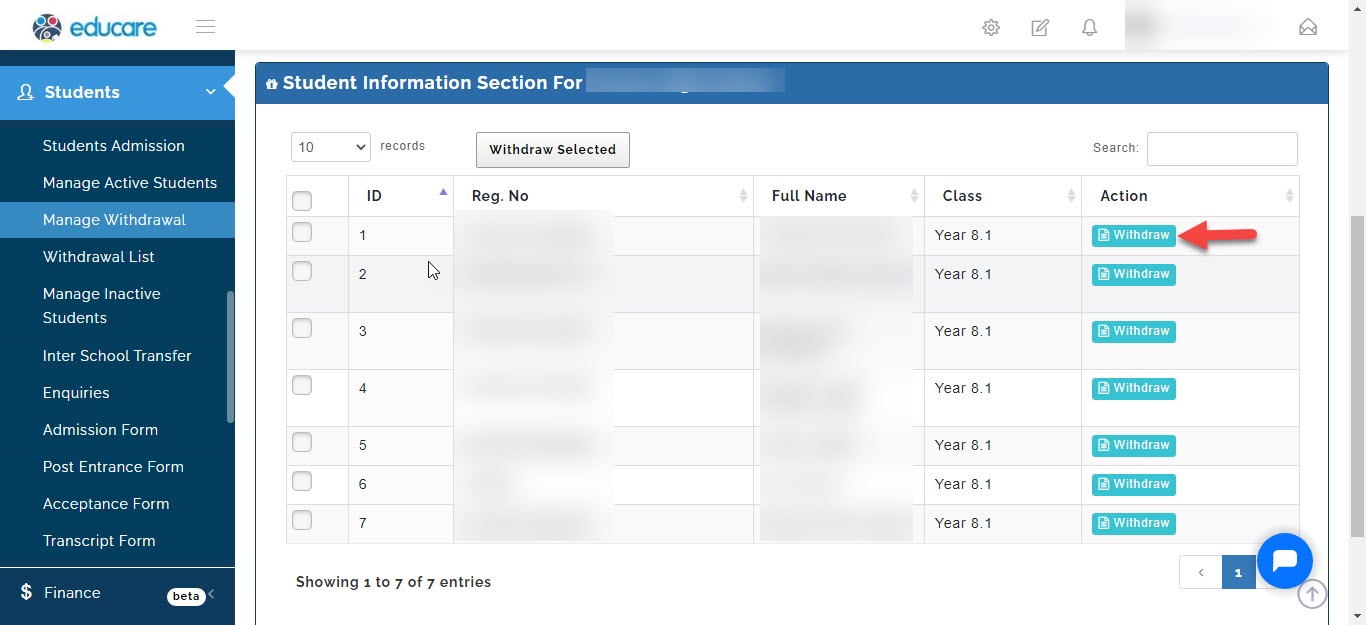
to withdraw a student click on withdraw
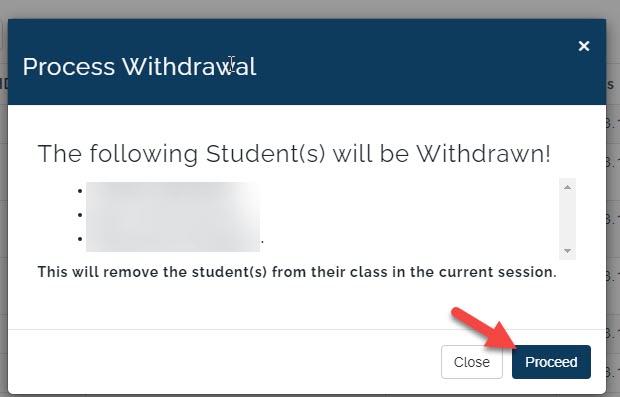
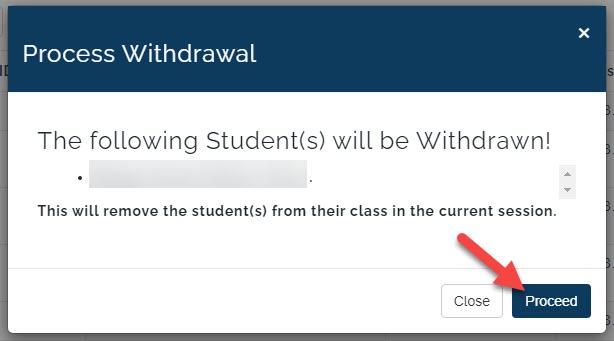
a pop up window will appear with a list of the name of the student you selected to withdraw.
to continue click on proceed and the student will be withdrawn from the schools active students list, class list will be moved to the Withdrawal List.
to withdraw multiple students at once
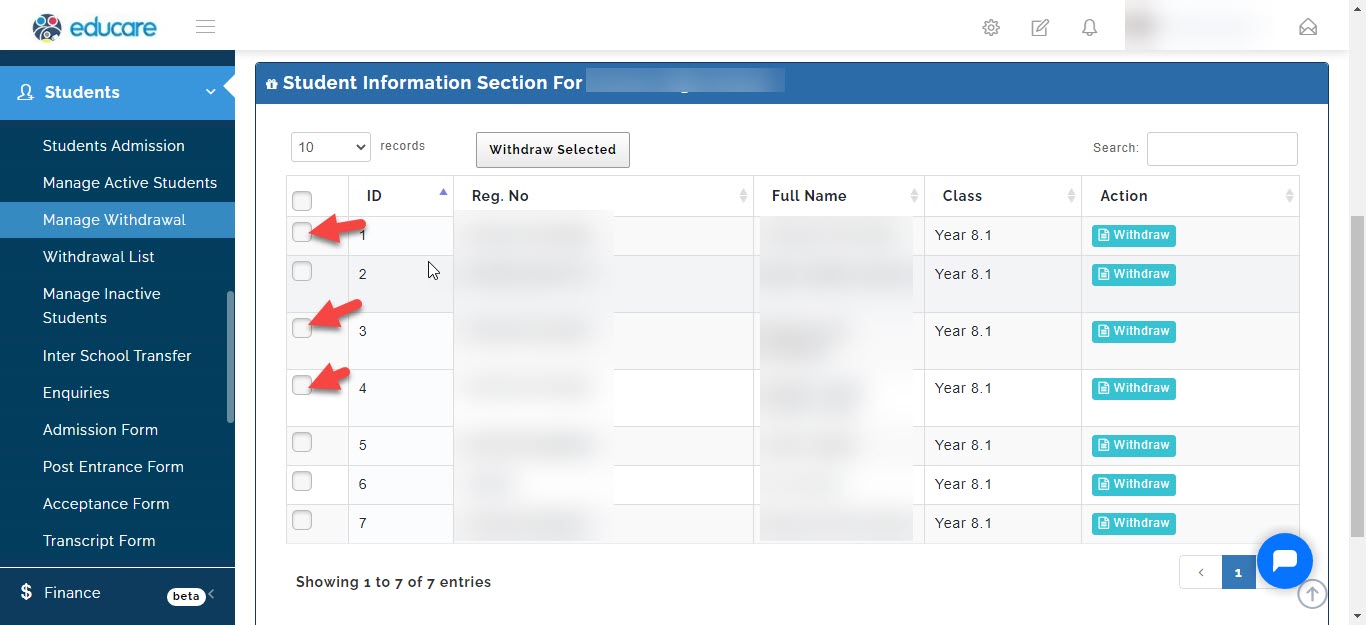
click on the checkbox to select the students you want to withdraw
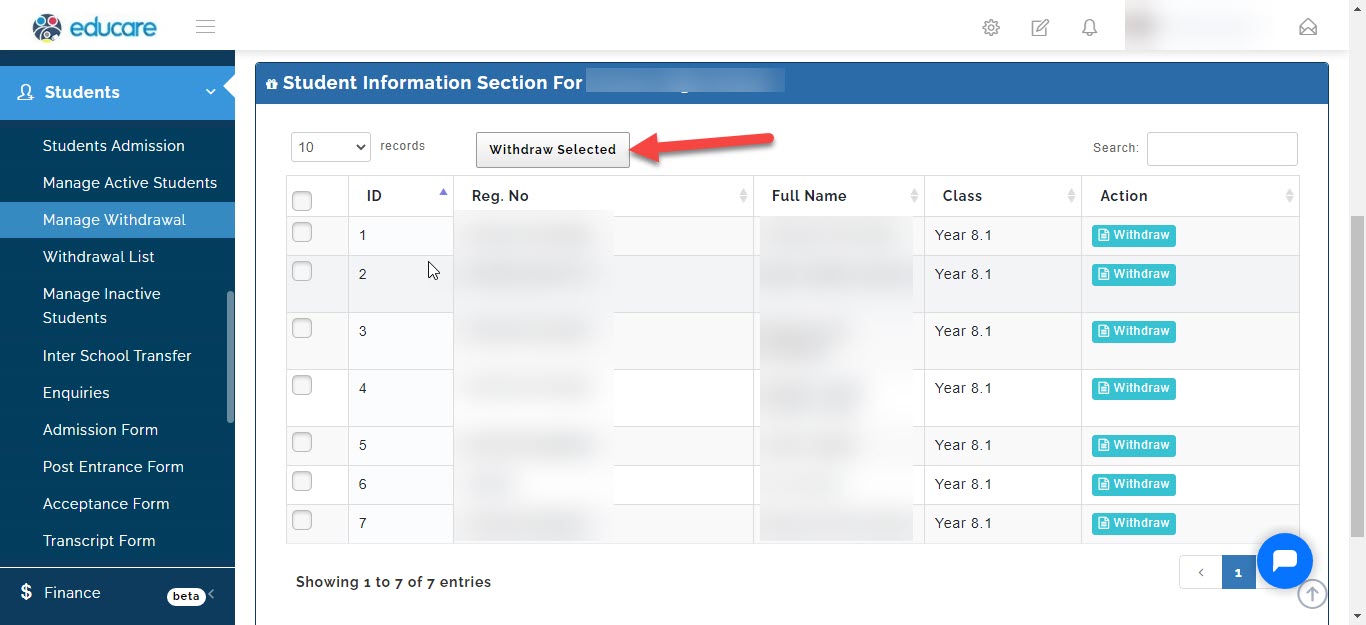
once you are done click on withdraw selected
a pop up window will appear with a list of the names of the students you have selected to withdraw.
to continue click on proceed and the students will be withdrawn from the schools active students list, class list will be moved to the Withdrawal List.