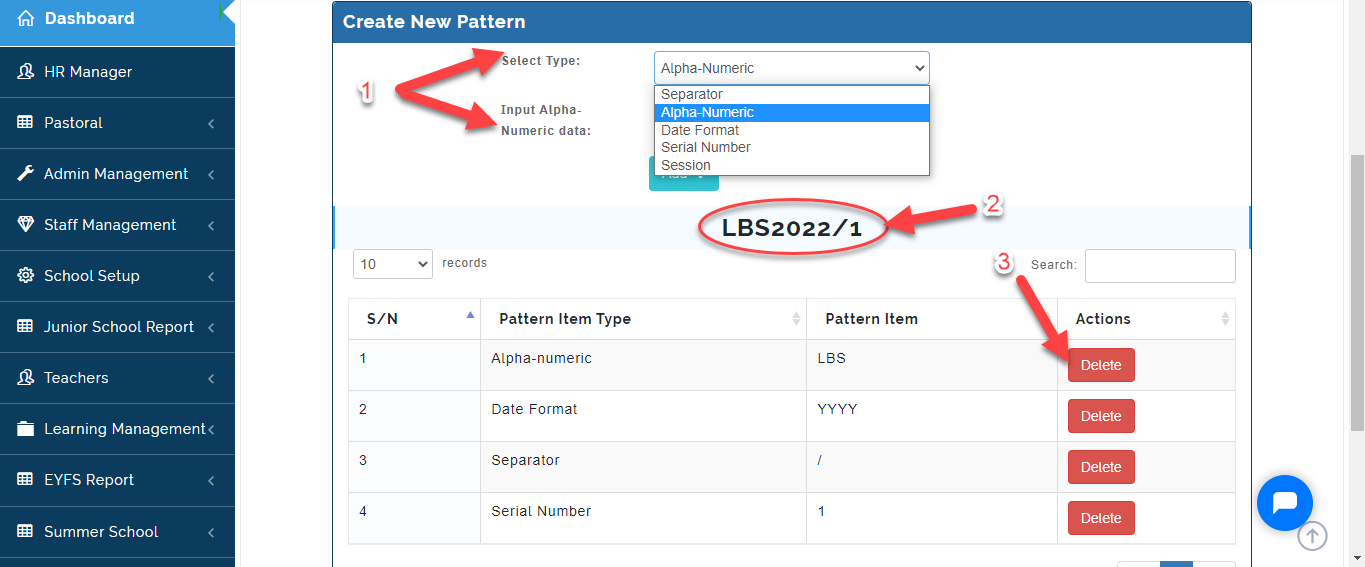
This is where admin can customized the admission registration number pattern for Students. Once this is Created, it will from the Students Registration Number when generated.
How to Create Registration Number Pattern
To Setup Registration Number Pattern, Follow these Simple Steps:
STEP 1:
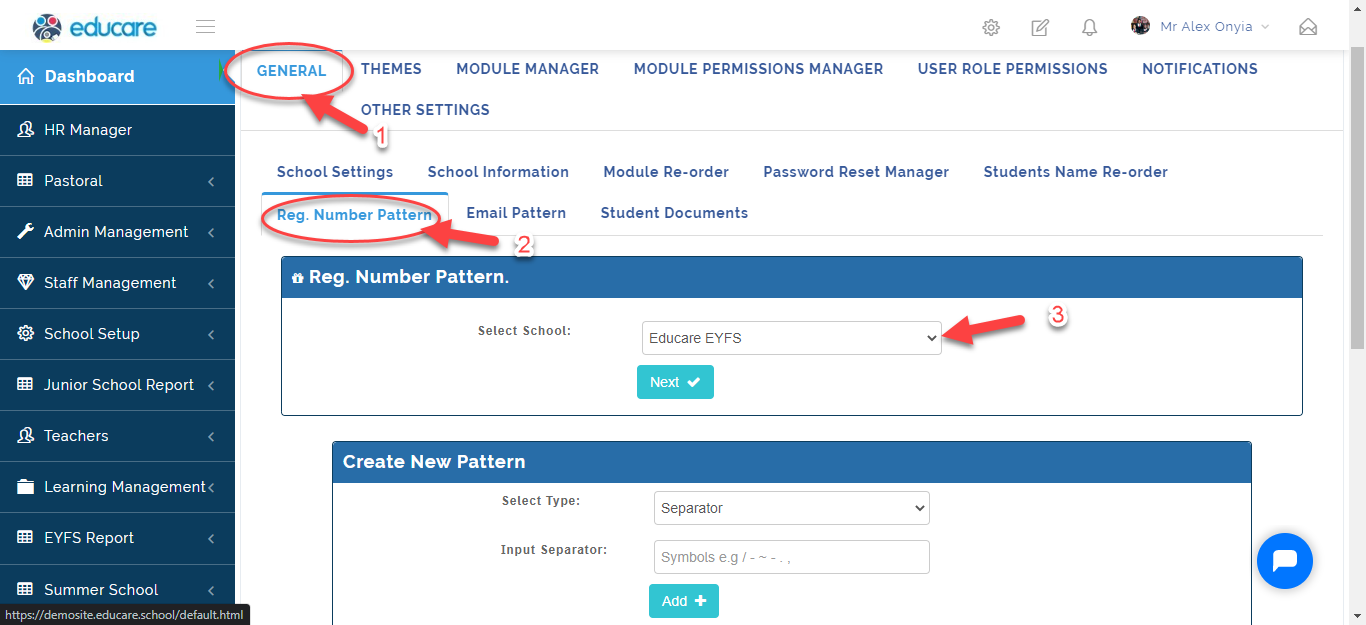
- From General Setting
- Click on Reg. Number Pattern.
- Select the School type you want to setup pattern for.
Step 2:
- Under Create New Pattern, Select the Pattern type you want to Registration number to start with, Input the format in the text box then click on Add.
- As you create it, a sample will be formulated for you.
- Click on the Delete icon to remove a pattern style from the list.