This is used when you wish to make a student retake a test the student has taken previously. The admin removes the previous score recorded for the student and allows the student re take the test again.
FOLLOW THE SIMPLE STEPS BELOW TO RESET A STUDENT'S CBT TEST.
Step 1:
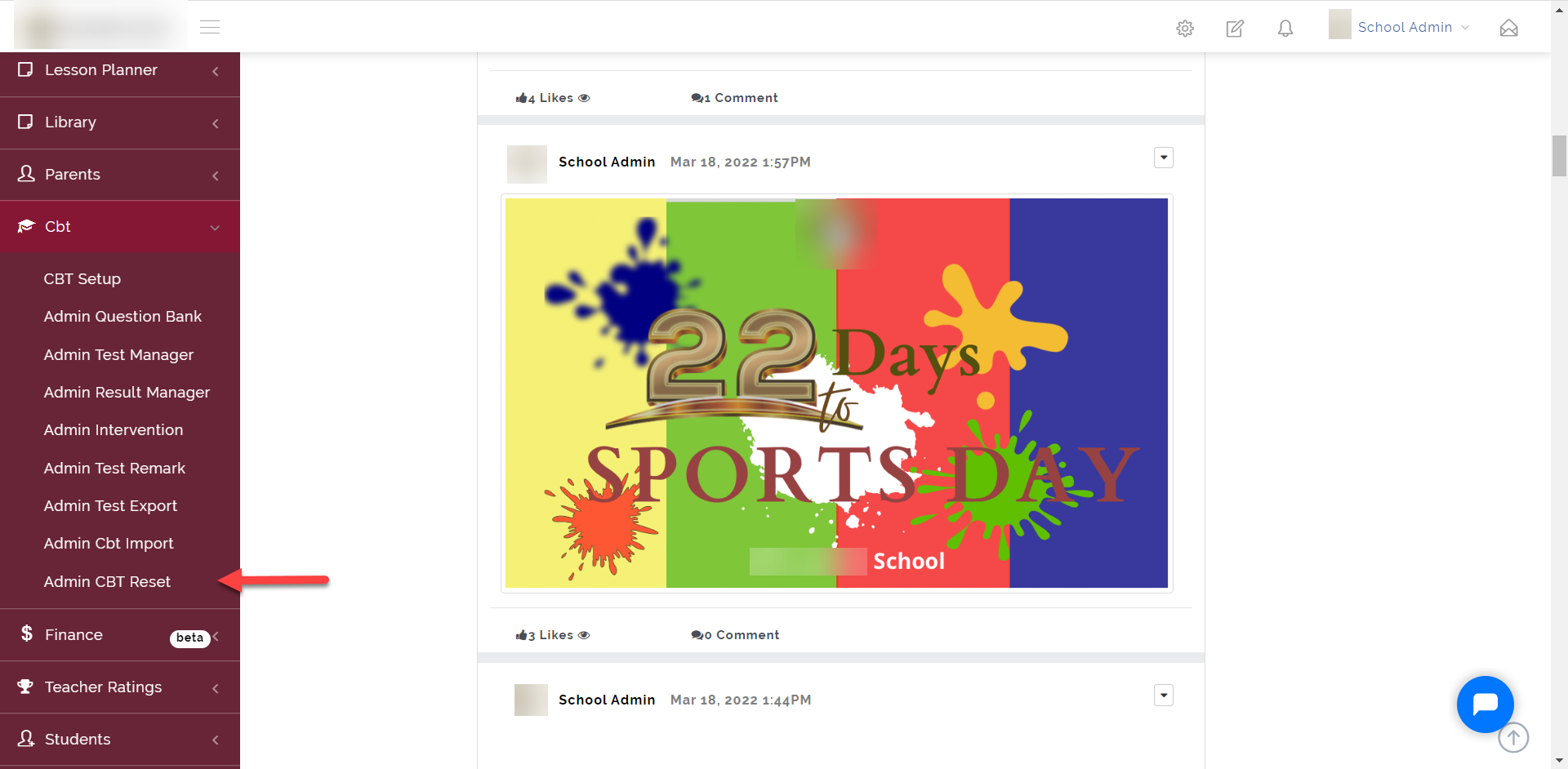
As indicated in the picture below, click on the “CBT” dropdown then select “Admin CBT Reset”
Step 2:
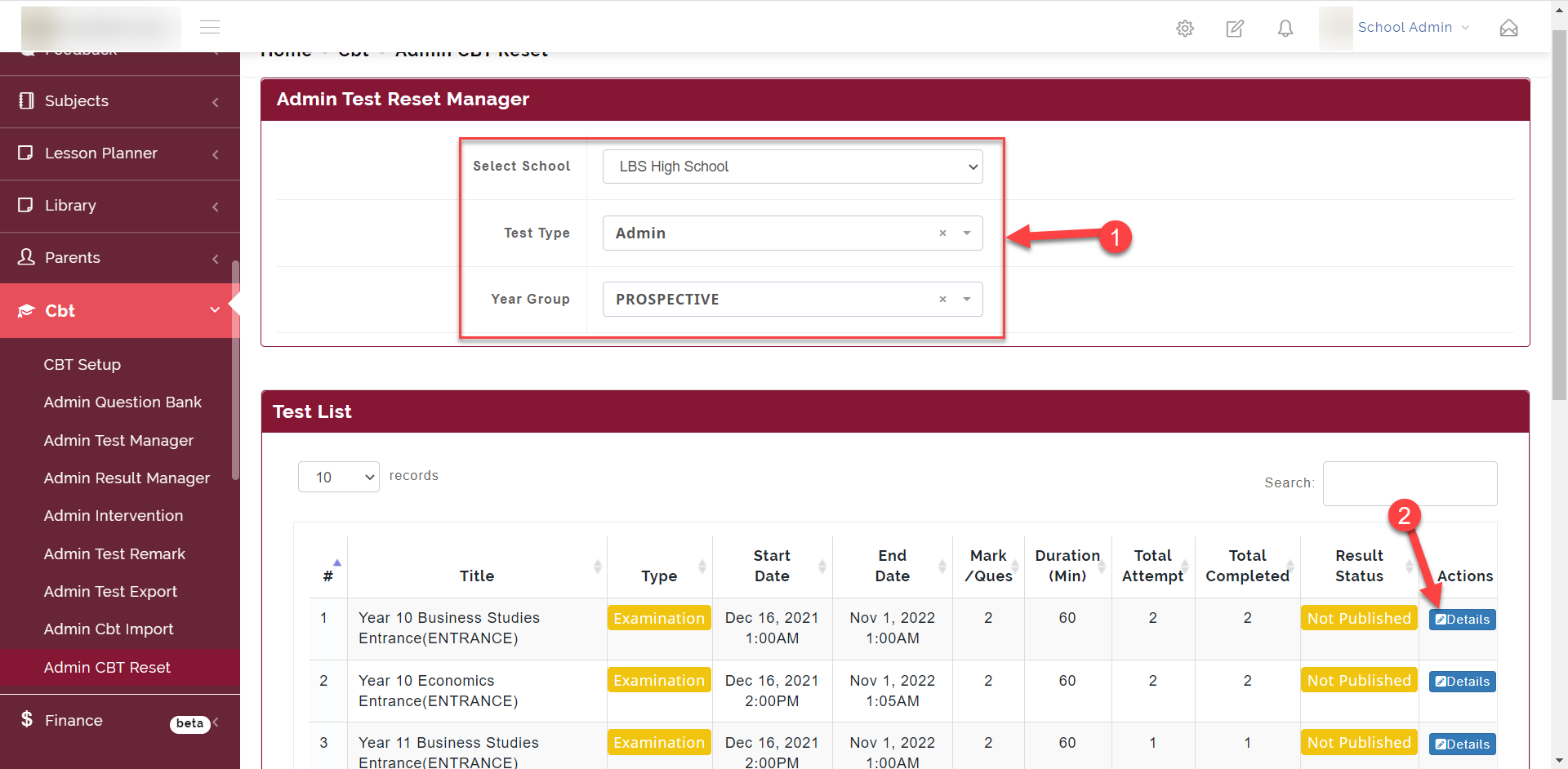
- Select the School, Test Type and Year Group, this opens up the Test List from the filter selected as seen in the picture below.
- Click on details to open the list of students that took the Test.
Step 3:
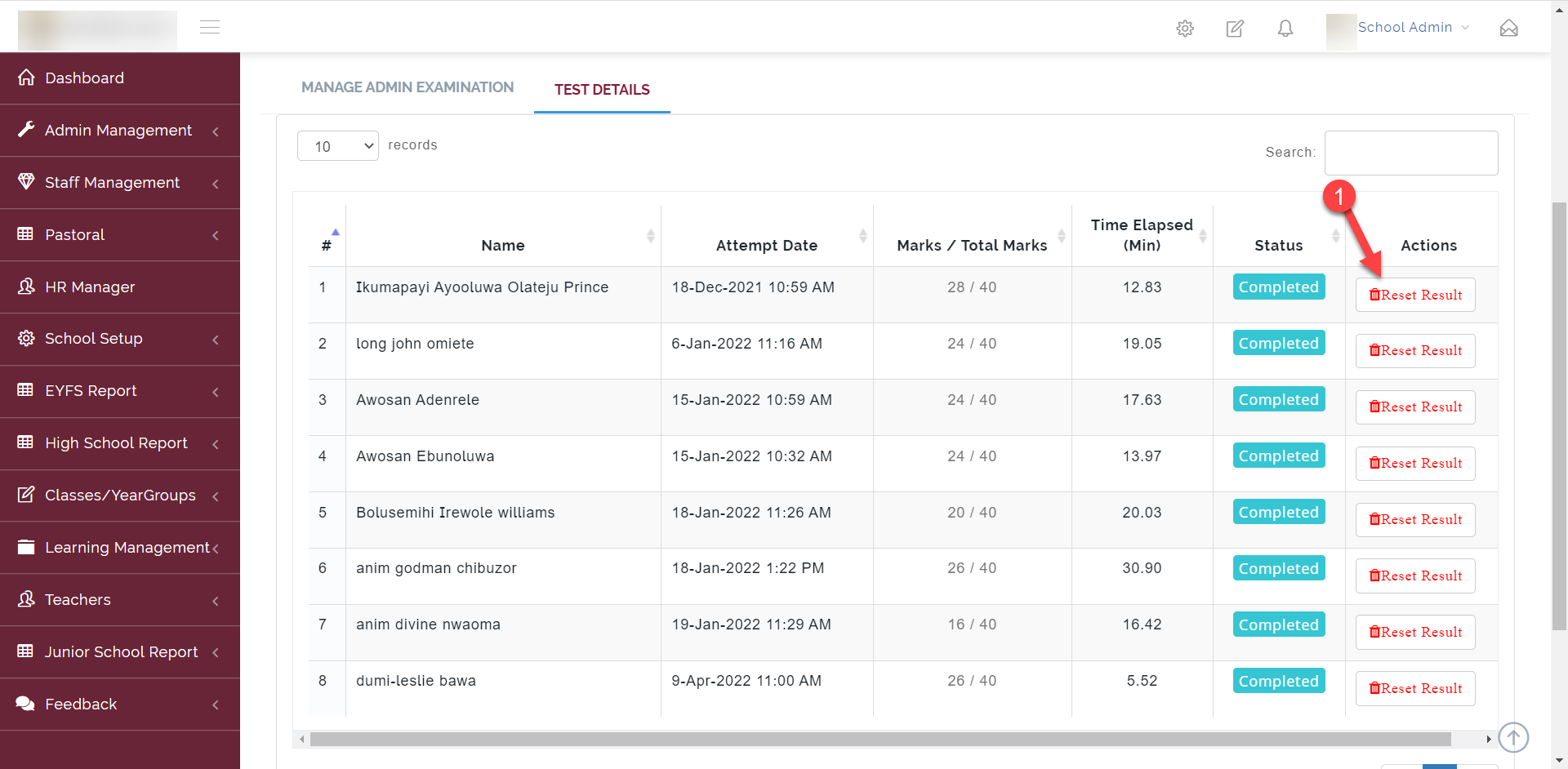
Here you see the list of students with the option to reset their CBT
Click on Reset Result to Reset the CBT.
Step 4:
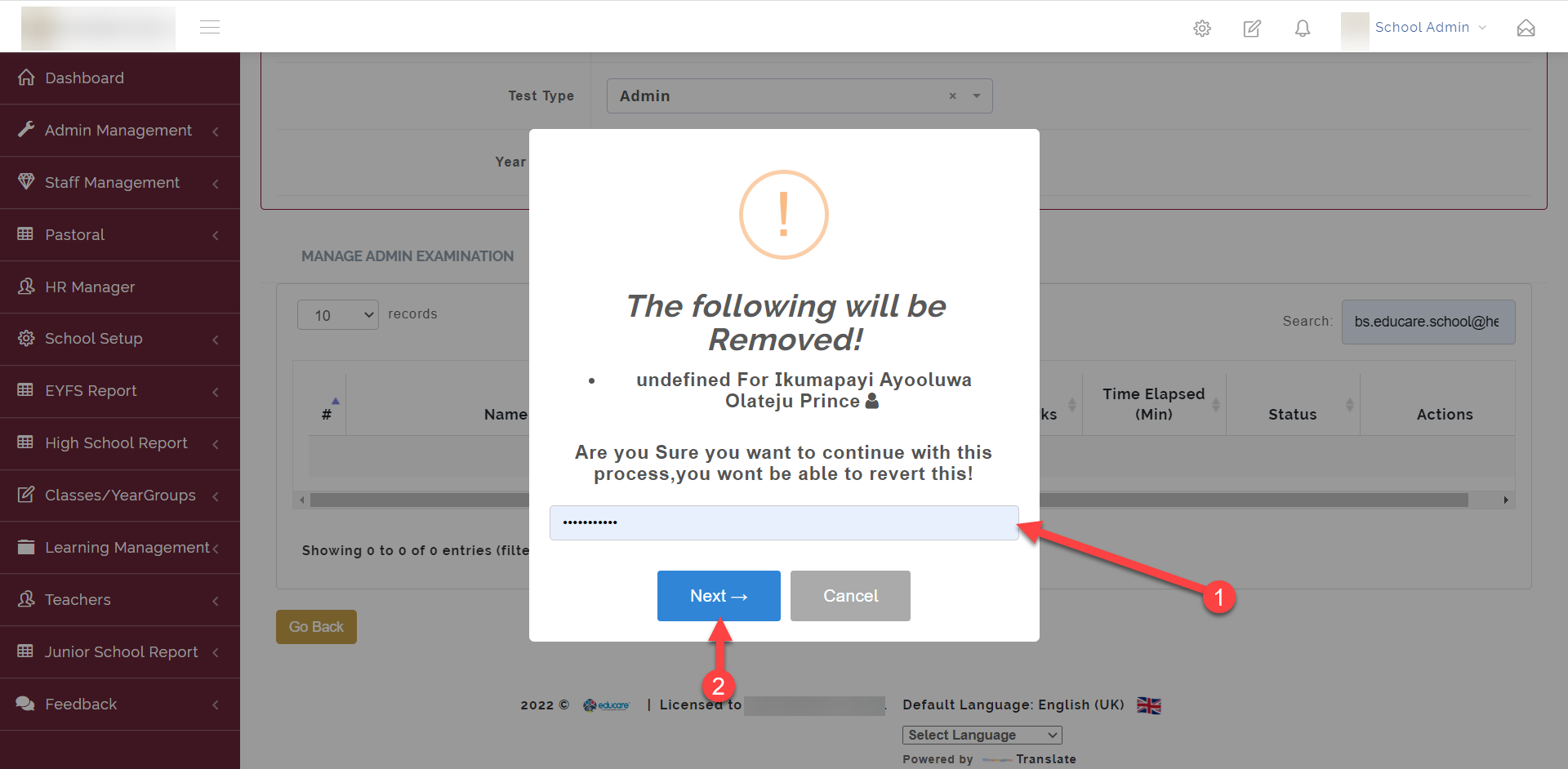
Clicking on the Reset Button opens up the modal window where you are required to enter the super admin password to carry out this action.