
In this section, The admin can create the leadership roles/positions held by students in the school.
Step 1: How to create Leadership roles
To create a leadership role, follow these simple steps:
- Click on the Pastoral Module
- Select Pastoral Setup
- Navigate to the Leadership Roles Tab
- Select the school (if you have different school types e.g. EYFA, Junior or High school)
- Click on add role
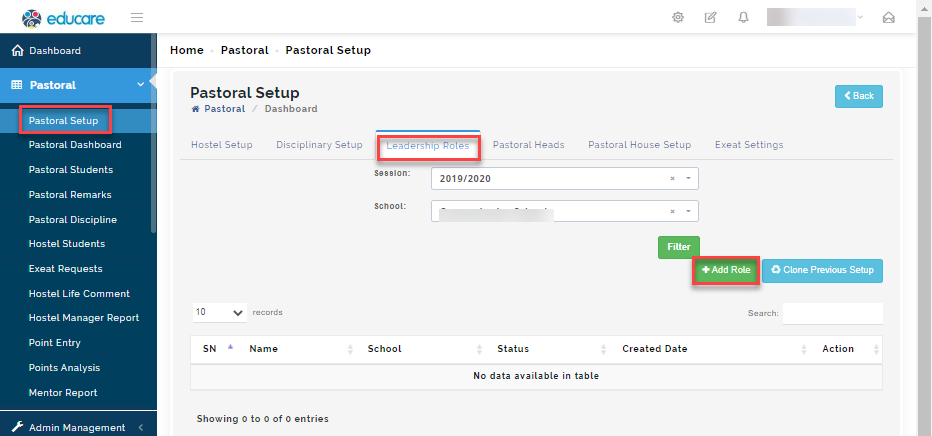
A modal will appear
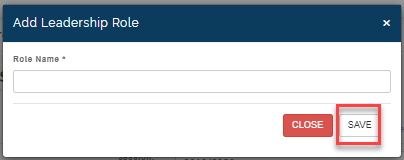
Enter the name of the role (eg. Head Boy, Deputy Head Girl, Chapel etc) and click on save.
Step 2: To view Leadership role
- Click on the Pastoral Module
- Select Pastoral Setup
- Navigate to the Leadership Roles Tab
- Select the school (if you have different school types e.g. EYFA, Junior or High school) and click on filter.
-The List of Leadership roles held by students will appear in the table.
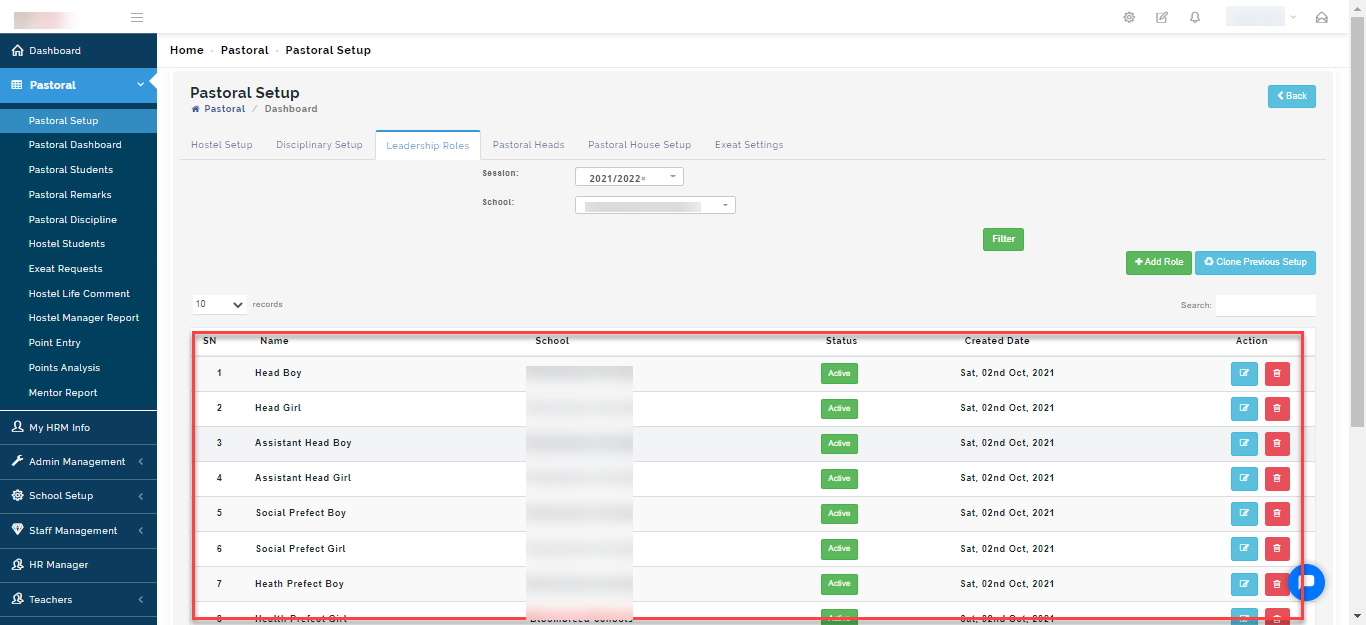
To edit a role, click on the edit button (red tag below)
To remove a role from the list, click on the Delete button (Green tag below)
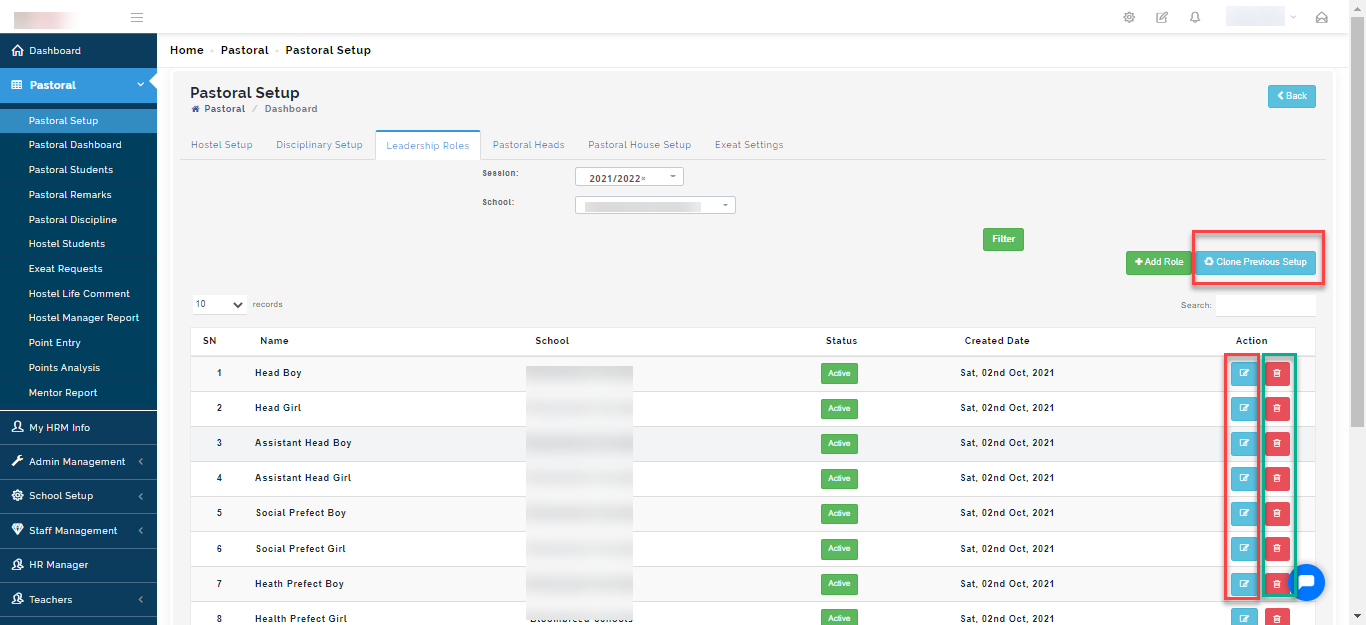
If the same Leadership roles you created in the previous session is applicable in the current one, click on the "Clone Previous setup button".
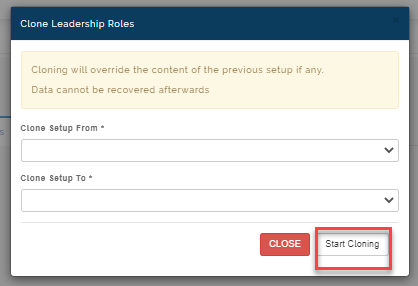
Select the session you want to clone from
Then, under clone setup to option, Select the current session you want the content of the previous session to have and click on Start cloning
When cloning is done, Leadership role created in the previous session setup will appear on the chosen session.
Please Note
Cloning will override the content of the previous setup if any. Data cannot be recovered afterwards