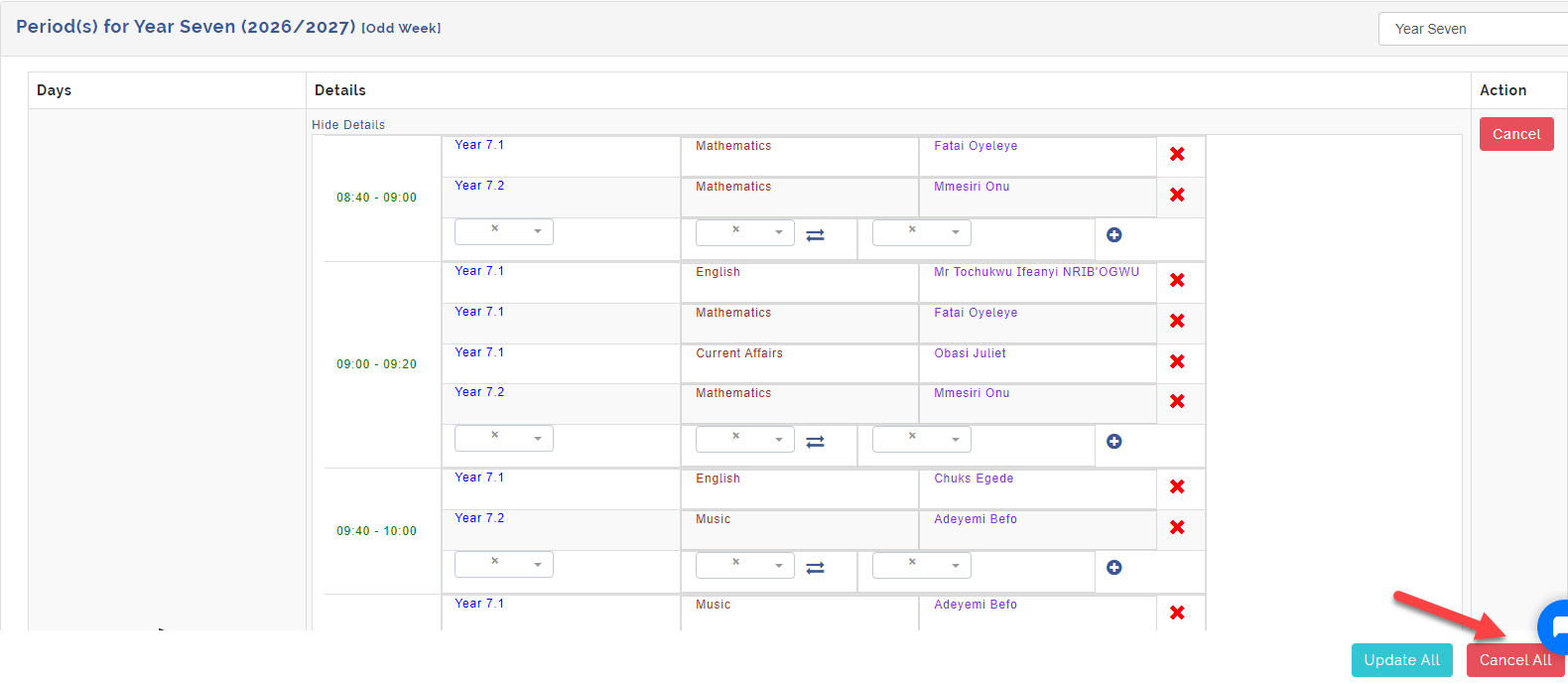
This is where you add subjects or activity scheduled for each day and class respectively to the periods created previously.
These subjects and activities is what makes up the timetable.
Follow these steps to manage schedules
Step 1
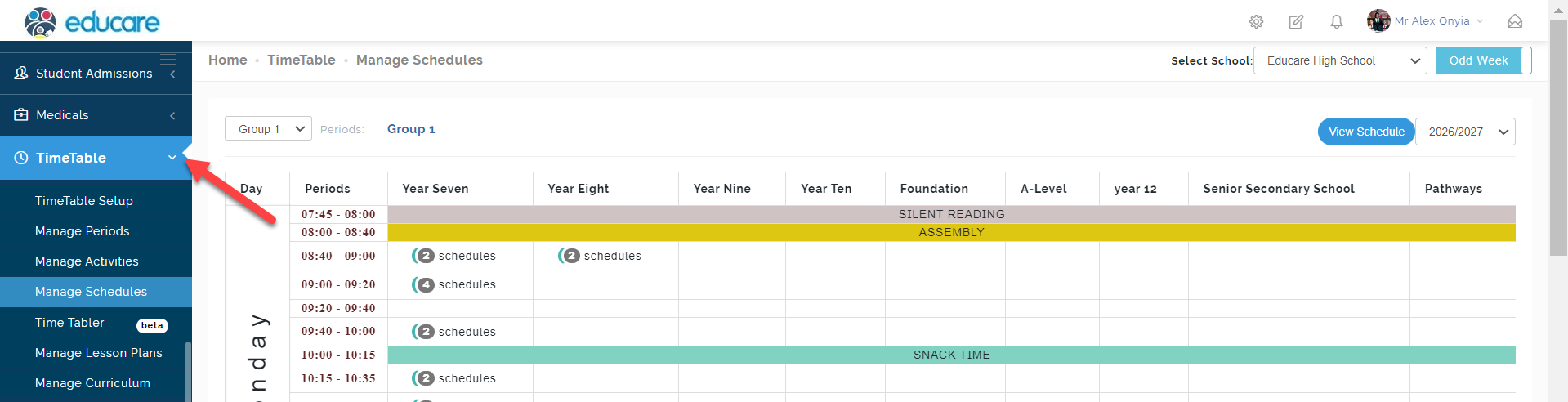
Click on time table on the dashboard as indicated below
Step 2
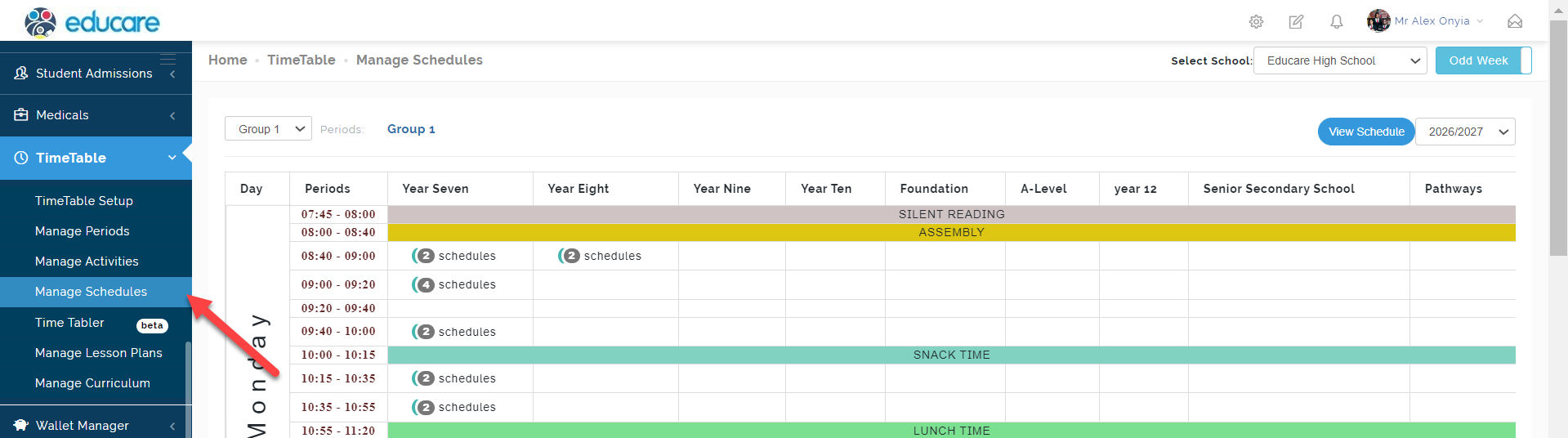
Select manage schedules this will open the page where you will add the subjects and activities.
Step 3
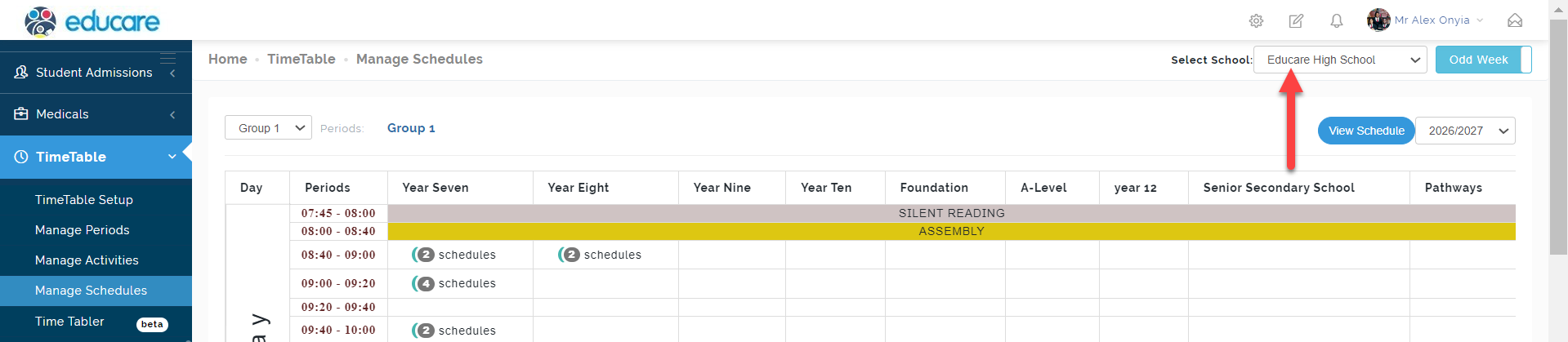
Select school then click next
Step 4
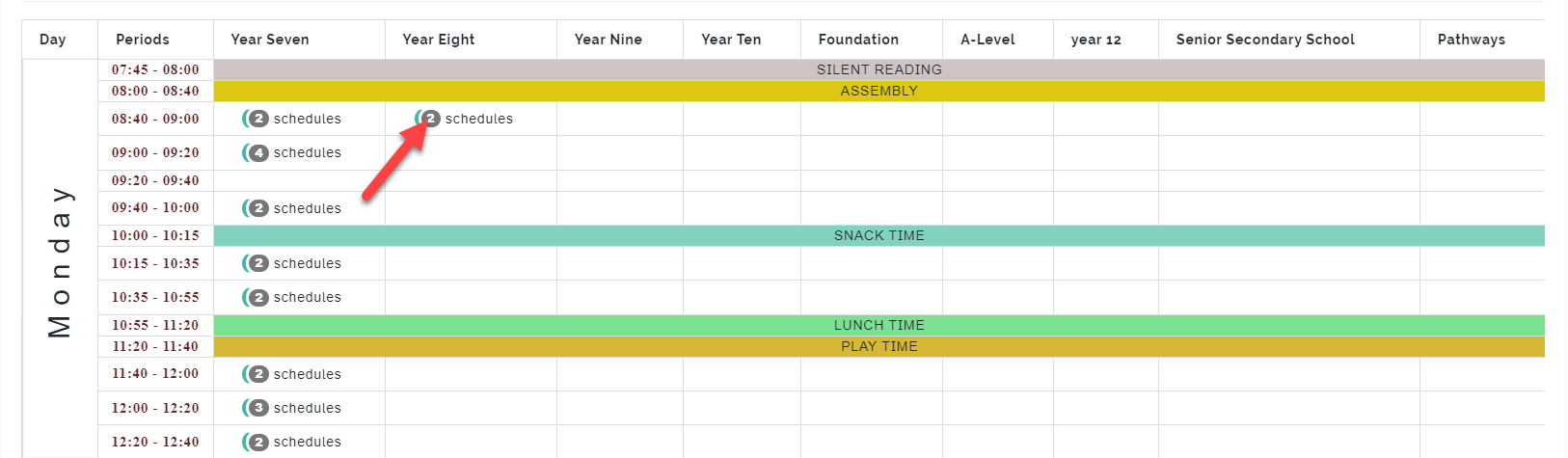
On schedule details select the day and time you want to add schedules to. As indicated below. This will open period schedule for the time and day selected.
Step 5
Select either even or odd week this represents schedules created for each week in the month. Odd Week ~ Weeks 1 and 3 while Even Week ~ Weeks 2 and 4

Step 6
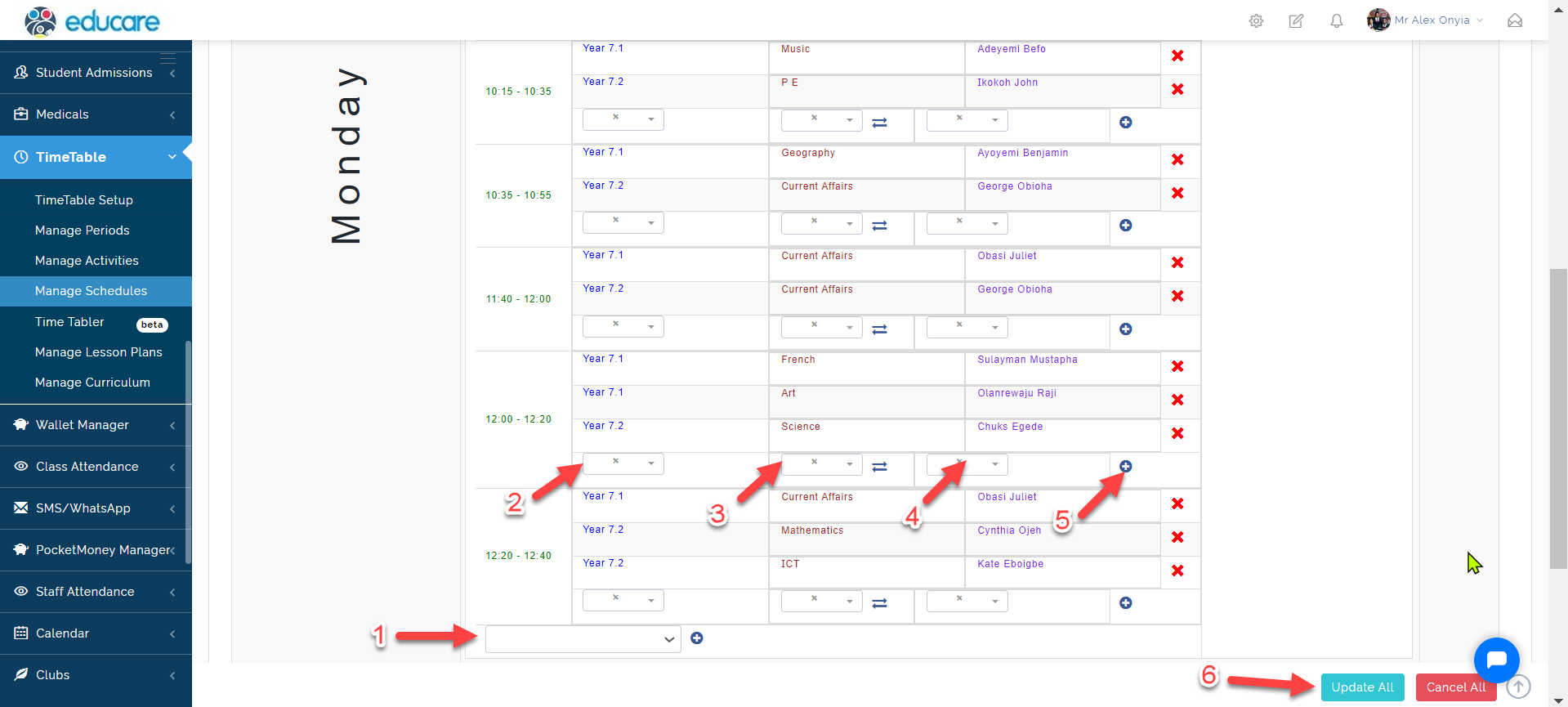
You are required to do the following as shown below:
1 Select time
2 Select class
3 Select subject
4 Select teacher
5 Click the add button, then click update all
Step 7
You can also cancel a schedule as indicated below