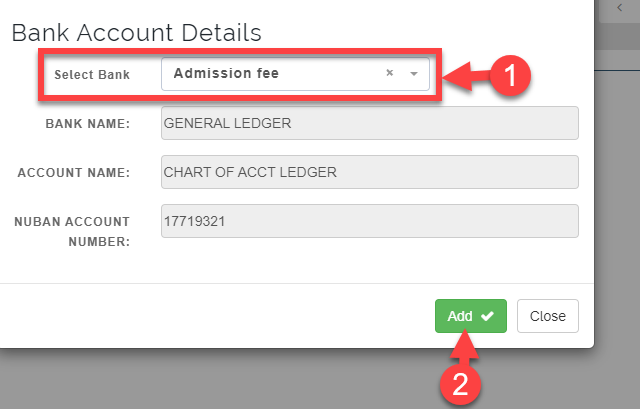
Wallet manager is tied to finance module to track transactions. Wallet requires series of setup done, before it can be used by parents
How to Create a Wallet Account head
Follow the Steps below to create a Wallet.
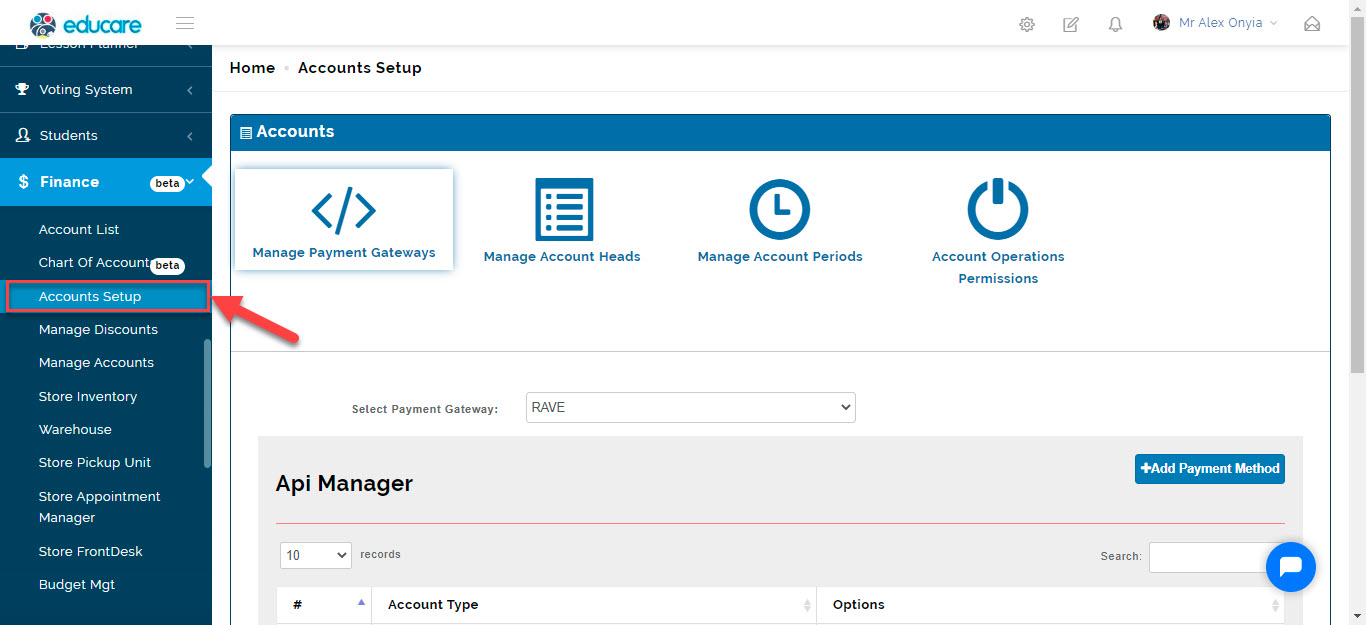
- Go to Finance
Click on the Account Setup from the list of modules on the left corner of the portal.
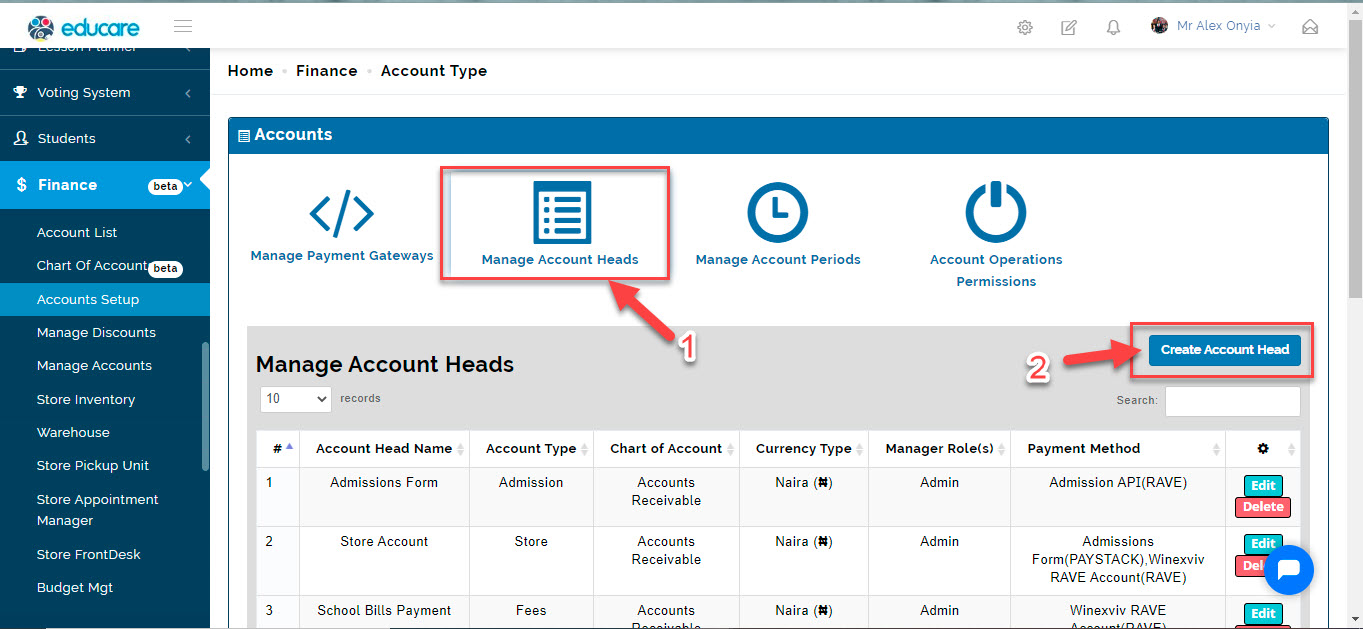
- Click on Manage Account Heads Tab
Click on Create Account Head.
This opens up the form where you can fill in the necessary requirement
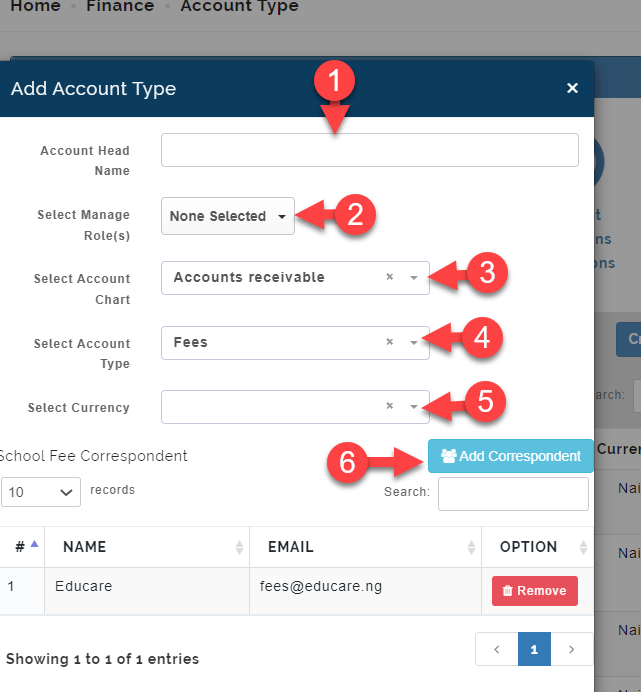
1. Enter the Account Name (WALLET)
2. Select role(s) to manage this account.
3. Select an account chart
4. Select an account type. Account type varies for different types of payment(WALLET)
5. Select Currency
6. The Add Correspondent button is for adding users that will be notified (by email) when payment is made under the account head and is only available for the account type Fees .
Clicking on the Add Correspondent button opens up the fields below
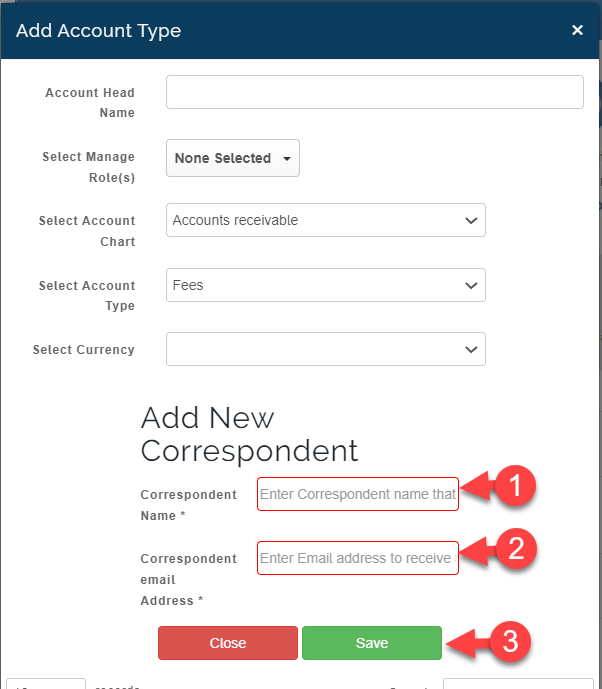
Here you can enter the name and email of the correspondent and save
Section 2:
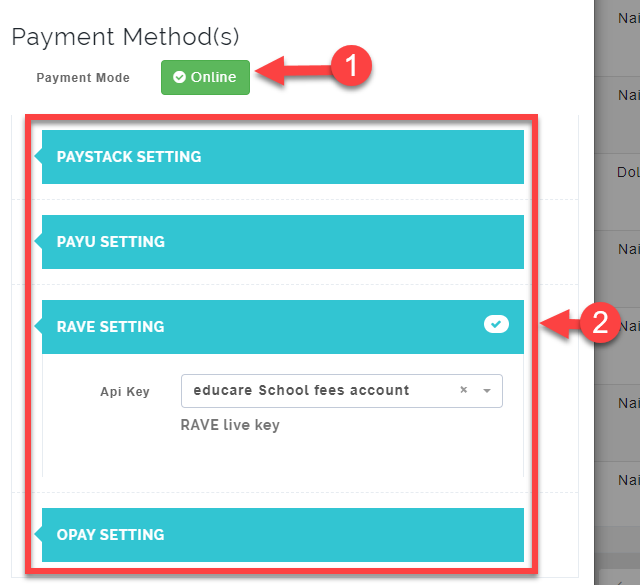
You can switch between Online and Offline payment by clicking on the Button indicated 1 below
-
1. For Online payment, select the payment method you wish to use for the wallet account head and select the API Key you already created in the Manage Payment Gateway
-
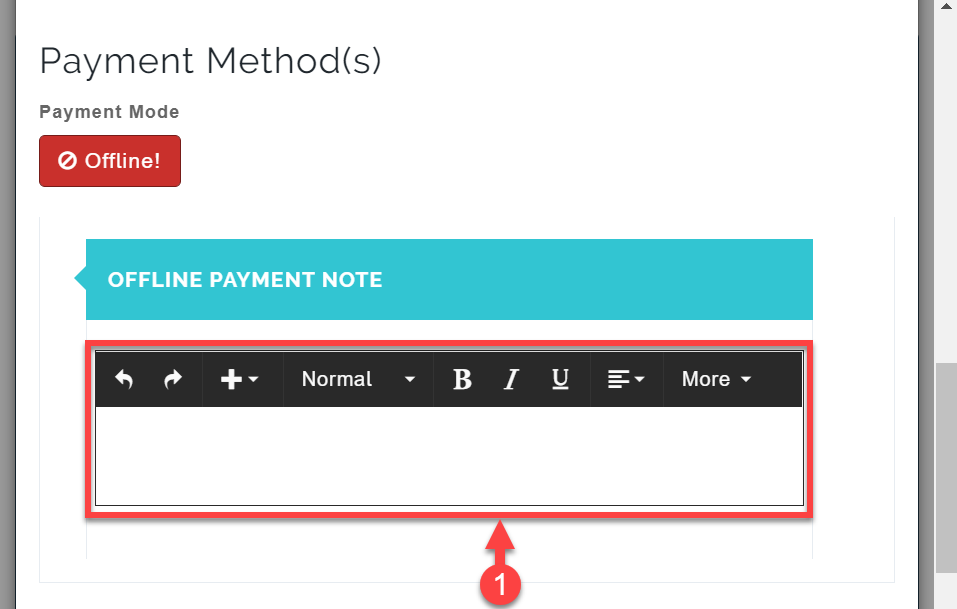
For Offline payment. you just need to enter the Offline Payment Note in the textbox provided.
Section 3:
Bank Account Details