
The Question Bank is where the teachers have a pool of all questions related to the subject(s) the teacher has been assigned to by the admin. Here, teachers can either create questions or edit existing questions.
FOLLOW THESE SIMPLE STEPS BELOW TO ADD A QUESTION IN THE QUESTION BANK
STEP 1:
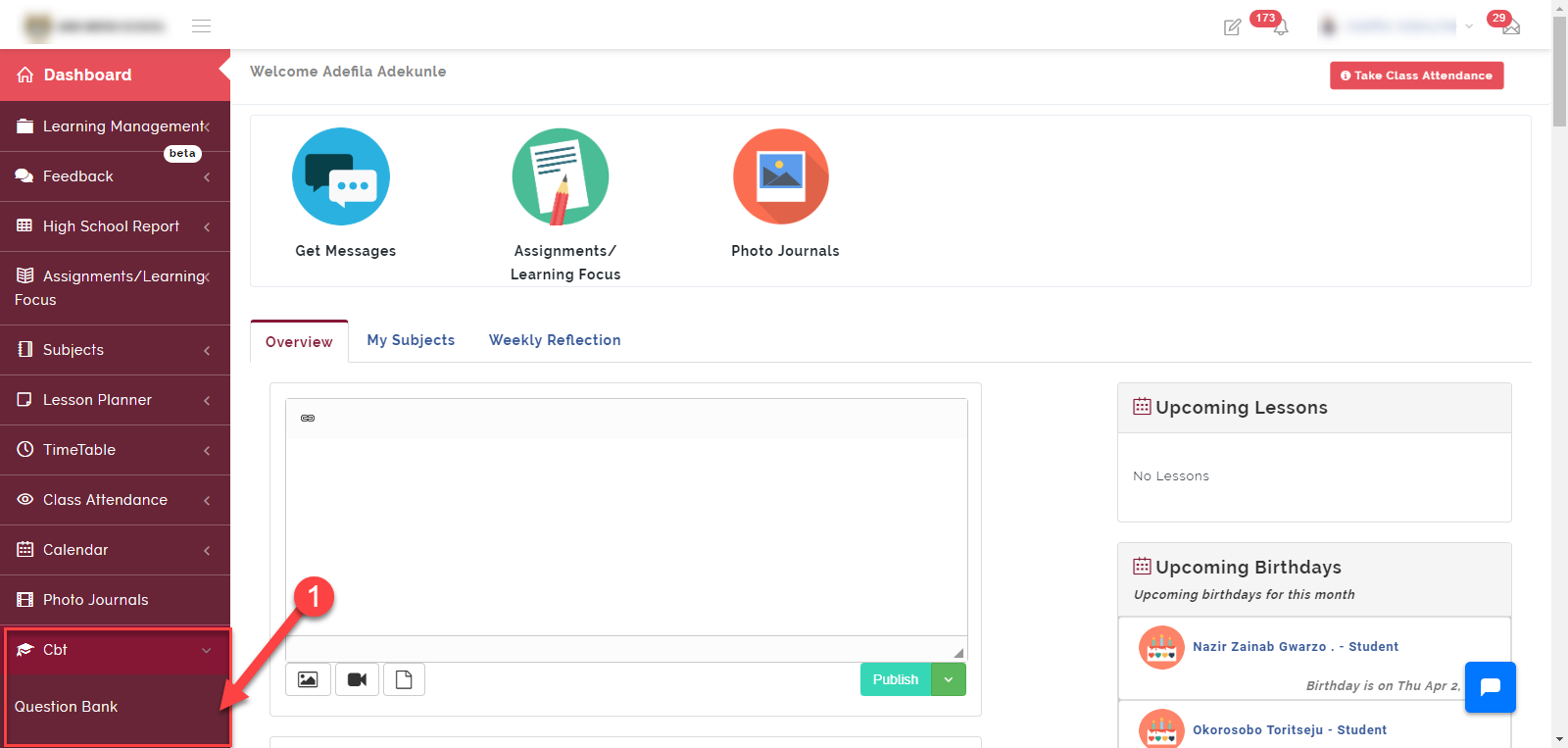
As indicated in the picture below, click on the “CBT” dropdown then select “Question Bank”
Step 2:
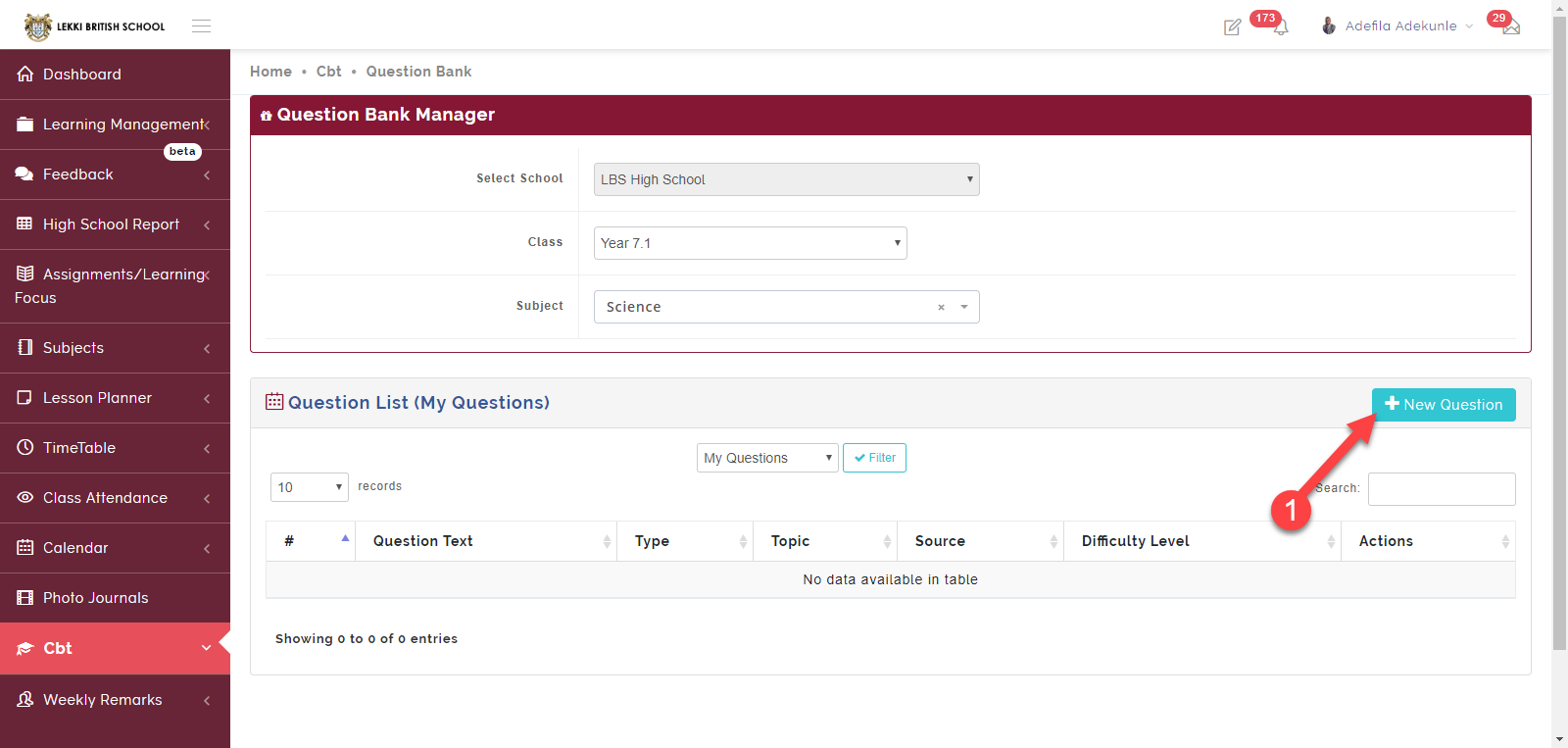
Click on “+ New Question” to add a question to your question bank.
STEP 3:
Follow the guide on the picture below to successfully add a question.
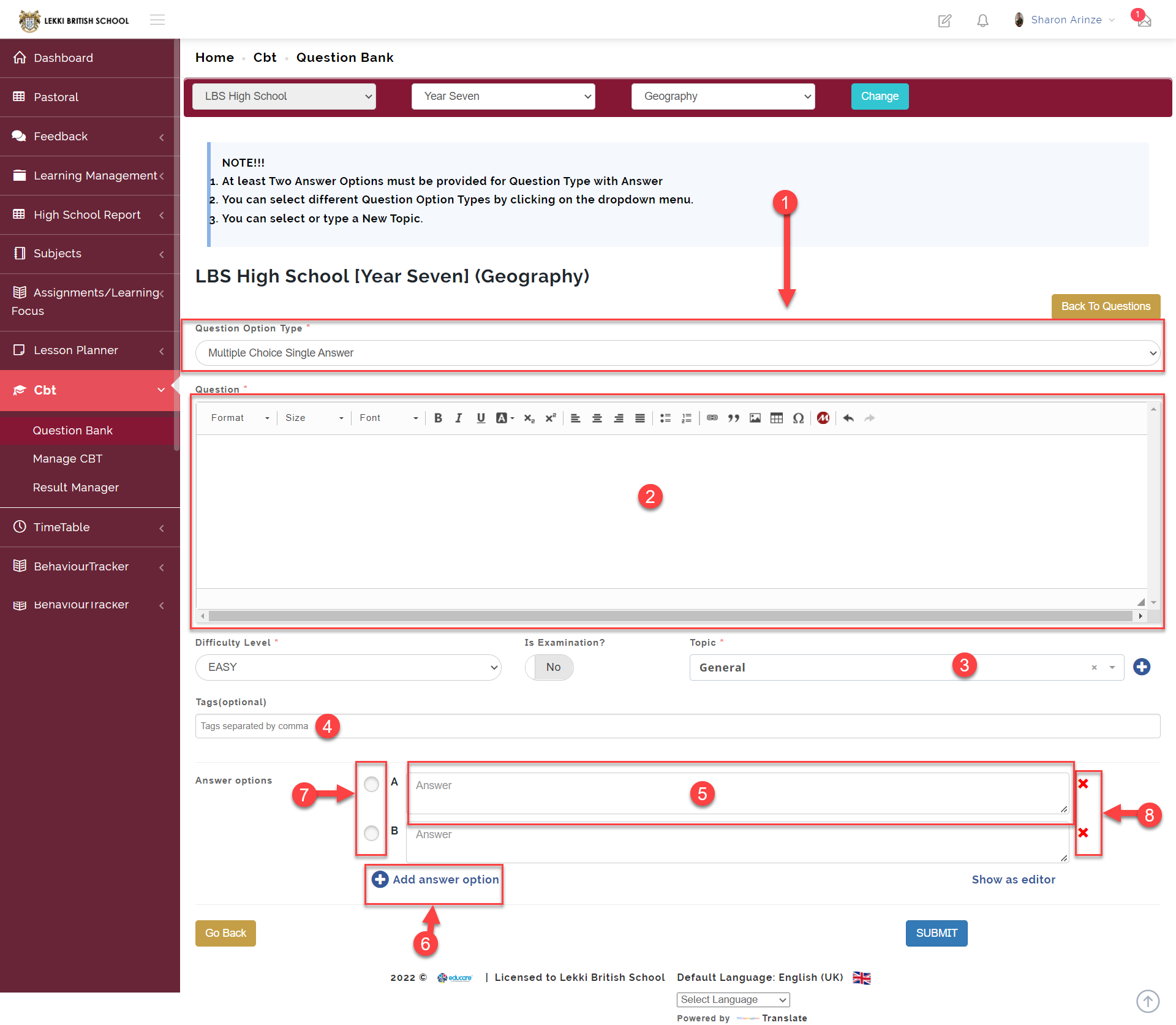
Below is the explanation of the image above using the numberings
1 Here you select the type of question you wish to create
We currently have 4 different question types
- Multiple Choice Single Answer
- Multiple Selection
- Subjective Question
- Comprehension Question
- Here is where you enter the question
- Link a question to a topic
Here you can link a question to a topic by clicking on the add button by the side and typing the name of the topic associated with the question
- Enter a tag for a here question to easily call it up
Tagging questions allows teachers to easily call them up using the tag they created it with.
- Here is where you enter the question options
- Here you can add more question options
- Select the correct option by clicking on the radio button
- You can delete an option by clicking this button
Click on SUBMIT to save.