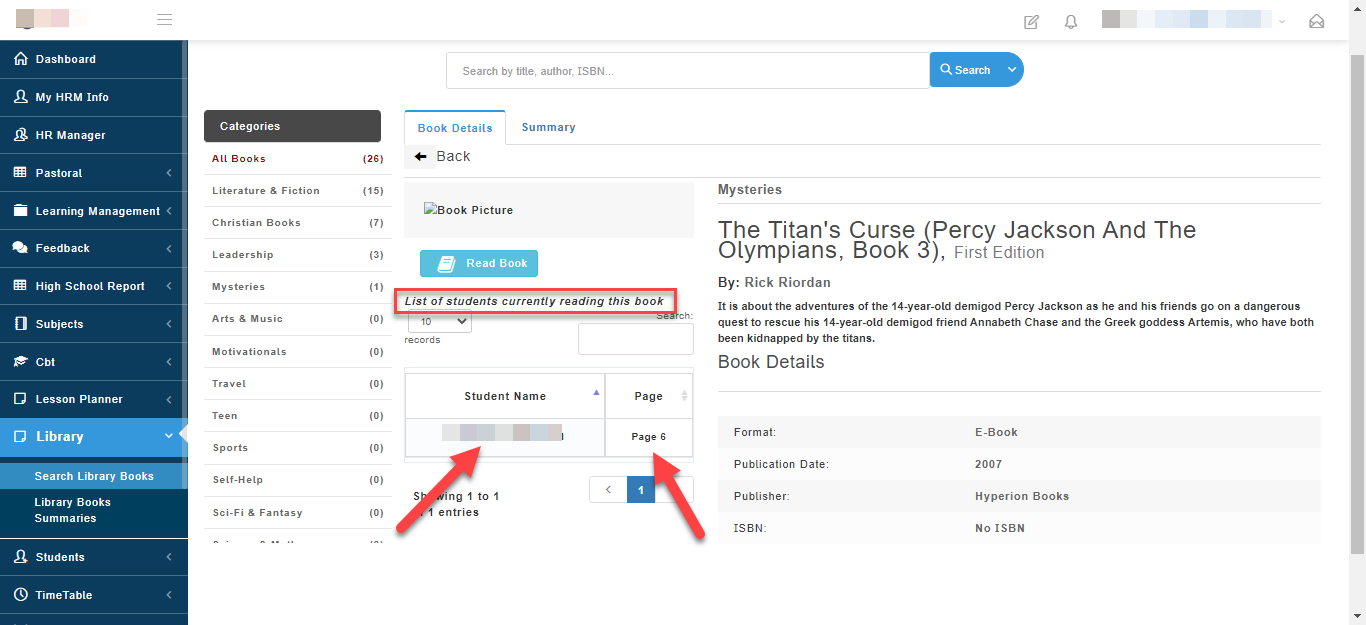
Access all library books available and view books students are reading and the books summaries/ new words they have learnt.
To Search for library books, eBooks, learning materials in the library follow these steps:
- Go to the Library and then select Search Library books.
A list of all Available learning materials will appear.
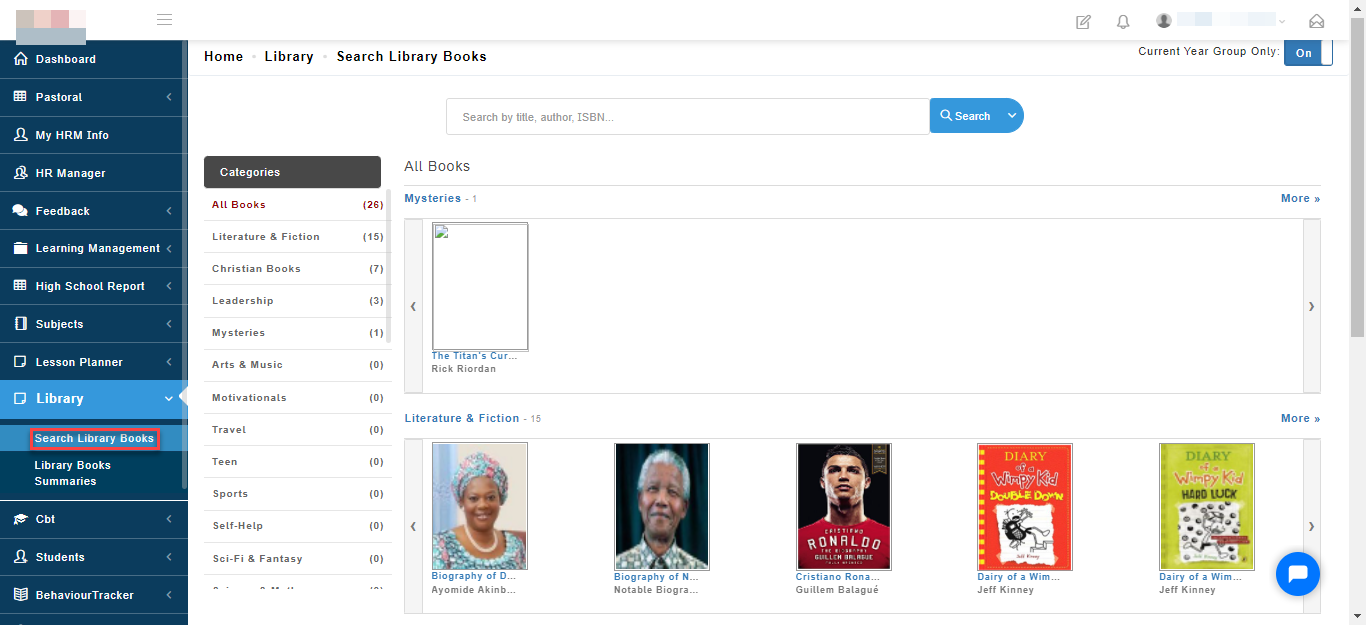
- Click or Search for the book you want to read using the search bar. eBooks can be read online while hard copy books can be accessed from the school library.
To read eBook, click on Read book.
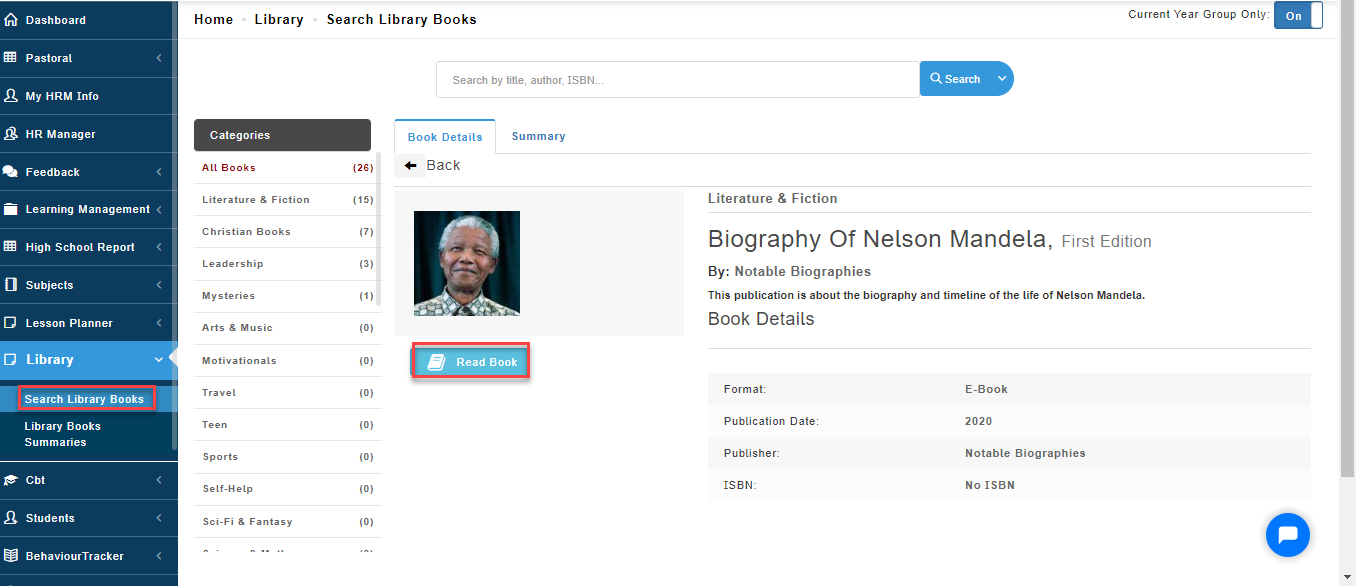
eBook
How to see learner who are currently reading a particular book
To view students who are reading a book in real time follow these steps:
- Go to the library module
- Select Search library books
- If a student is currently reading a book, you will see the status of the book as "reading"
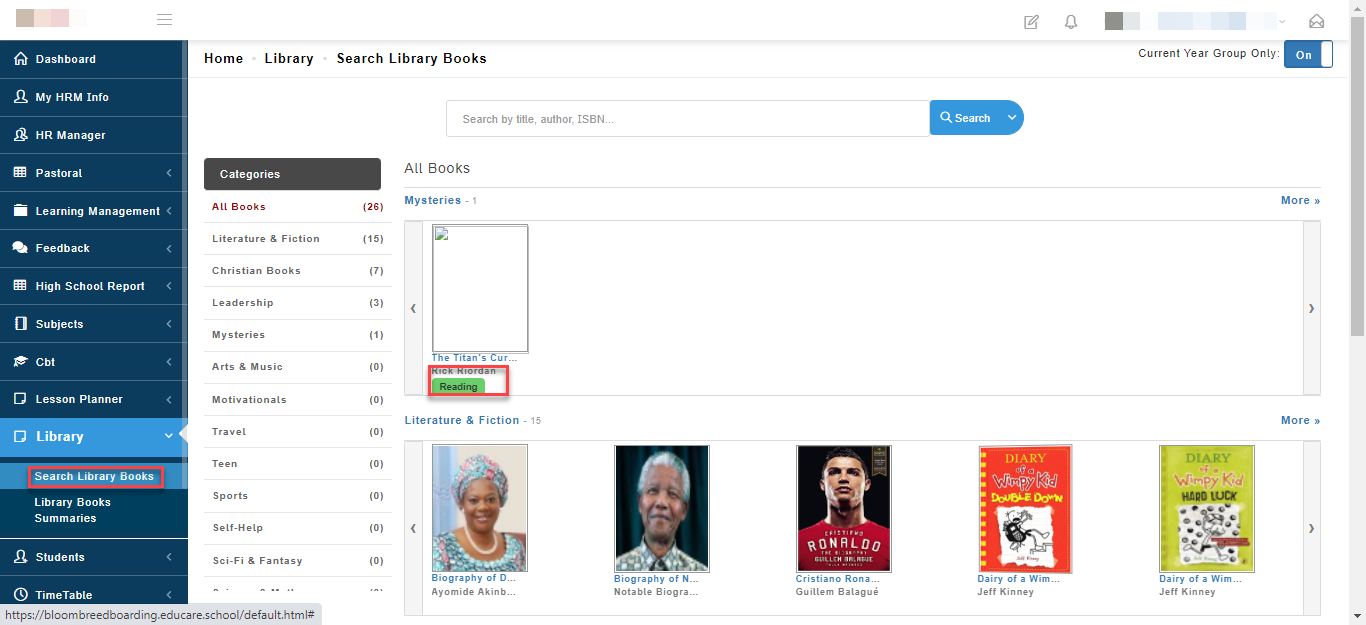
Click on the status "Reading" to view the students who are currently reading this book and the page they are currently on in real time.