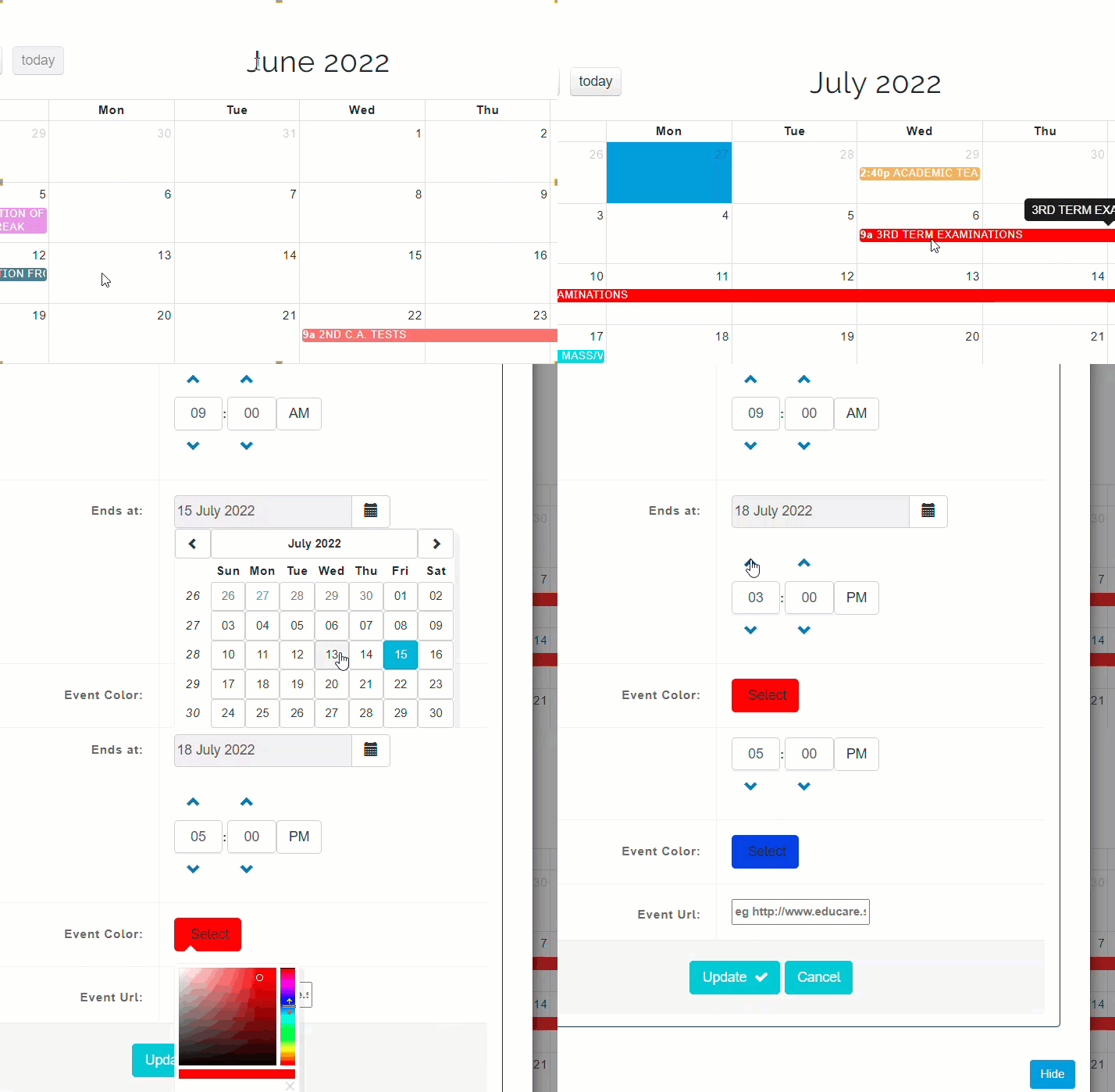
Manage calendar gives admins access to add, modify and delete calendar events from the timeline of events in the calendar either for the current term or session.
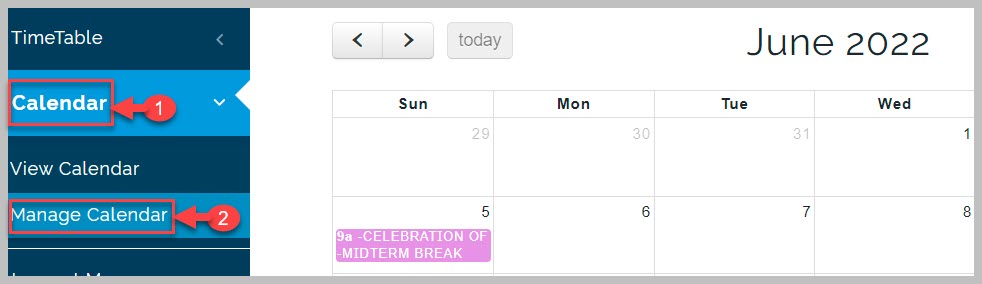
How to New Event in Calendar
Calendar events can only be added by admins. Events are added according to the school's timetable of events for the term or session. Events that have been added can also be adjusted by the admin.
To add a new event, follow these steps;
-
Go to Calendar module and click on Manage Calendar
-
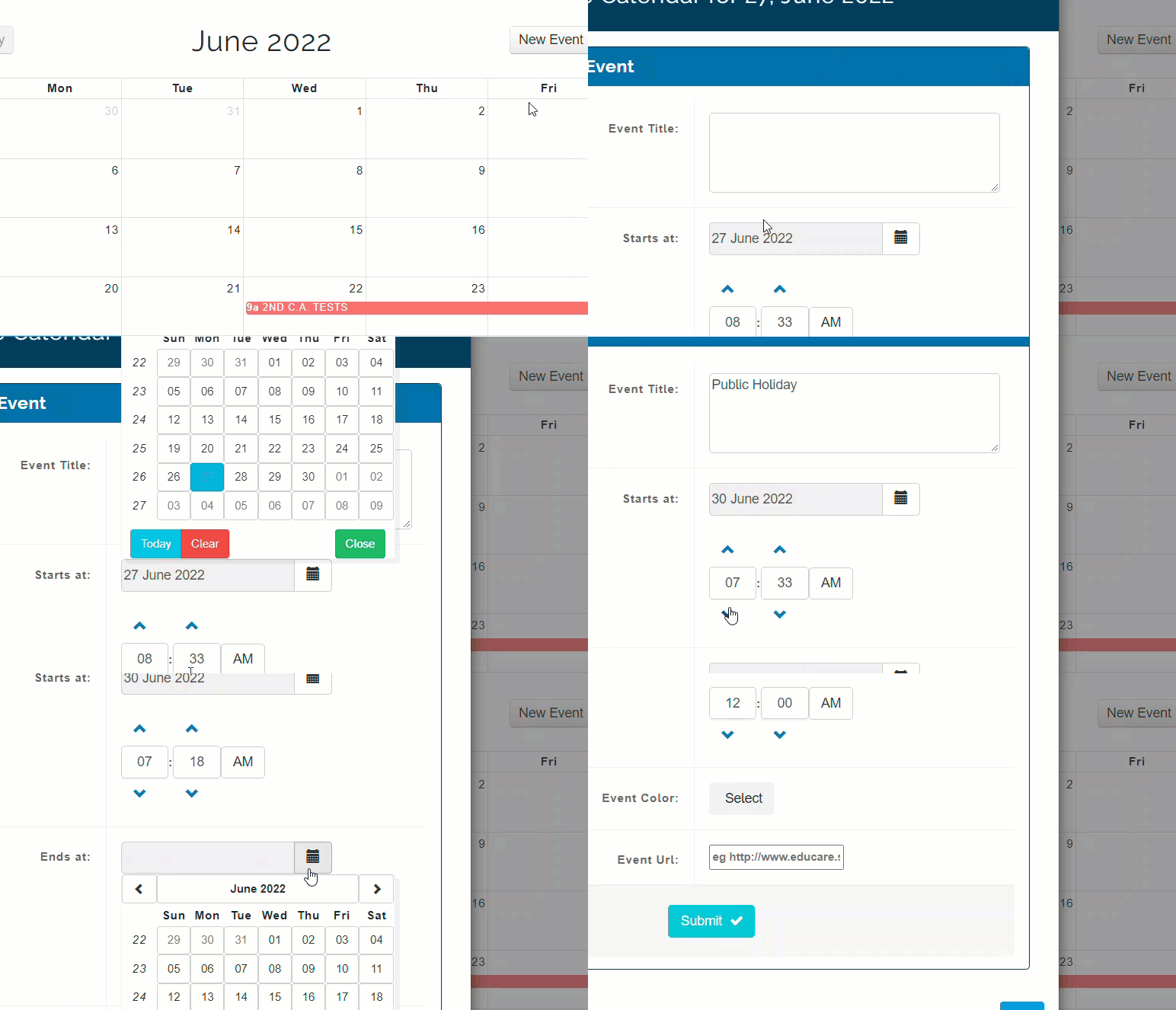
From the displayed calendar page, click on New Event button
-
From the pop-up page, click on Add Event button
-
Type in event title e.g. public holiday
-
Select start date from date modal, set start time as well
-
Select end date from date modal, set end time as well
-
Click on Submit button to save event
How to Edit Event
To adjust the details of an event that has already been added to the calendar, follow these steps;
-
Navigate to Manage Calendar
-
Go to the event you wish to edit and click on it
-
From the pop-up page, make the desired changes
-
Click on Update button at the bottom of the page to save changes