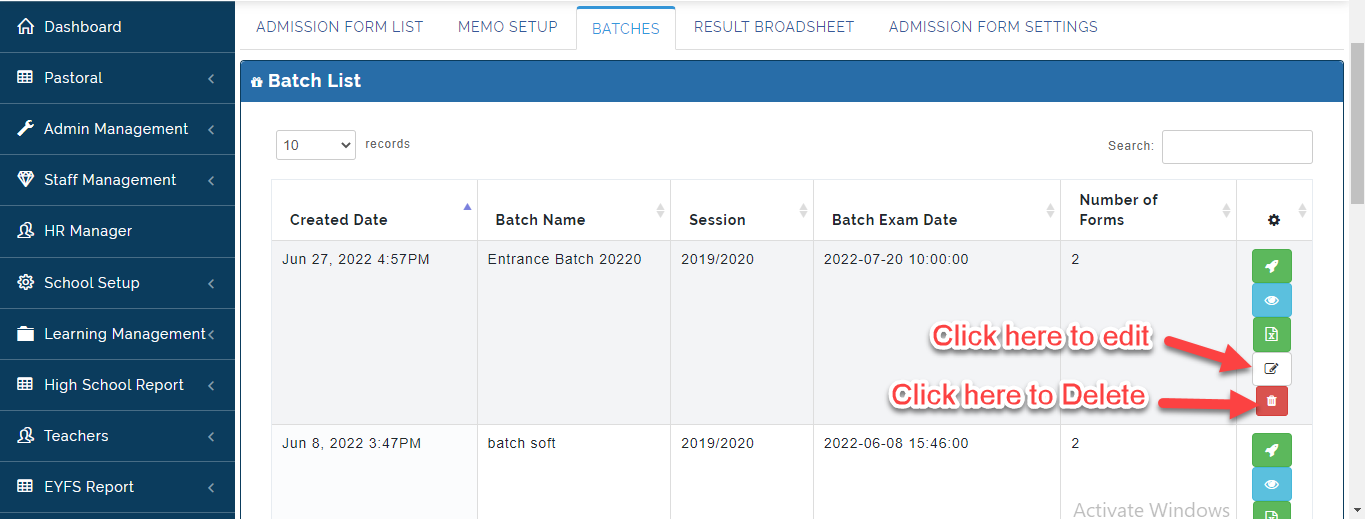
This is where the School Admin can manage all Students Admissions in their various Batches.
To View Batches, Follow these Steps
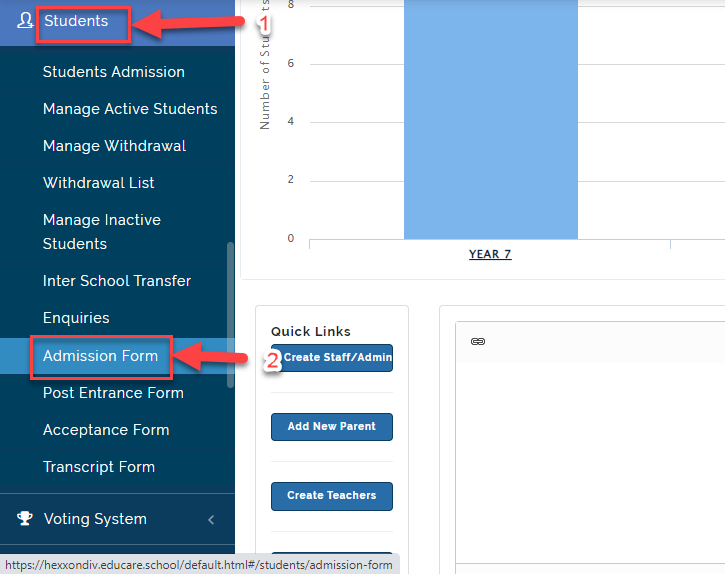
- Click on Students then Select Admission Form.
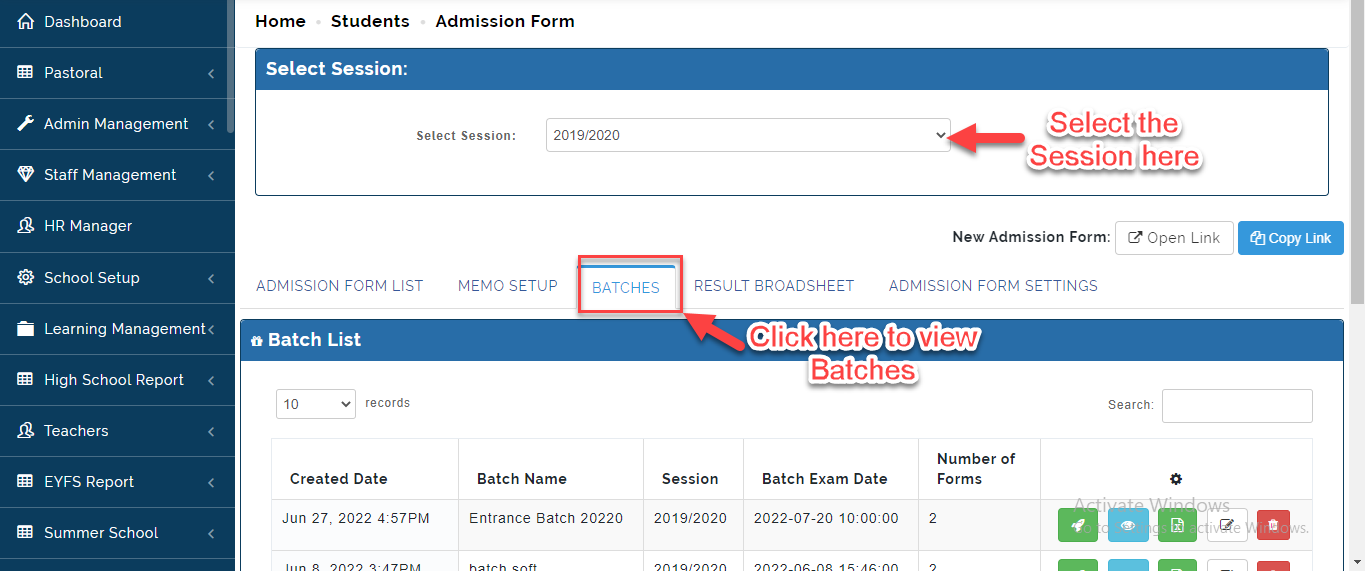
- Select the Session you want to View then Click on Batches, this will bring up the list of Batches Created on the Portal.
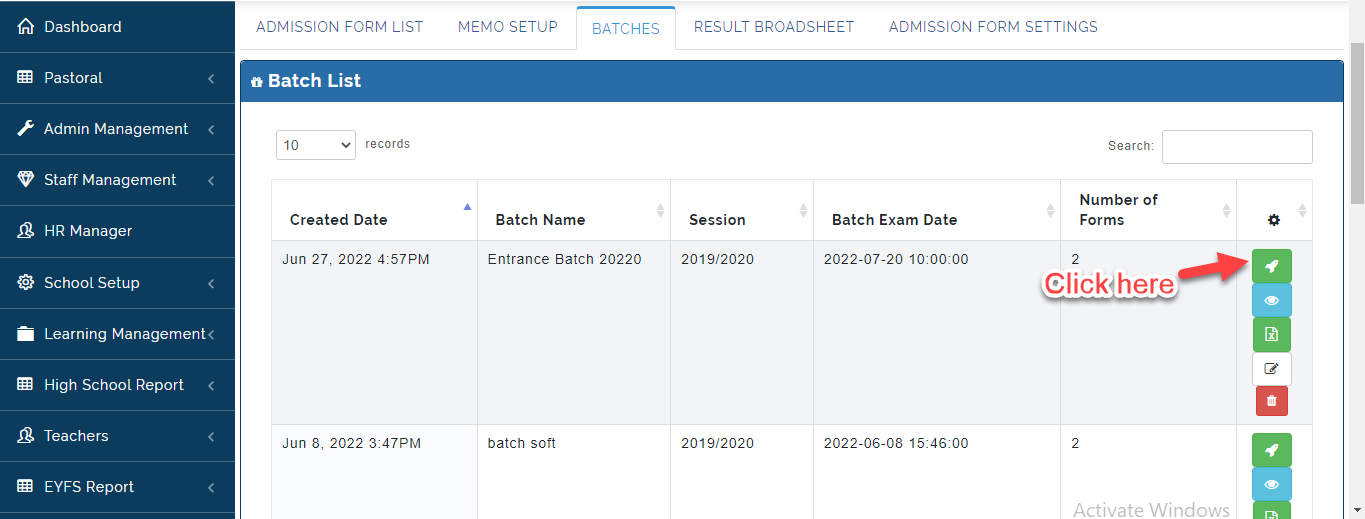
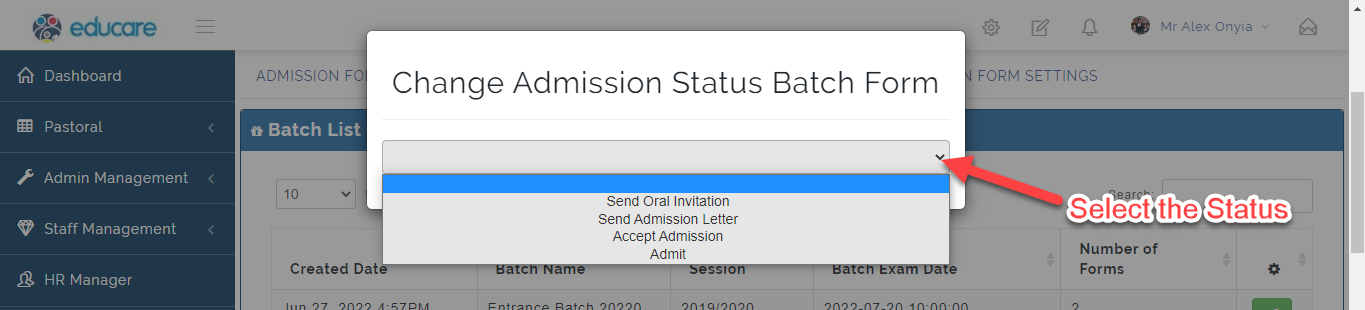
- i. Click on the Icon indicated below to update status of all the Candidates in the selected batch.
ii. Select the Admission Status. This will send an Email Notification to the Candidate if activated. Compose the Mail and Click on Proceed or Close to Ignore.
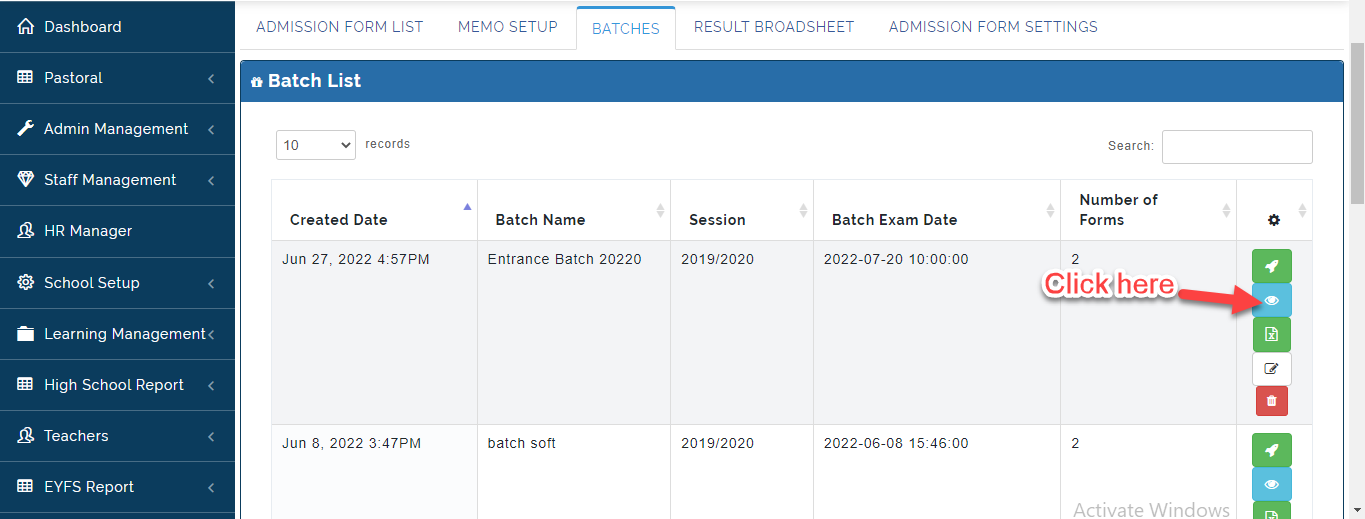
- Click on the View Icon to see all the Students the Selected Batch. The Students in the selected batch will appear.
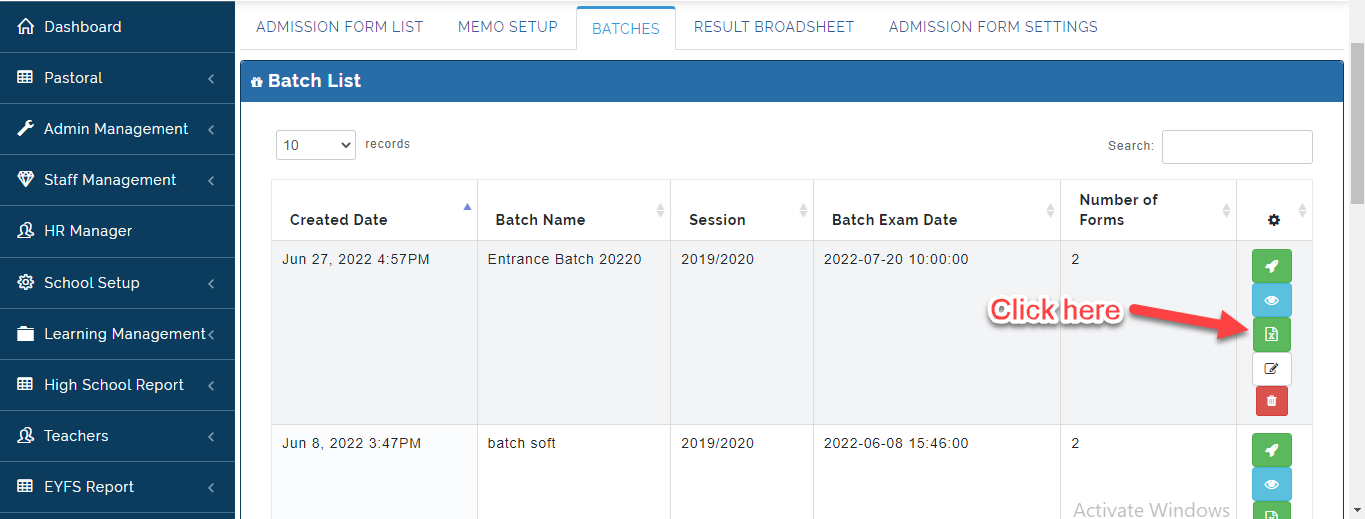
- Click on the Icon below to Export Batch List in Excel Format.
- Click on the Edit Button to make Changes to the Batch Form and Click on Delete icon to remove a Batch from the List.