
This is where the School Admin can view and reinstate all Users Profile that have been deactivated on the Portal.
Follow these Steps to View Deactivated Users:
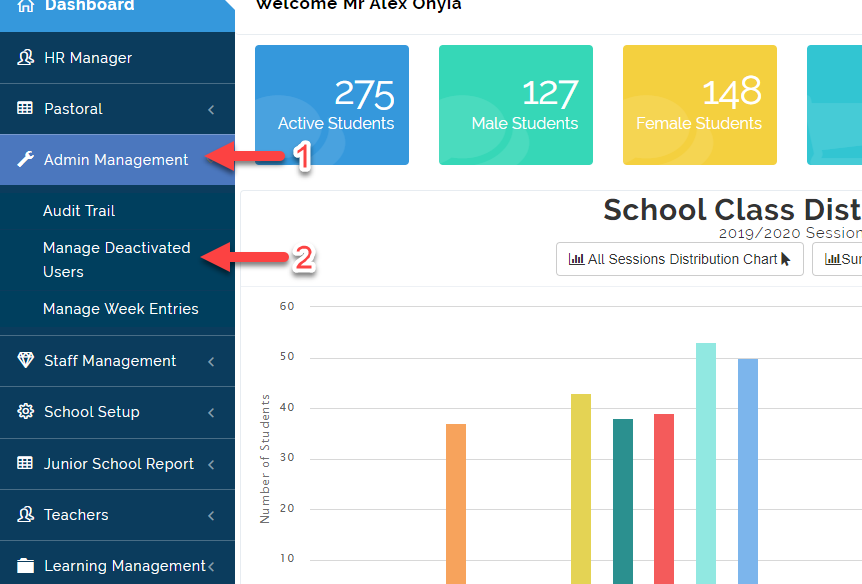
- Click on Admin Management then Select Manage Deactivated Users.
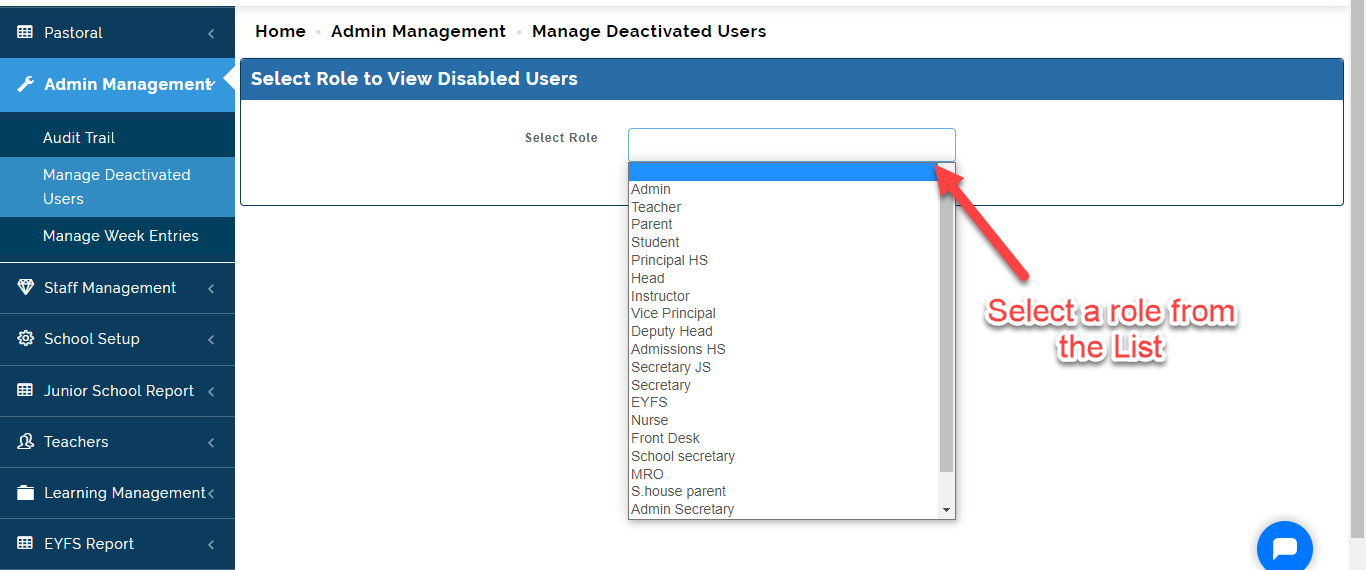
- Select the role you want to view deactivated users for.
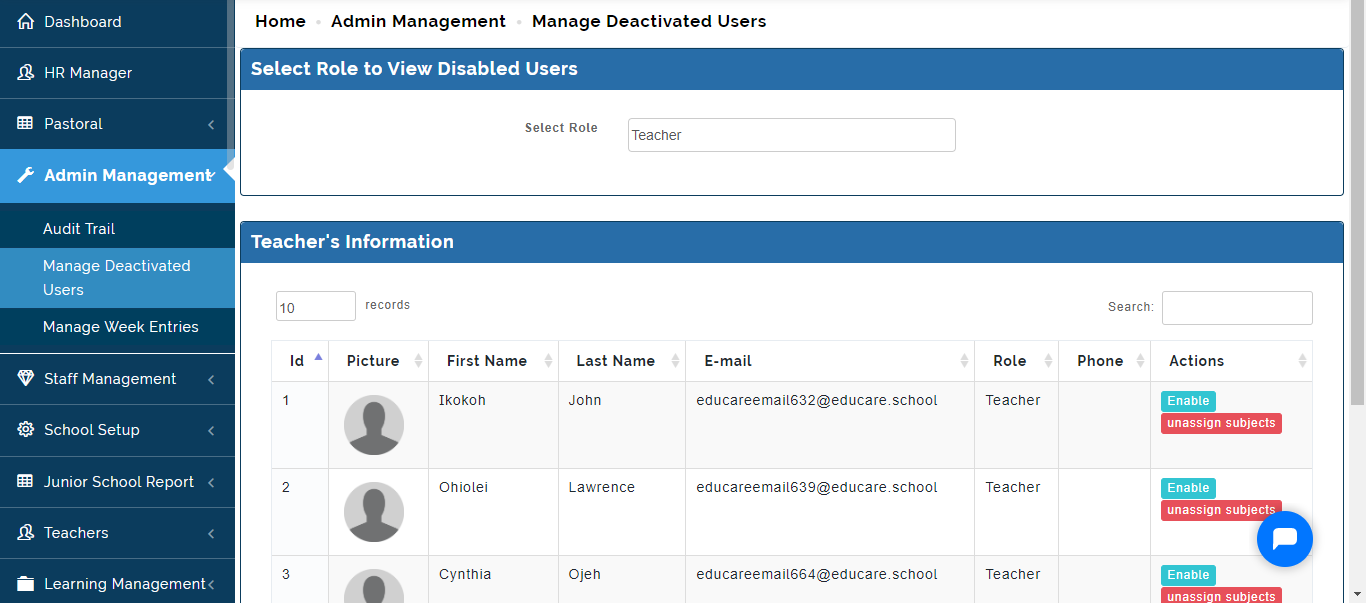
- The list of all Deactivated Users for the role you selected will appear.
To Reinstate a User whose account has been activated, Click on Enable Icon
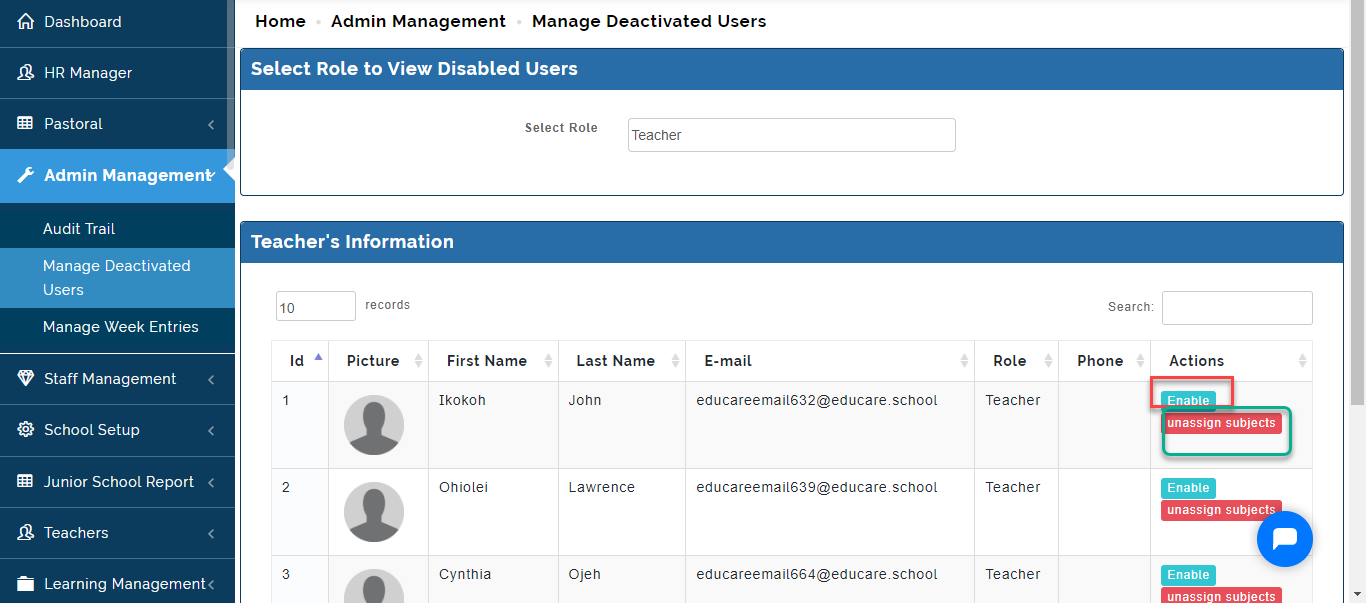
- If the user has left the School and has subject(s) assigned to him/her in the school, Click on the Unassign Subjects as indicated above.