
Imprest Account is an an educare Finance feature designed to track and document how cash is being spent for purchase of items (Imprest Items) from the school store. Imprest Account shows how student shop from the school and gives parents amount spent on items from the school.
How to Create Imprest Account
This shows step by step process to set up an imprest account. to do this, follow these steps;
-
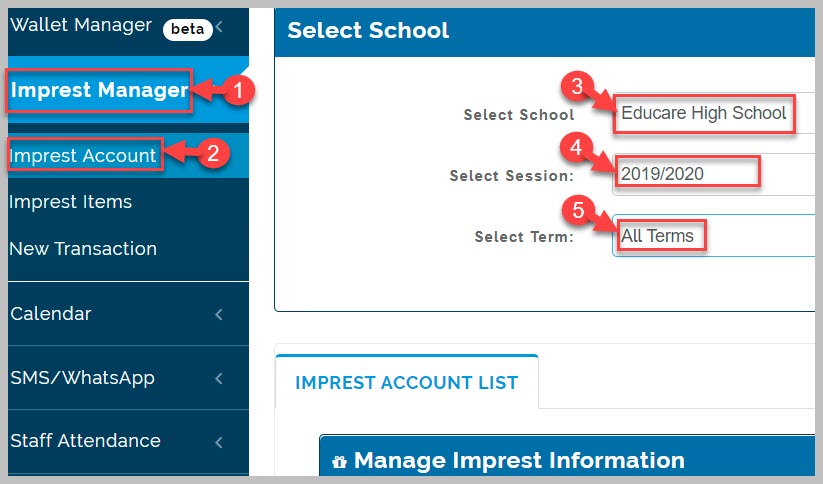
Go to Imprest Manager module
-
Click on Imprest Account sub-link
-
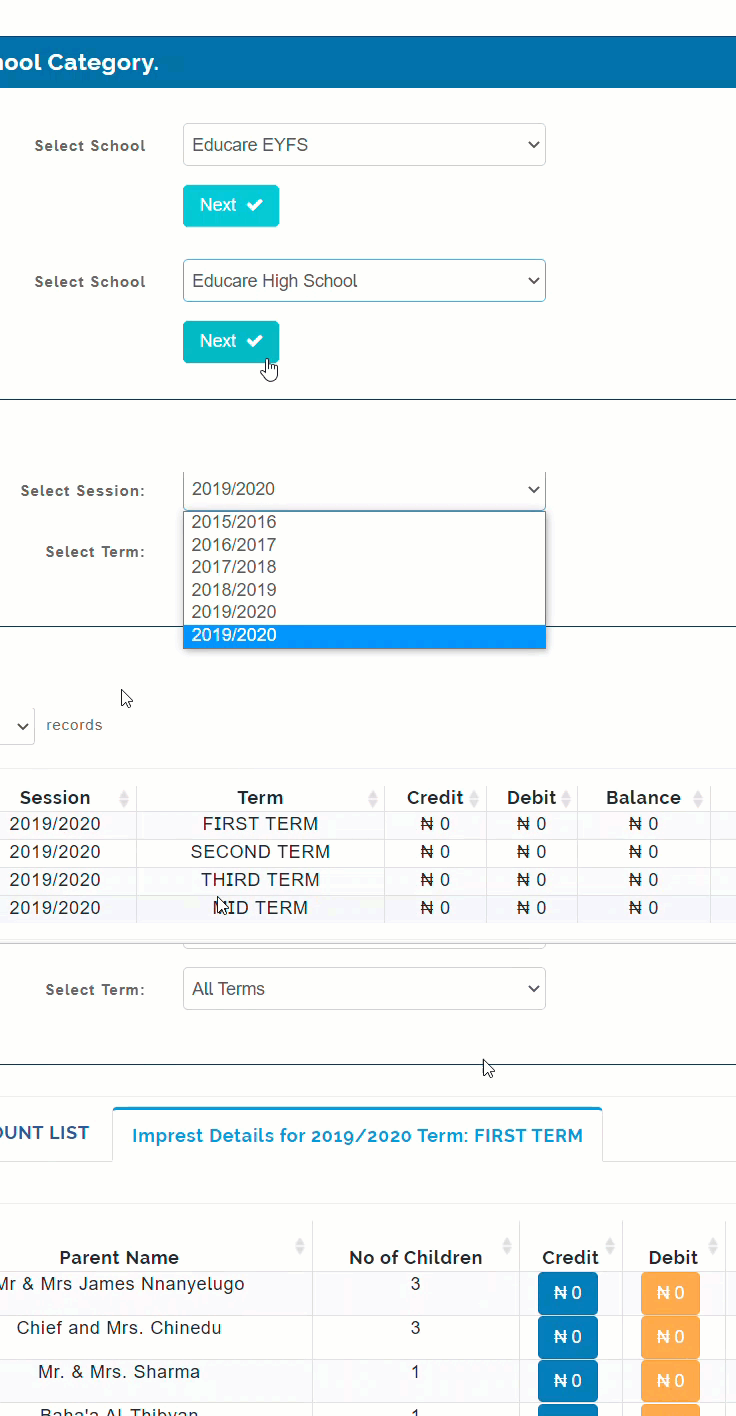
Select School Category, Session, and Term
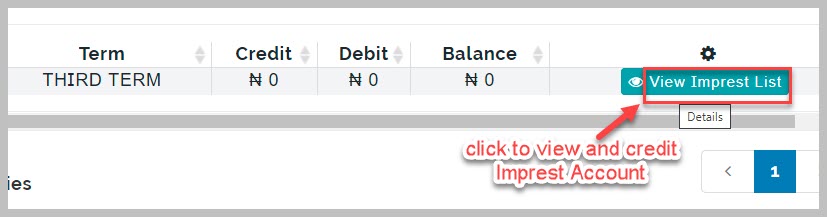
- Click on View Imprest List button to display imprest account details. It displays a broadsheet containing Parent names, number of children, Credit/Debit record, Current Balance
-
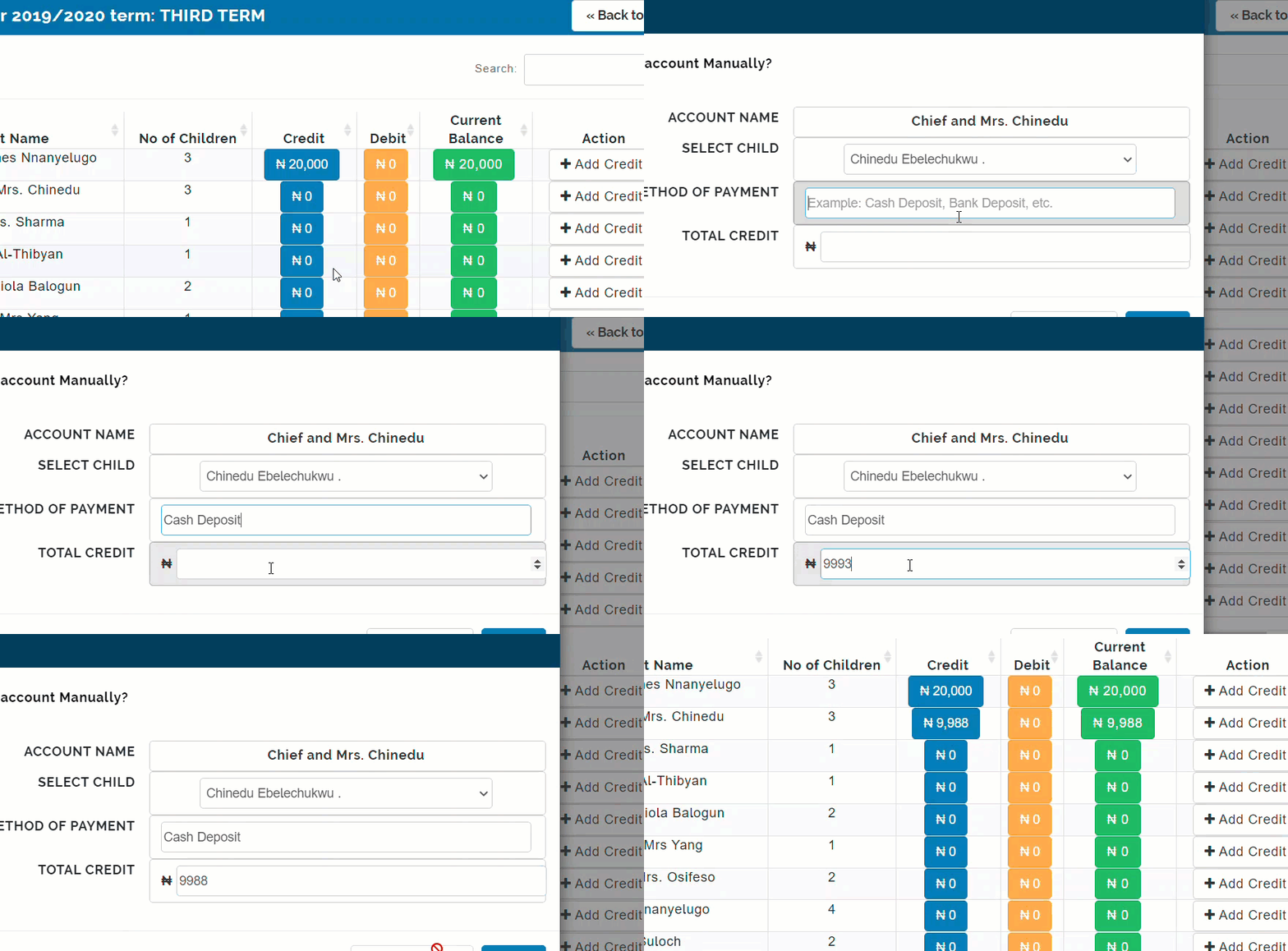
To credit a parent's Imprest account click on Add Credit button beside their name
-
From the pop-up page, select child's name from drop-down list
-
Provide method of payment and total amount received
-
Click on Confirm Credit button to complete action
Imprest Account Note:
When you credit a parent's Imprest Account, the funds becomes available for all their children to use in making purchase from the school.