
Here, the School Admin can view, edit all teachers profile in the school they teach. Also, The School admin can Deactivate a Teachers Profile from this Section.
To View a Teacher Profile, follow these steps:
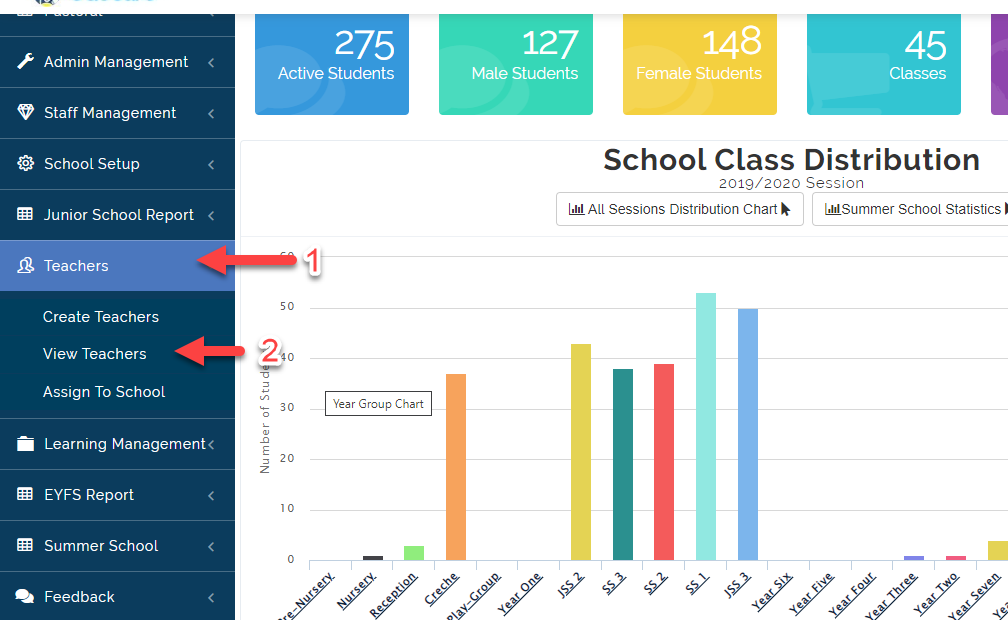
- Click on Teachers, then Select View Teachers.
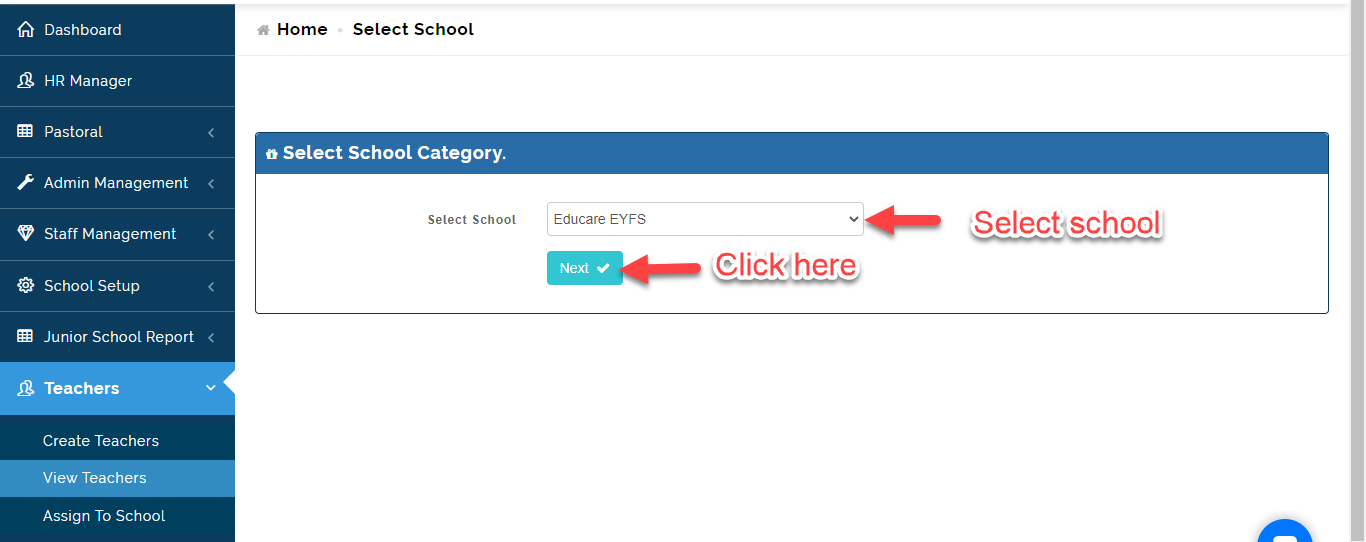
- Select the School (EYFS, Junior or High School) then Click on Next.
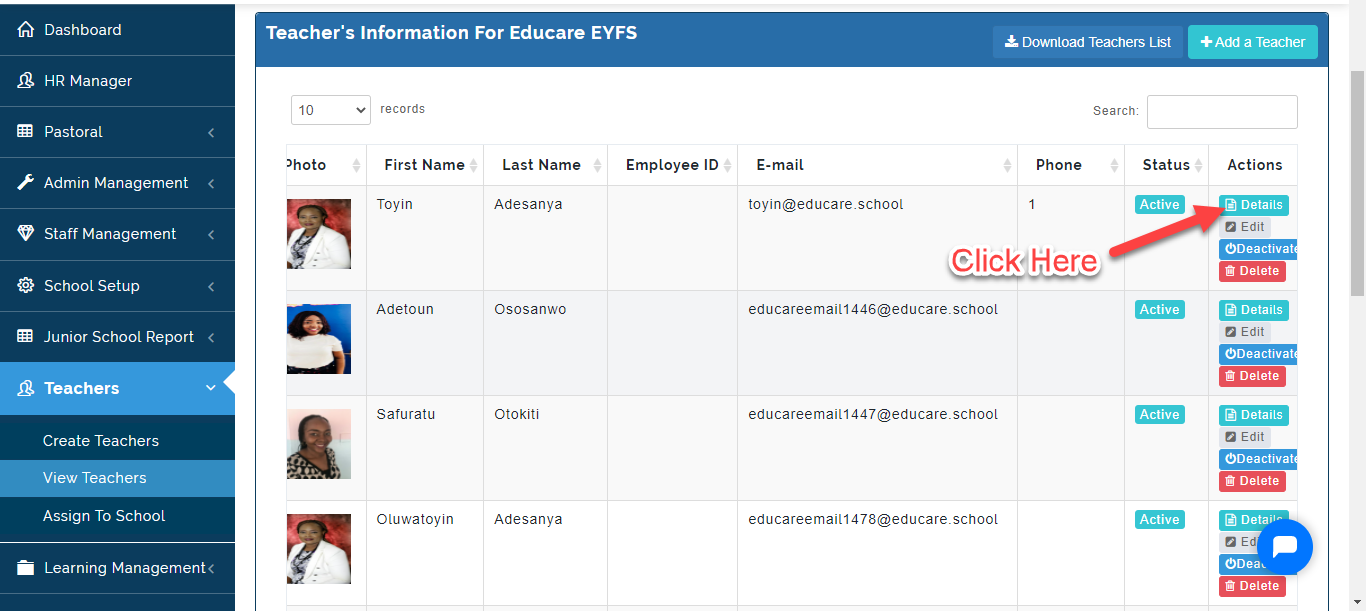
- A List of all the Teacher's Information will appear as indicated below. Click on the Details to view information about the Teacher.
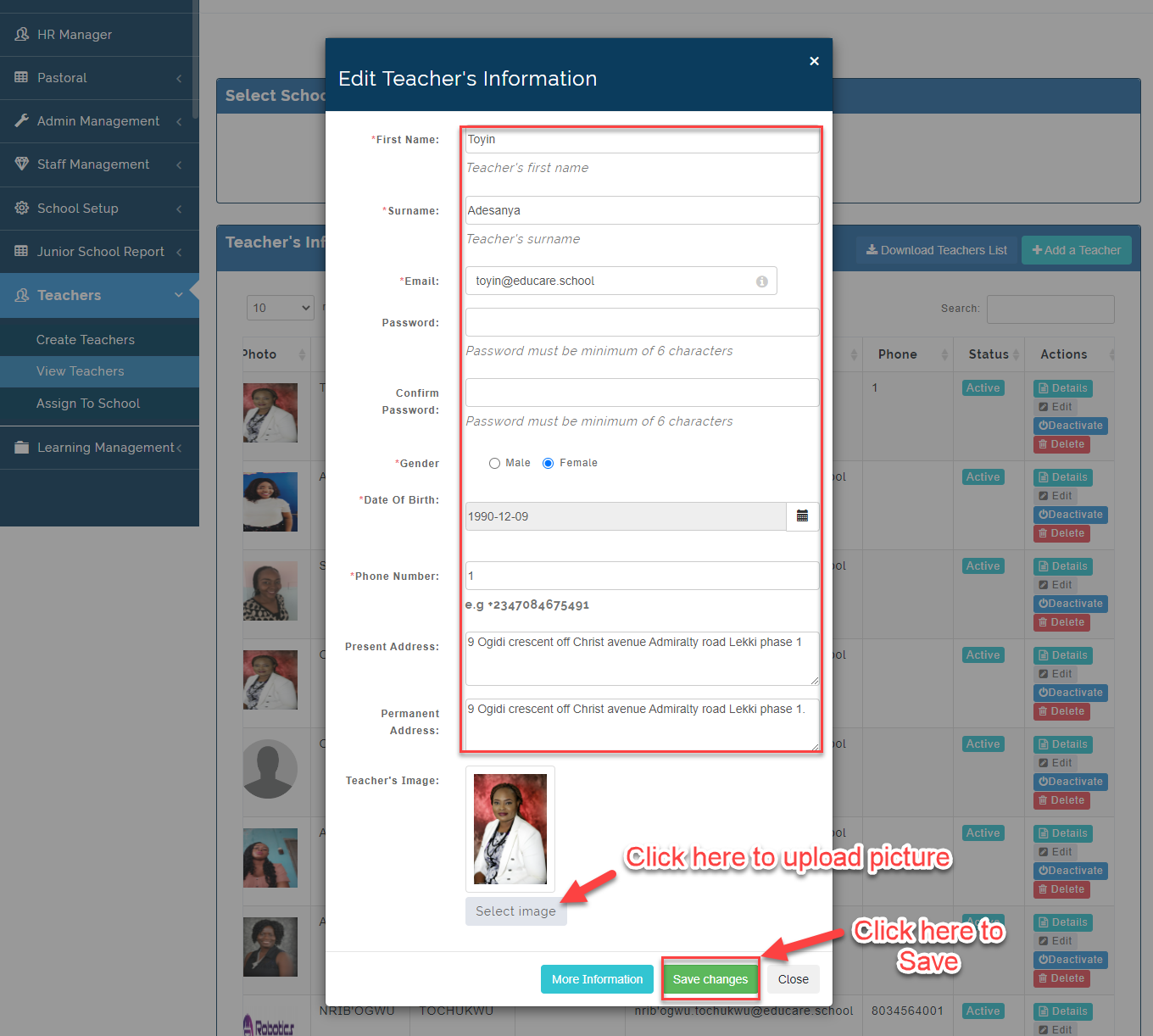
- To edit a Teacher Profile, Click on the Edit Button then Make changes to the teacher's detail. Click on Save Changes or Close to Ignore.
- If a Teacher leaves the School, Click on Deactivate (Do not Delete any Teacher's Profile).
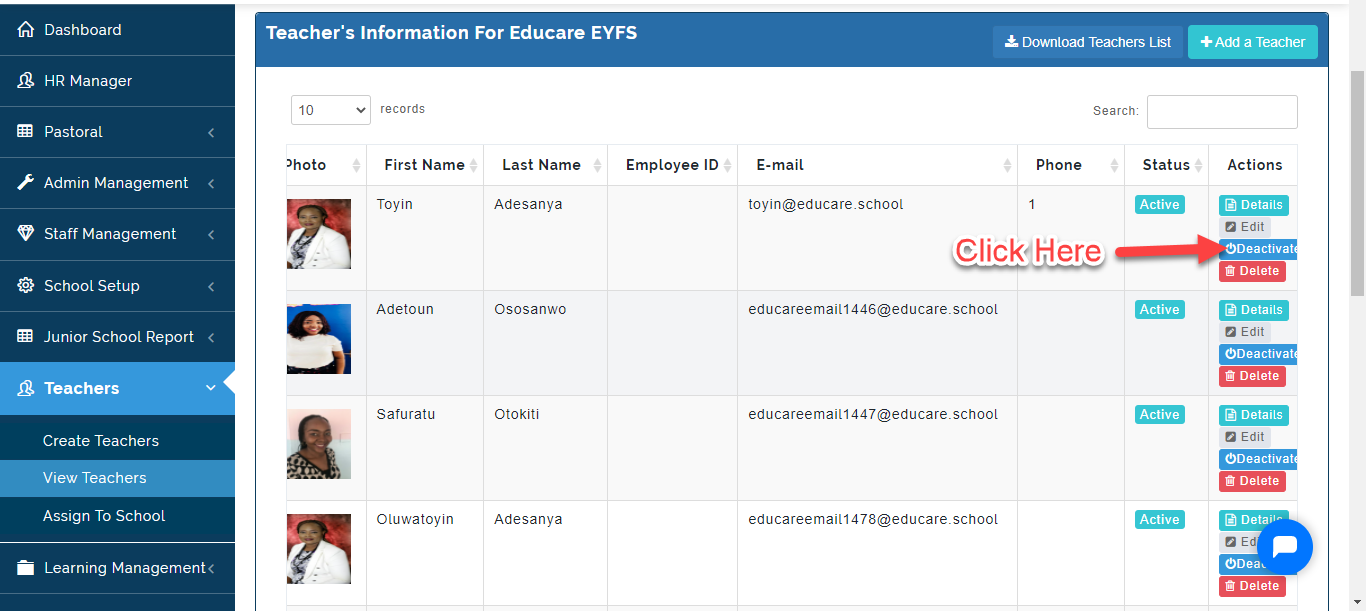
Note on View Teachers
To Download all Teacher's List, Click on the Download Teacher's List Icon. This will Download the Teachers List in an Excel Sheet.