Approve lesson plan
This is where the supervisors get to see the lesson plan created by the teachers and either approve it or reject it.
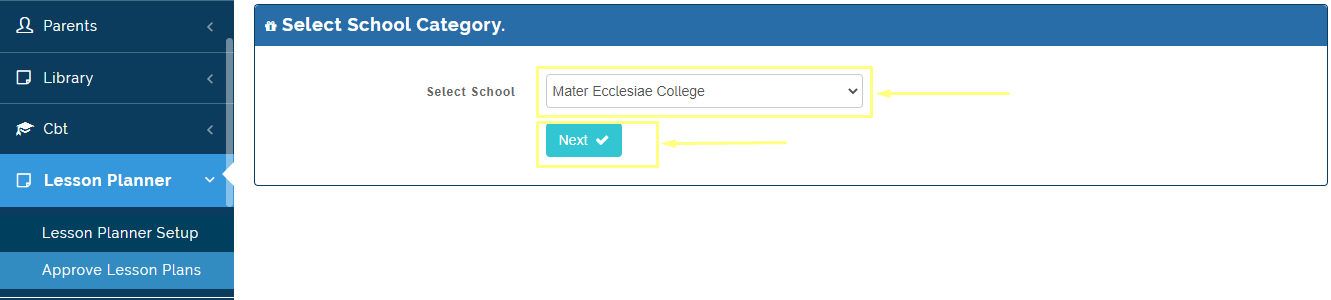
Follow these steps to approve lesson plan
Step1:
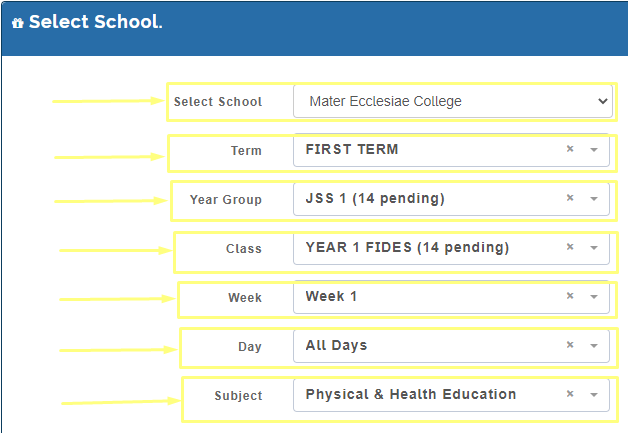
- Select the options to filter out the class and subject
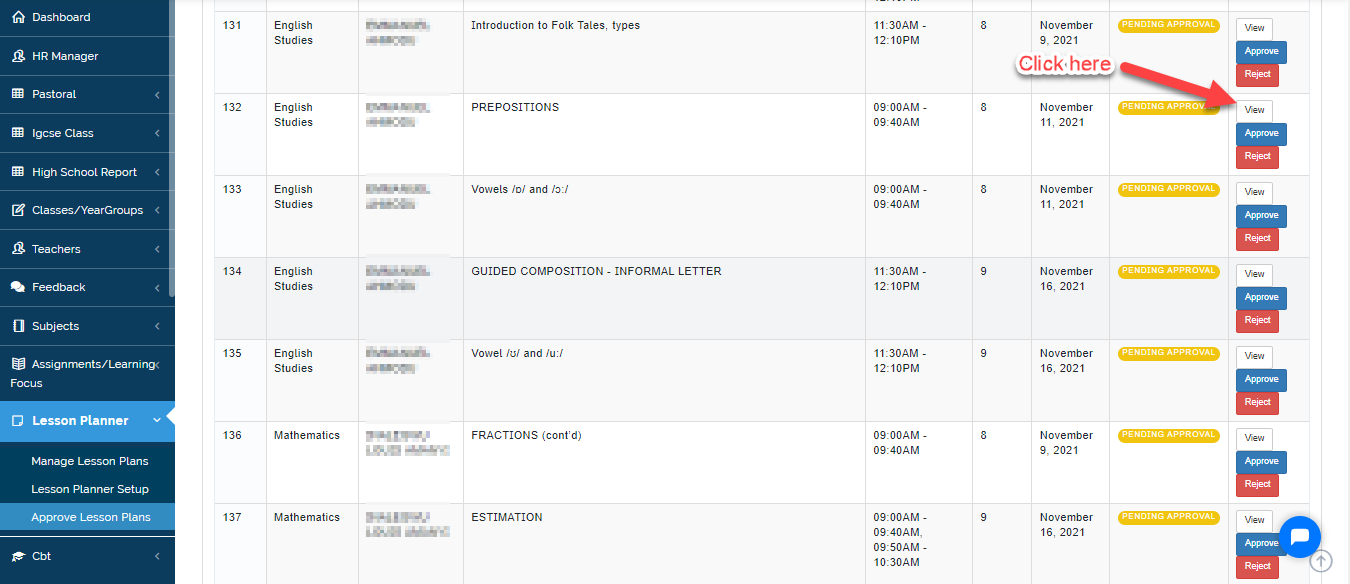
- Select from the list of lesson plans submitted by the teachers for each week.
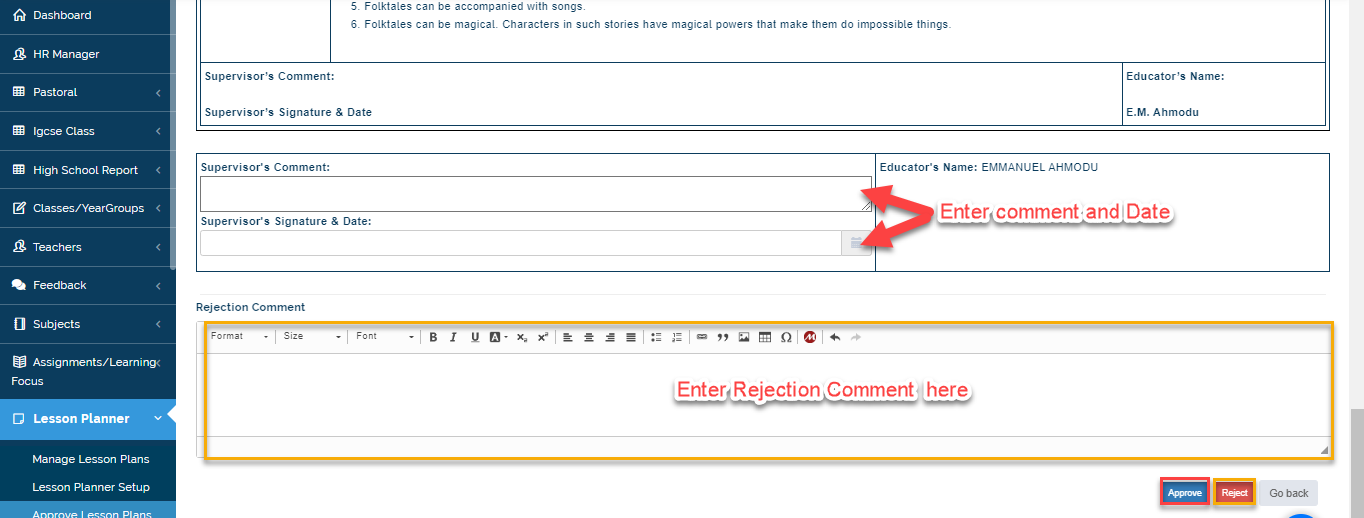
- After going through it, click on approve or reject.
- Click on View to go through the lesson plan entered.
- After going through the Lesson Plan, Enter Supervisor comment and date. Click on Accept. If you want to reject it, Enter the reason under the Rejection Comment text box and Click on Reject.