Award points to students
In this section Pastoral Heads can award point to students who have performed well to get a merit from the schools.
Step 1: How to award points to students
To award points to students, follow these steps:
Click on Pastoral then select Point entry.
Click on +Award point
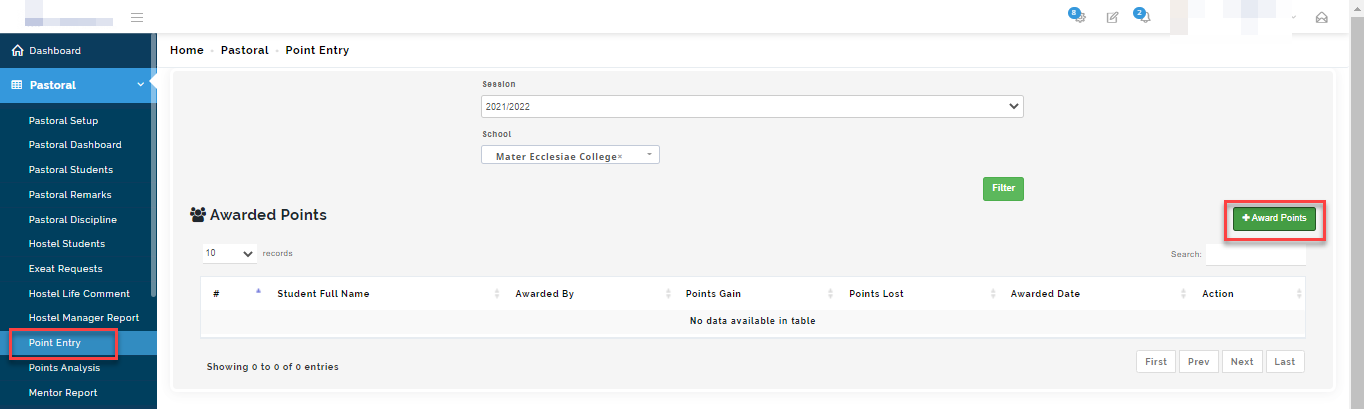
This will open up a modal where you can filter and search for the student(s) you want to award points.
Step 2: Inputting Award Points
To add points follow these steps;
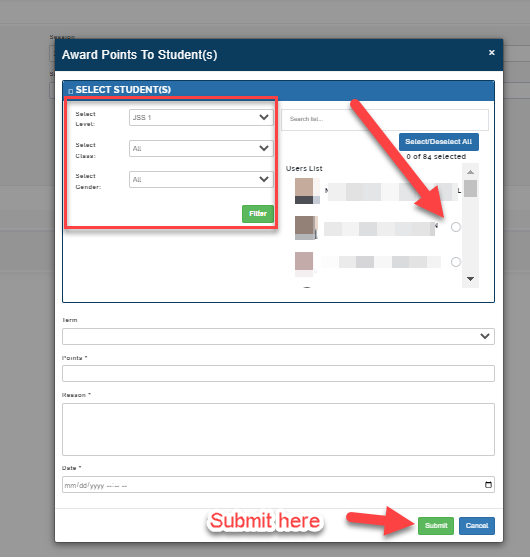
After clicking on Award points, select the level, class and gender of the students you want to award point(s) and click on filter
The list of pupils will appear based on your selection; Search/ select the name(s) of the students.
Select the term, enter how many points you want to award the student.
Enter the reason for awarding the pupil and the Date. Click on Submit
How to view points entered for students
In this steps, you will see how to view points entered by the Pastoral managers.
Navigate to Pastoral Module on the left corner of the portal
Select Point entry.
select the session and school you want to view. Click on Filter
The list of students who have been awarded points will appear in the appear.
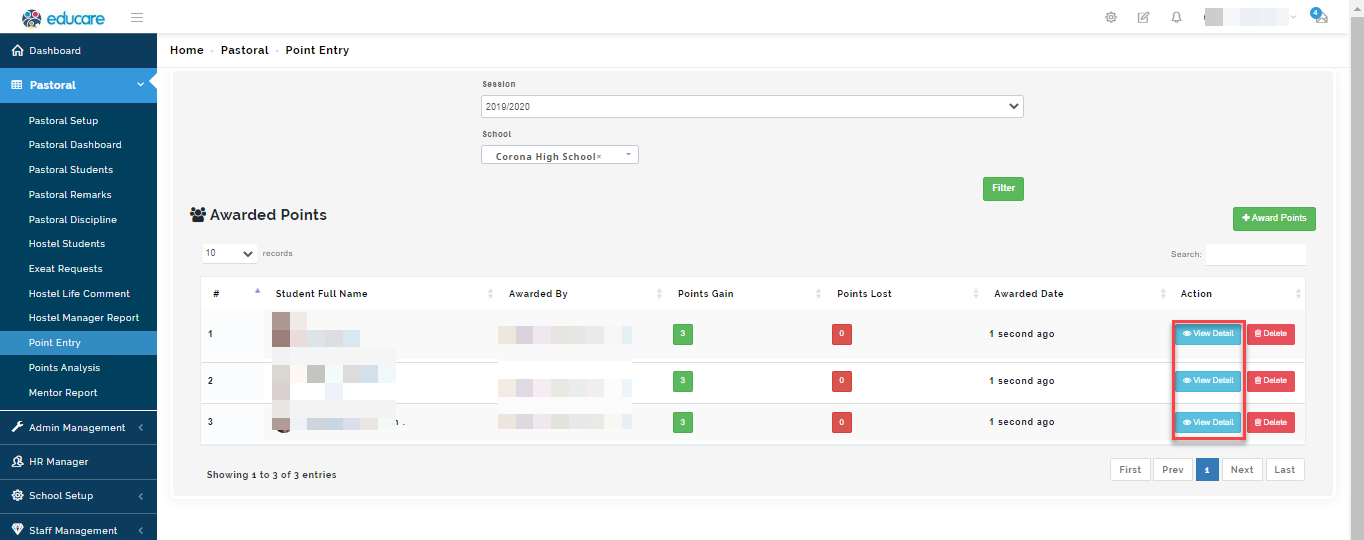
You will see the list of all students that have been awarded marks , the person who award the marks and how many marked that was awarded.
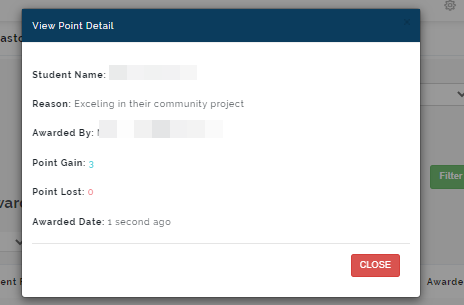
Click on View points for a full description of the reason the point was given. Click Delete to erase point entered in error.