
Here, the School Admin can view and Approve all the Communication book written by the teachers.
To View written Communication book, Follow, these Steps:
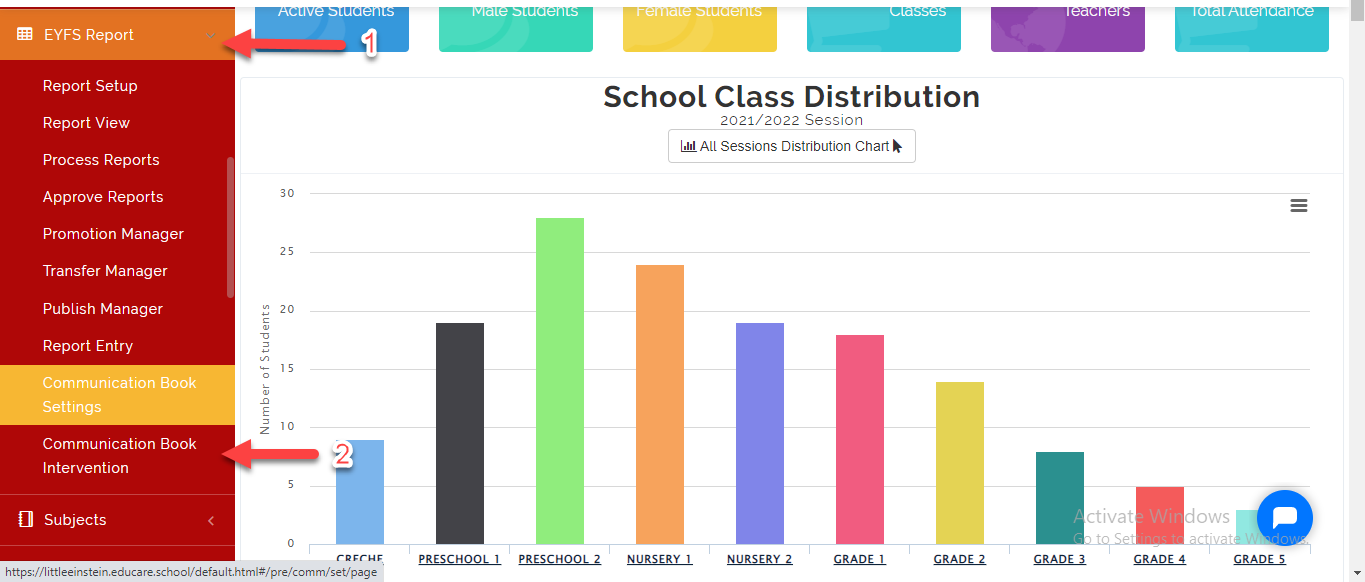
- Go to EYFS Report then Select Communication Book Intervention.
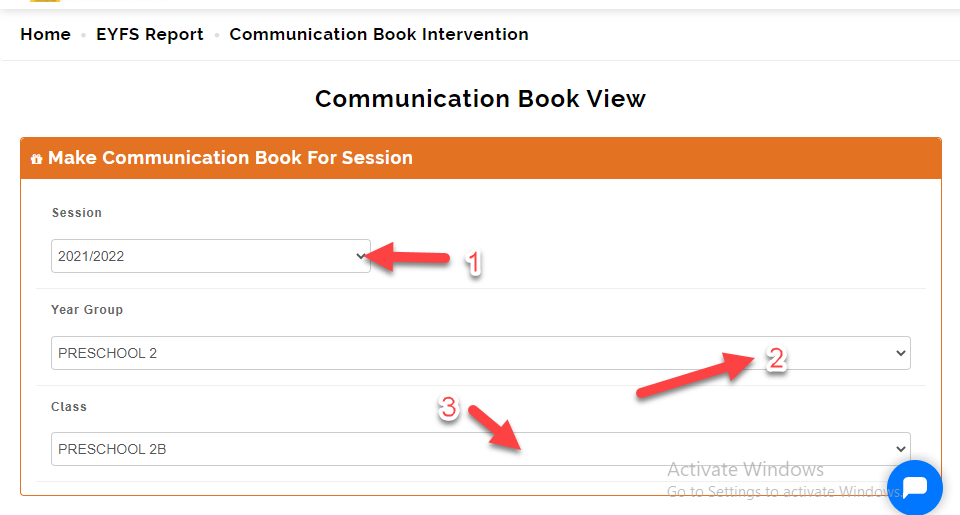
- Select the Session, Year Group and Class you want to view.
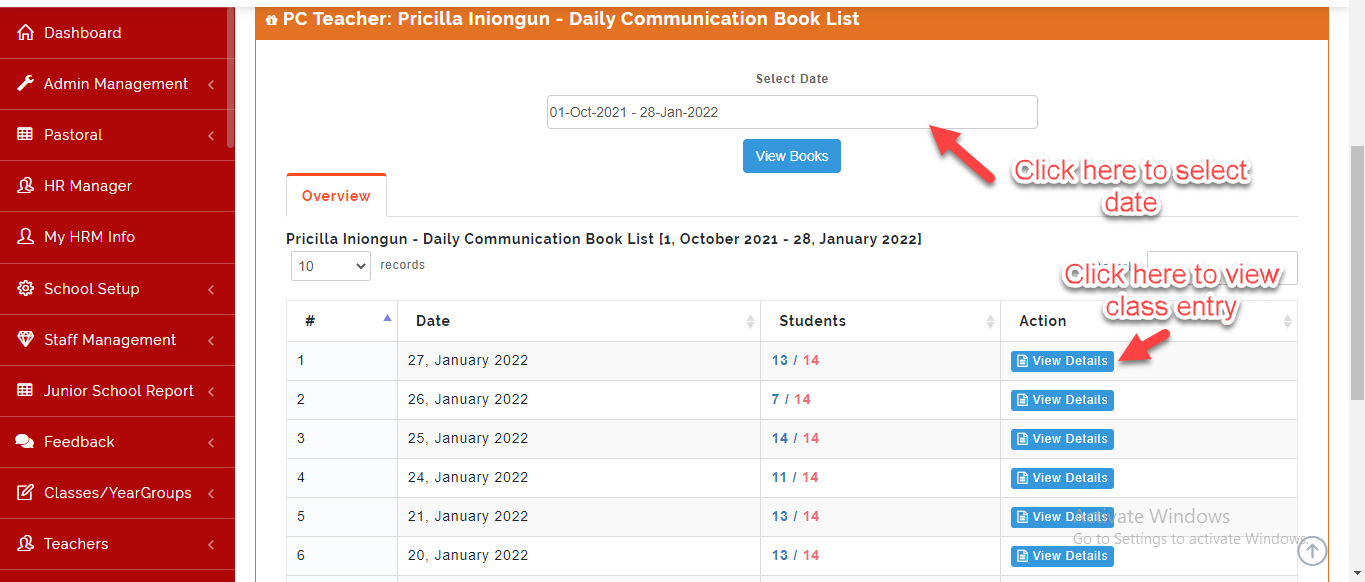
- Select the date you want to view; this will bring out all the communication book teachers have entered for the date Selected.
This will open the list of all students with communication book. Click on the View **Book** to see what the Class teacher have entered.
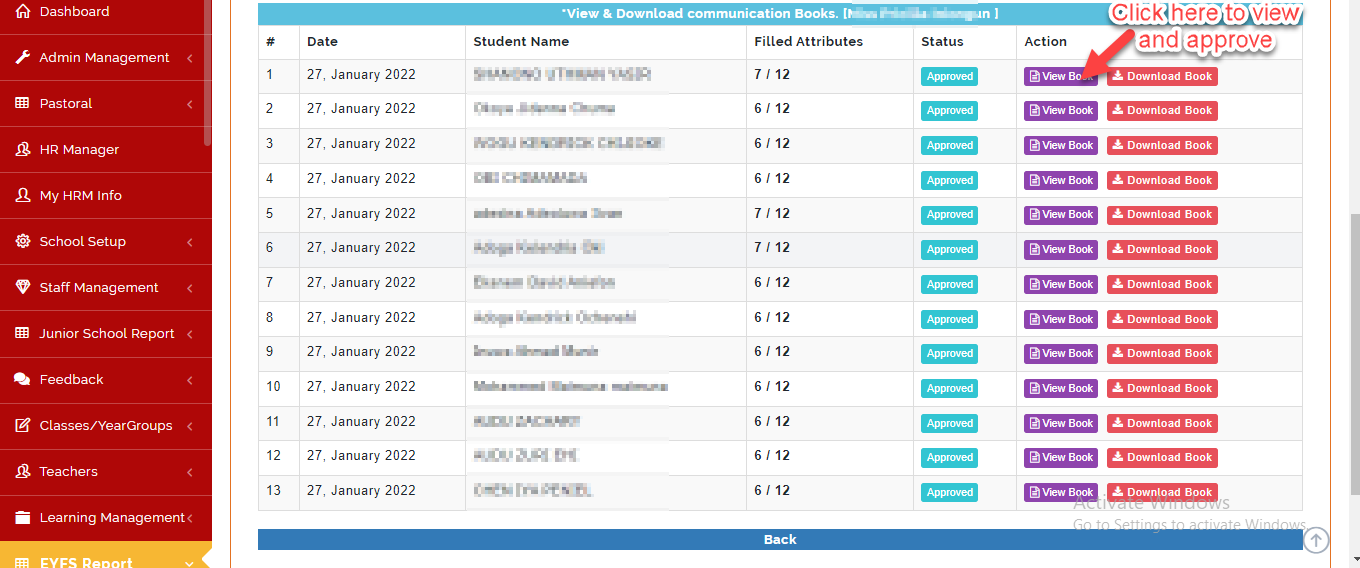
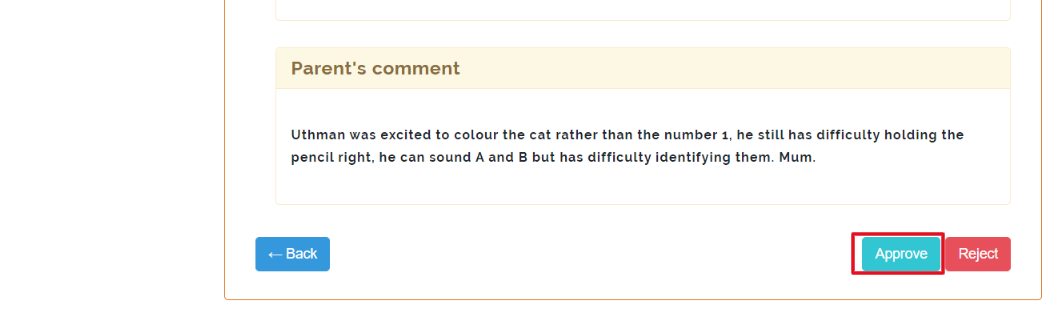
To approve, Scroll to the end of the page then click on Approve or Reject icon as indicated below.
Note on Communication Book Intervention
All Communication come in batches on the days the were submitted. Click on View Details as seen above to view all the students data to edit and approve individually.
Parents get notified via email with Pdf copy of the communication book