
This is where the admin does some setup concerning the CBT.
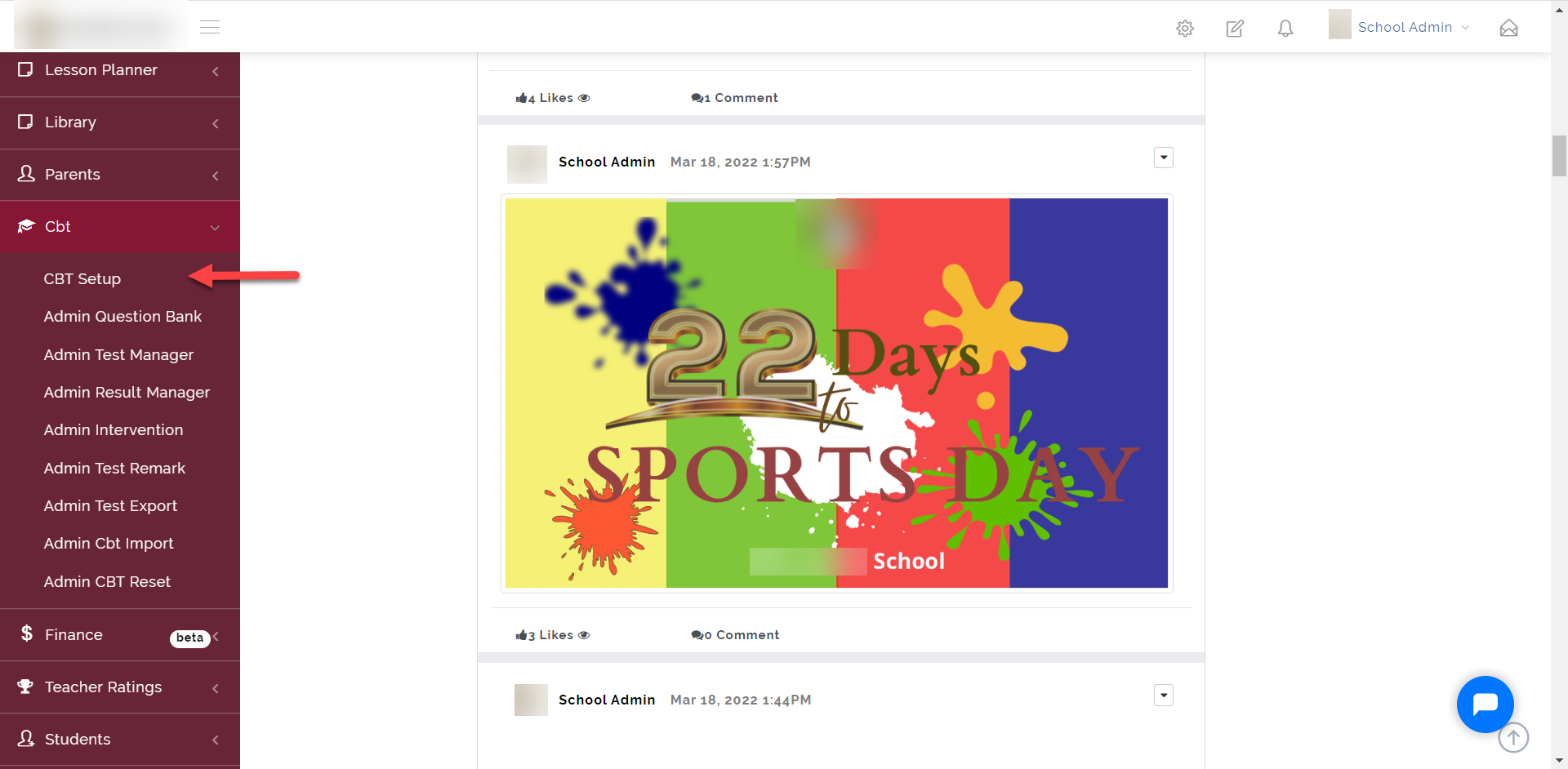
To access the CBT Setup, click on the “CBT” dropdown then select “CBT Setup” as shown below
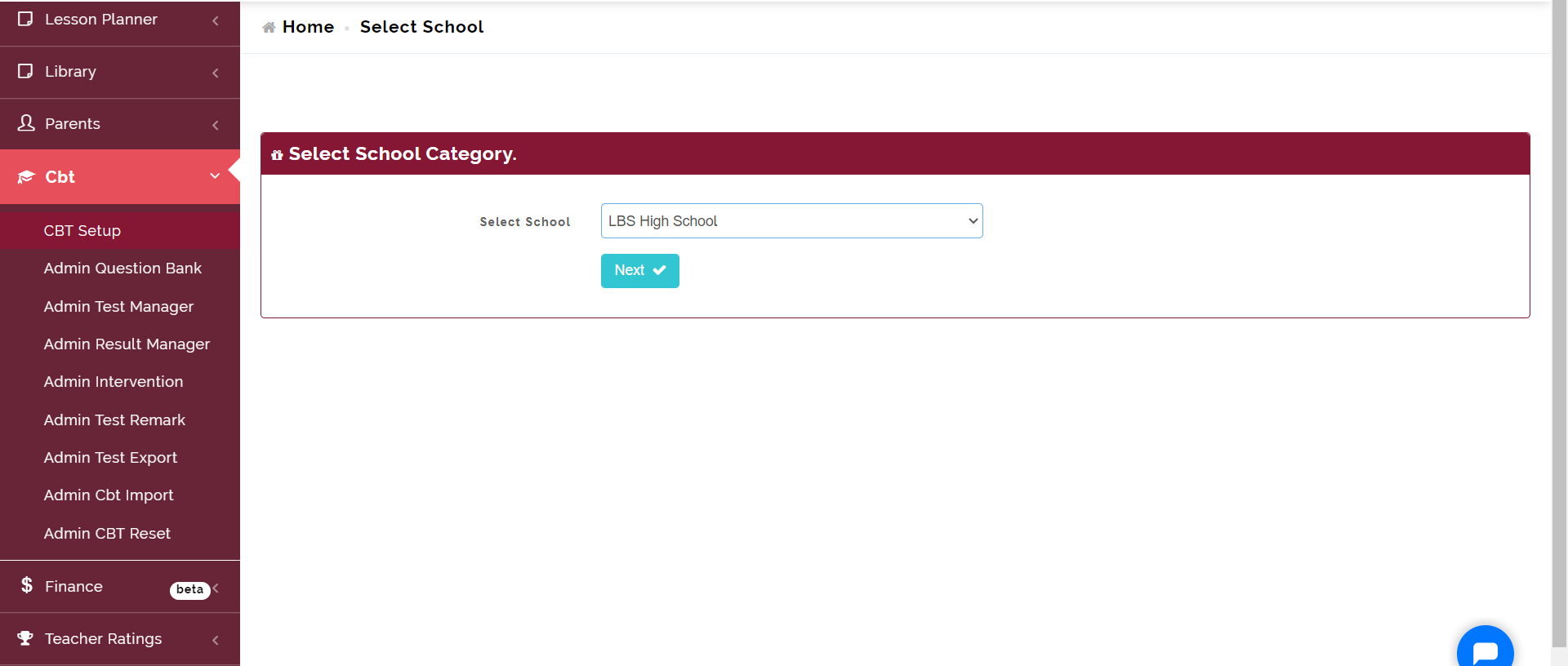
Select the School then click on Next
For General setup, click on the General Setup tab
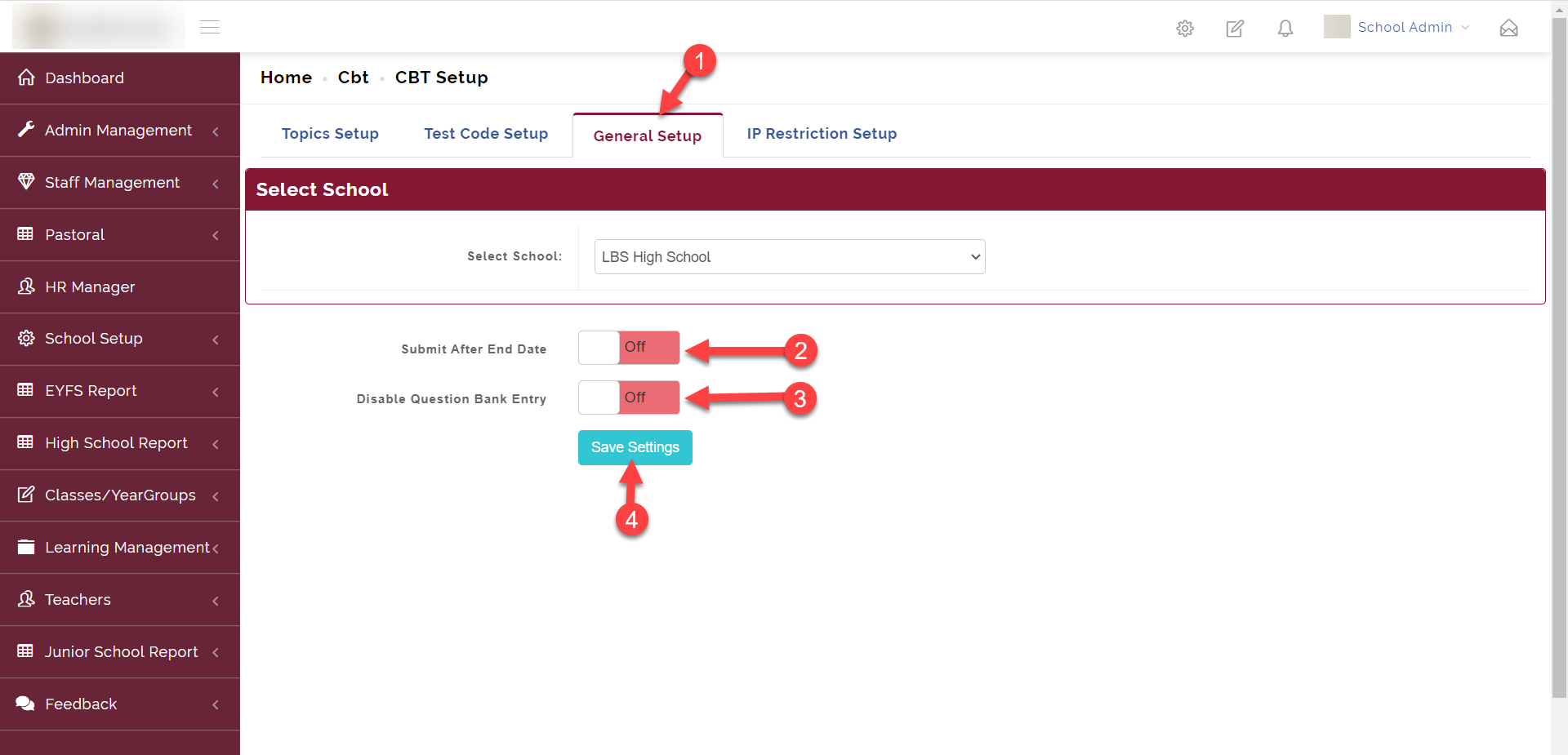
Here we have two options;
- Submit After End Date: This option when enabled allows students to be able to continue and submit their test after the end date and time has exceeded
- Disable Question Bank Entry: This gives admin access to be able to disable the question bank for teachers for a time period.
The IP Restriction Setup is used to restrict the students taking CBT Test a particular IP address rage which can be a range of the school's IP
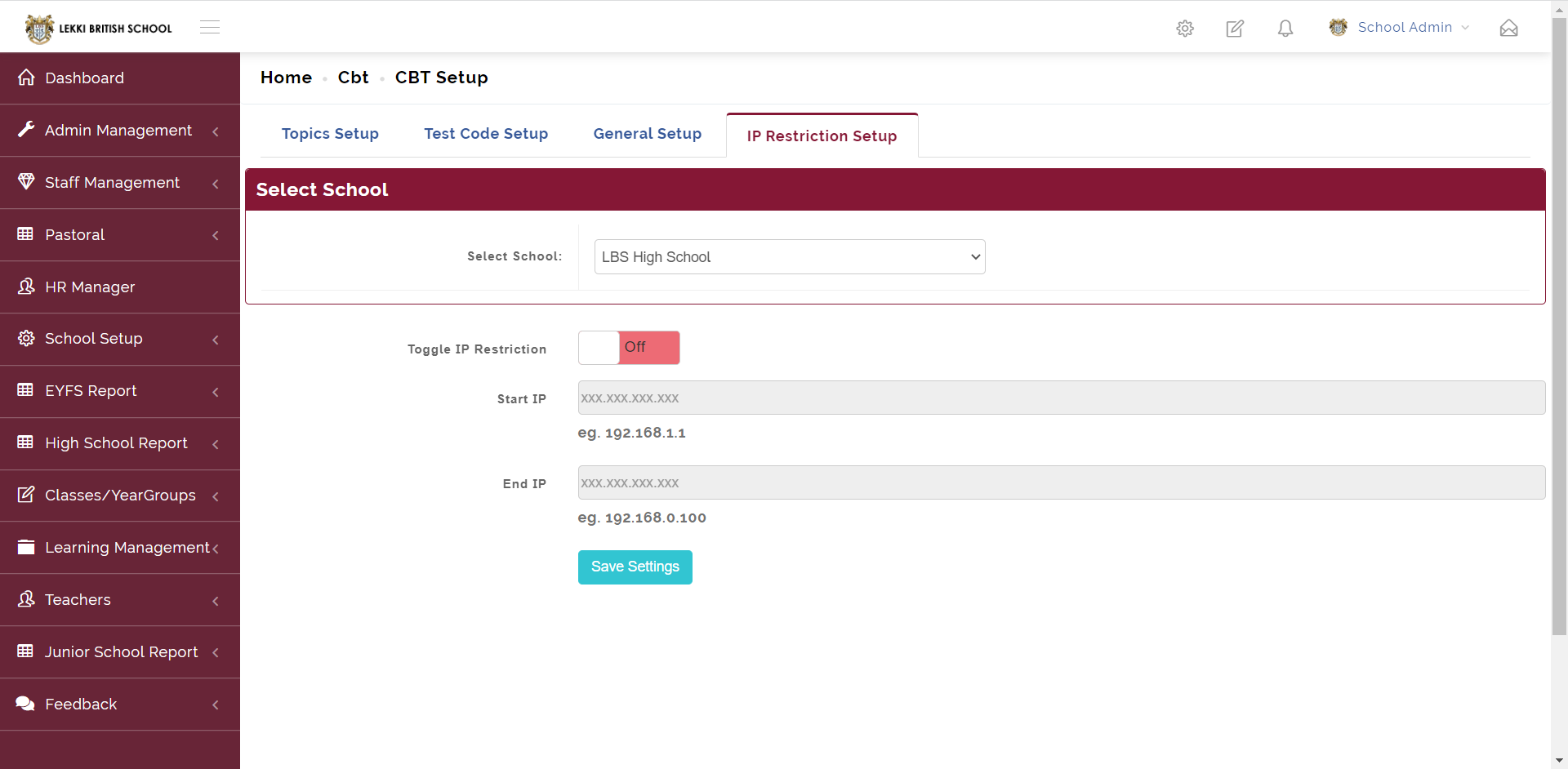
To enable this feature, put on the Toggle IP Restriction, then insert the Start IP and also the End IP.
Click on Save Settings to save progress.