
Here, the admin can reorder the appearance of Students names on the Portal
To Reorder the appearance of the Students Names follow these Steps:
- From General Settings, Click on Students Name Reorder.
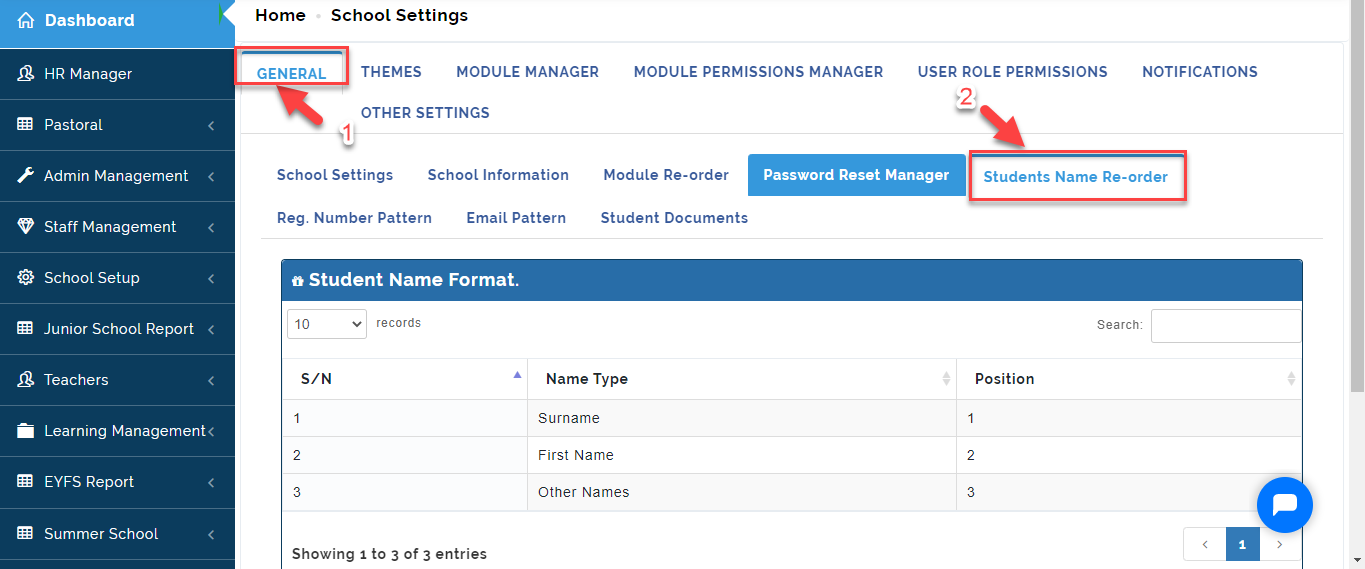
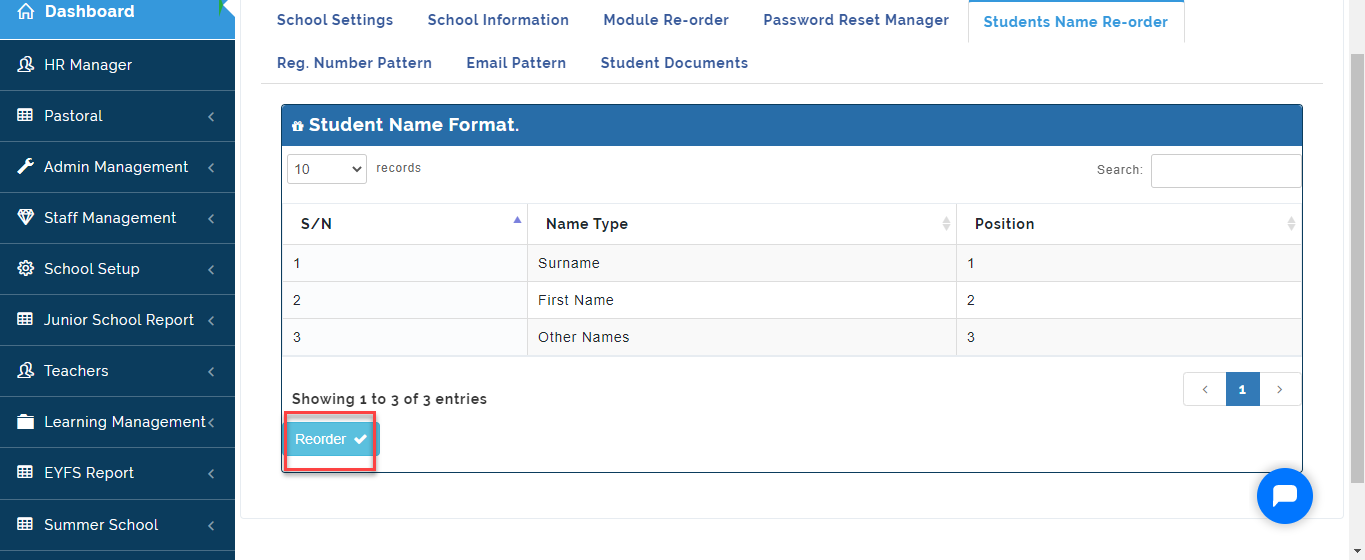
- You will see the default Students Name Order. Click on Reorder.
- Click on the Name Type you want to reorder then using the Arrow Icon move the item to the position of choice either Up or Down. Click on Save to effect changes.
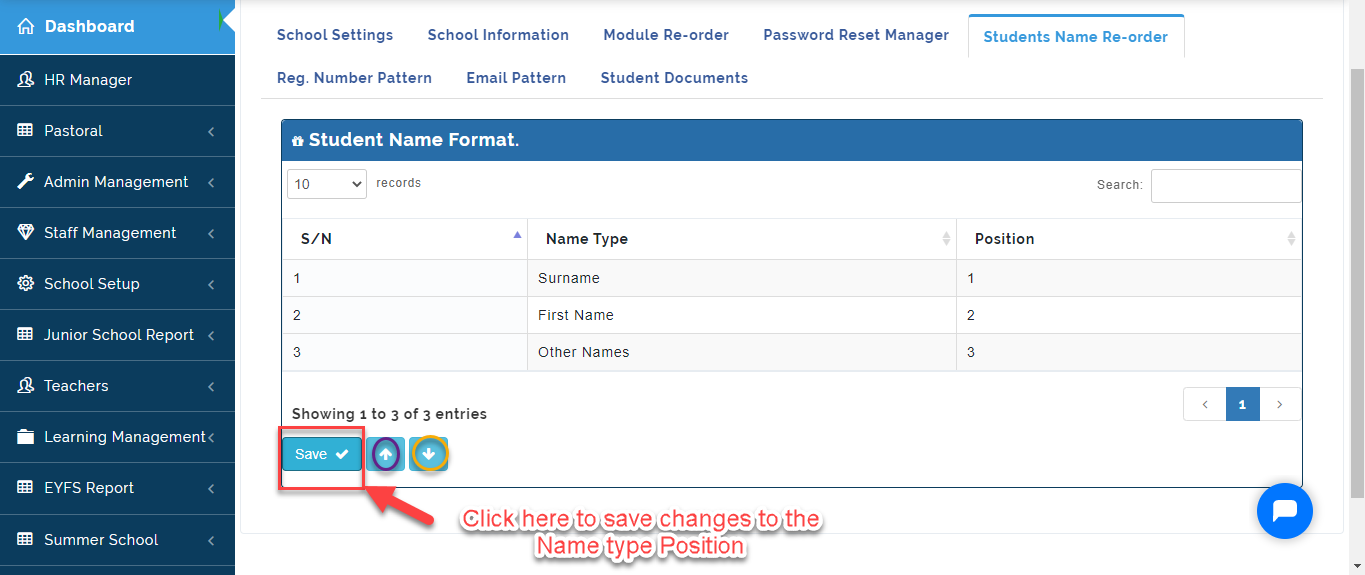
Once Changes is Saved, All Students Names will appear in the format you reordered it.